Honeywell Bendix/King AV8OR Handheld User’s Guide
VFR Moving Map Function D200803000008
Page 2-36 Rev 5 Mar 2012
© Honeywell International Inc. Do not copy without express permission of Honeywell
The Nearby Fuel Price Comparison page shows a list of available
fuel types and prices at nearby airports. The list initially shows the
closest airports first. Tap on titles at the top of each column to sort
the airports by the column title.
Tap on an airport identifier to highlight it and then tap the AIRPORT
INFO soft key to display the airport information page for the selected
airport.
Tap the PREV PAGE soft key to return to the previous page or tap
one of the other tabs to view the corresponding page.
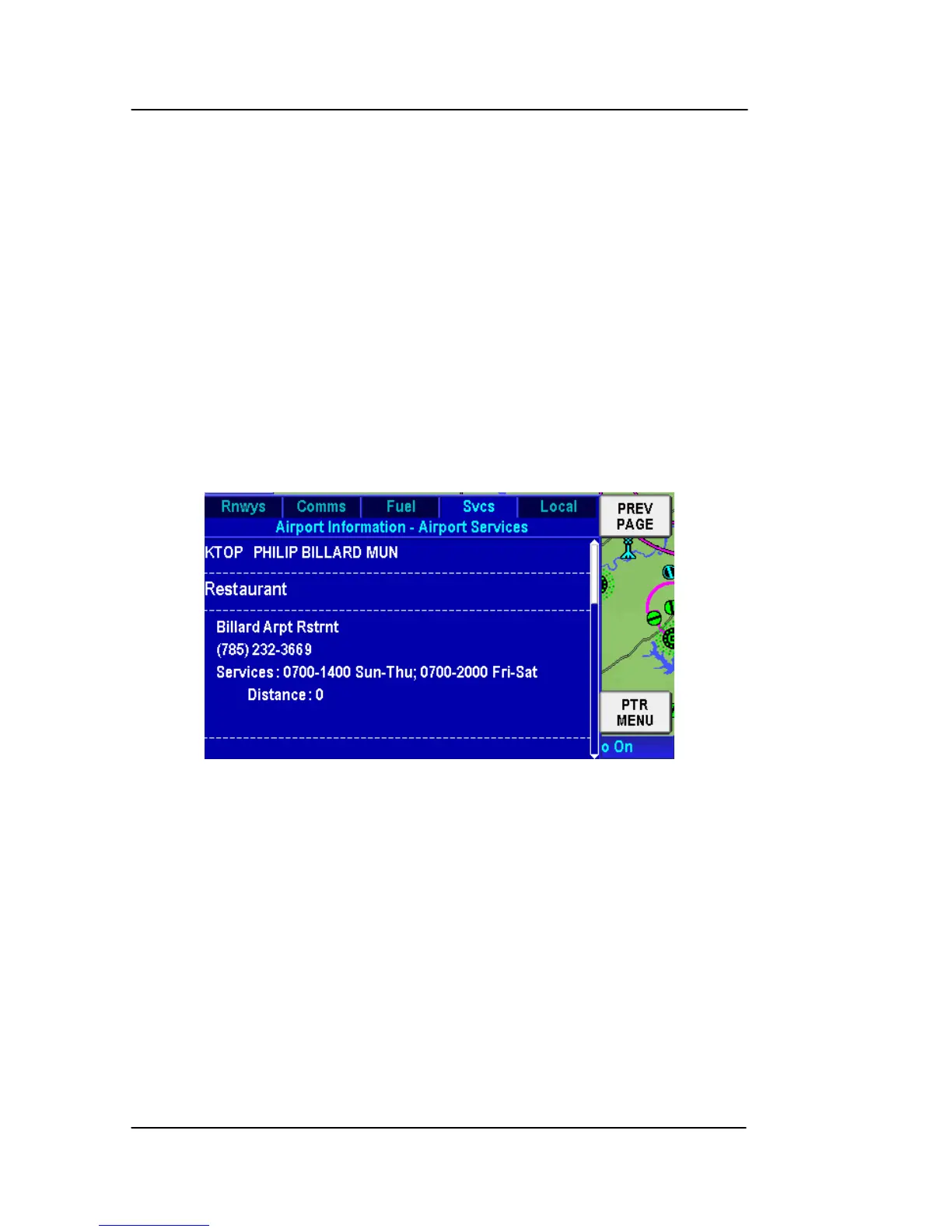
Svcs Tab
Tap on the Svcs tab to display the Airpo
rt Information – Airport
Services page as shown in the figure below.
Figure 2-40: Airport – Svcs Page
This page displays the services available at each provider on the
airport that are listed in the Airport Services database.
Tap the PREV PAGE soft key to return to the previous page or tap
on of the other tabs to view the corresponding page.
Local Tab
Tap on the L
ocal tab to displa
y the Airport Information – Local
Services page as shown in the figure below.



 To Next Page