Honeywell Bendix/King AV8OR Handheld User’s Guide
D200803000008 Basic Operation
Rev 5 Mar 2012 Page 2-5
© Honeywell International Inc. Do not copy without express permission of Honeywell
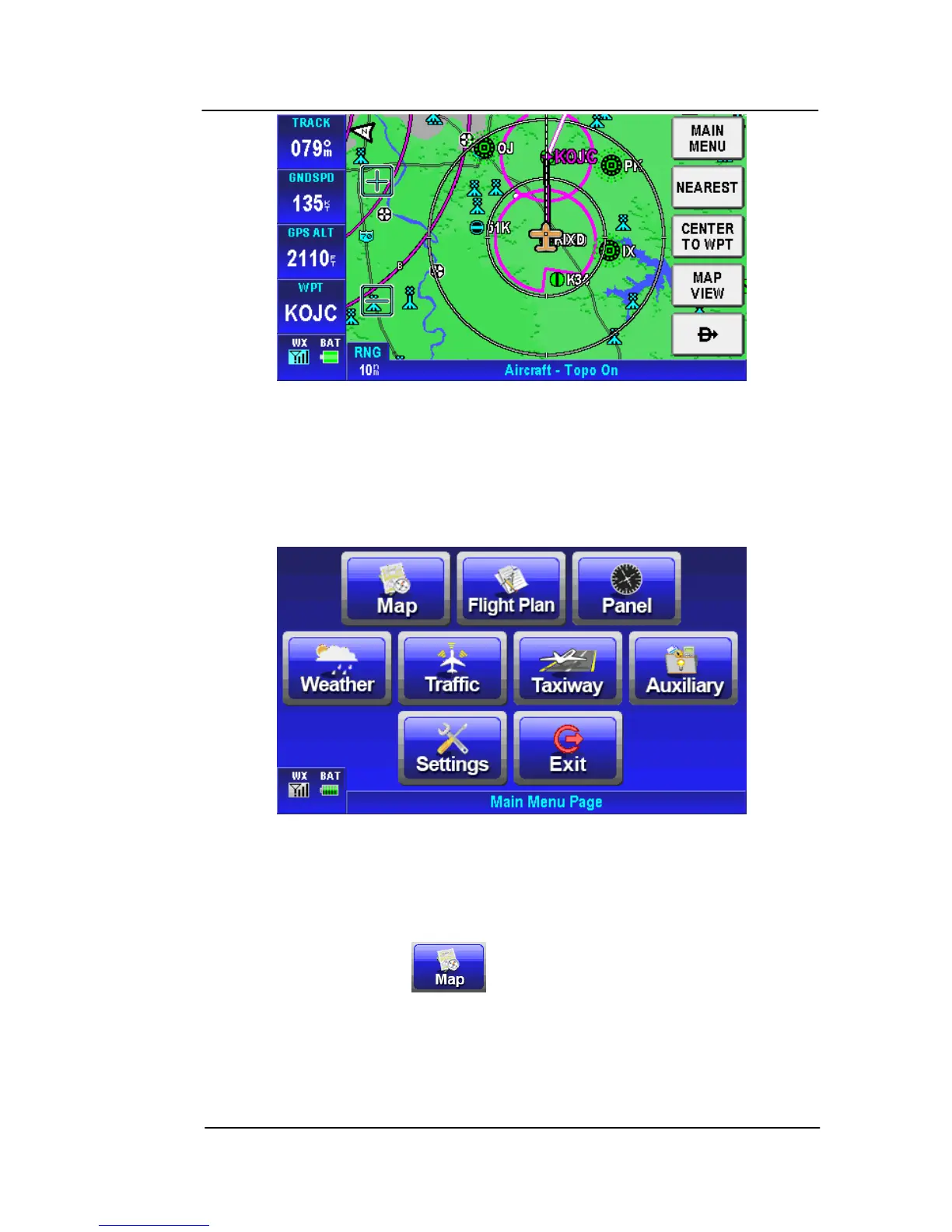
Figure 2-7: Map Page
AVIATION MAIN MENU PAGE
Tap on the MAIN MENU soft key on the Map pag
e to display the
Aviation Main Menu Page.
Figure 2-8: Main Menu Page
An example of each function in Aviation Mode appears below. Each
function has a specific use and is discussed later in this guide. The
following figures are each of the function’s first pages.
•
Map:
Tap on the soft key on the Aviation Main Menu
to return to the Moving Map page. The Map mode is the primary
mode of the system. Refer to the VFR Moving Map Function on
page 2-10 for a detailed explanation of the MAP mode.



 To Next Page