Honeywell Bendix/King AV8OR Handheld User’s Guide
D200803000008 VFR Moving Map Function
Rev 5 Mar 2012 Page 2-17
© Honeywell International Inc. Do not copy without express permission of Honeywell
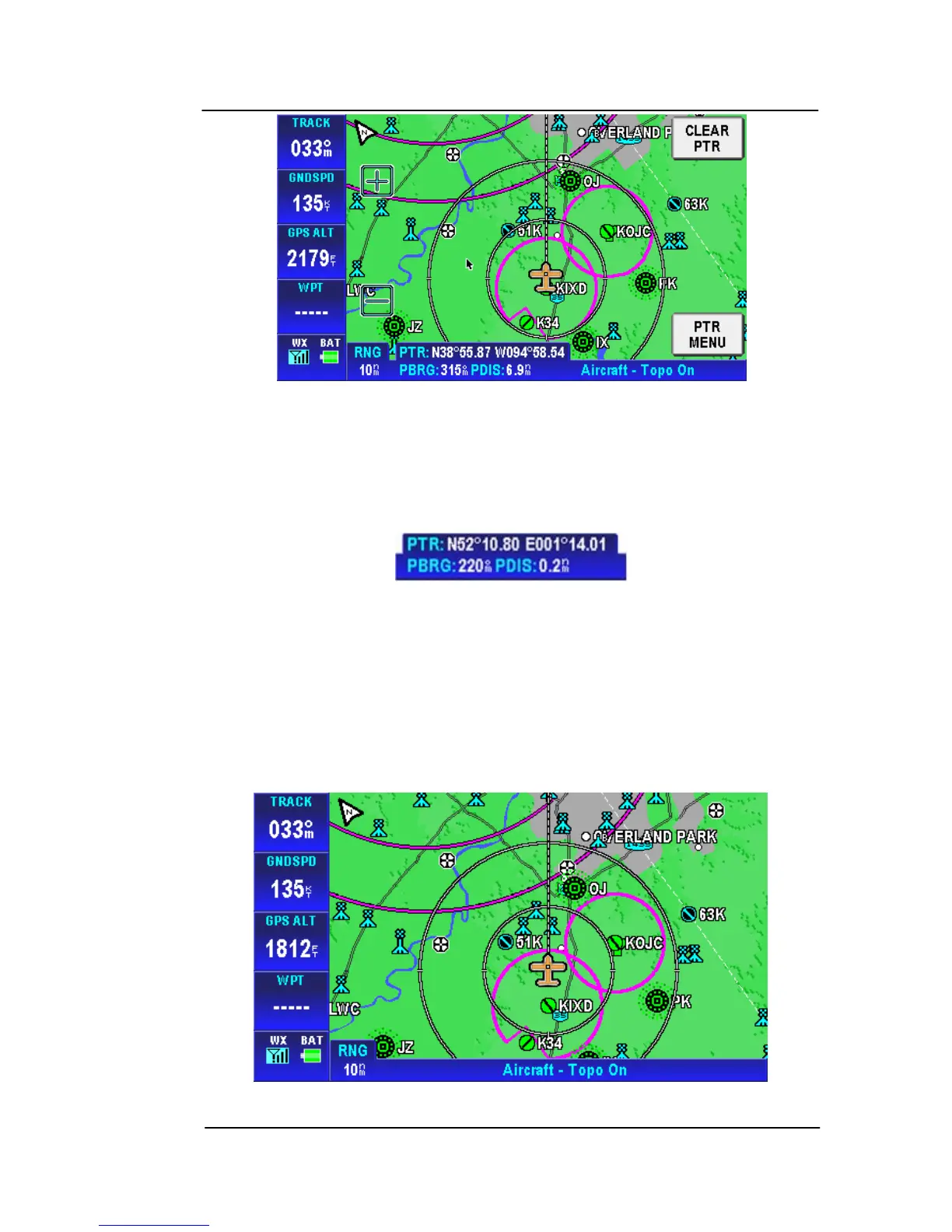
Figure 2-22: Map – Pointer Map mode
In Pointer Map mode, the pointer tag window displays the pointer
position in the currently selected coordinate system. Below the
pointer tag window, the title window component displays the bearing
and distance of the pointer relative to the aircraft’s position.
Figure 2-23: Map – Pointer Tag Window / Title Window
The pointer is removed from the screen after 30 seconds of no
further input (touching and dragging of the pointer).
Auto-Hide Soft keys: When the map mode is displayed without
touching any control, the on-screen soft key labels are removed from
the screen after a period of time that is configurable, as shown
in Figure 2-24. The default time is 30 seconds.
Figure 2-2
4: Map – Witho
ut soft keys



 To Next Page