Honeywell Bendix/King AV8OR Handheld User’s Guide
D200803000008 VFR Moving Map Function
Rev 5 Mar 2012 Page 2-47
© Honeywell International Inc. Do not copy without express permission of Honeywell
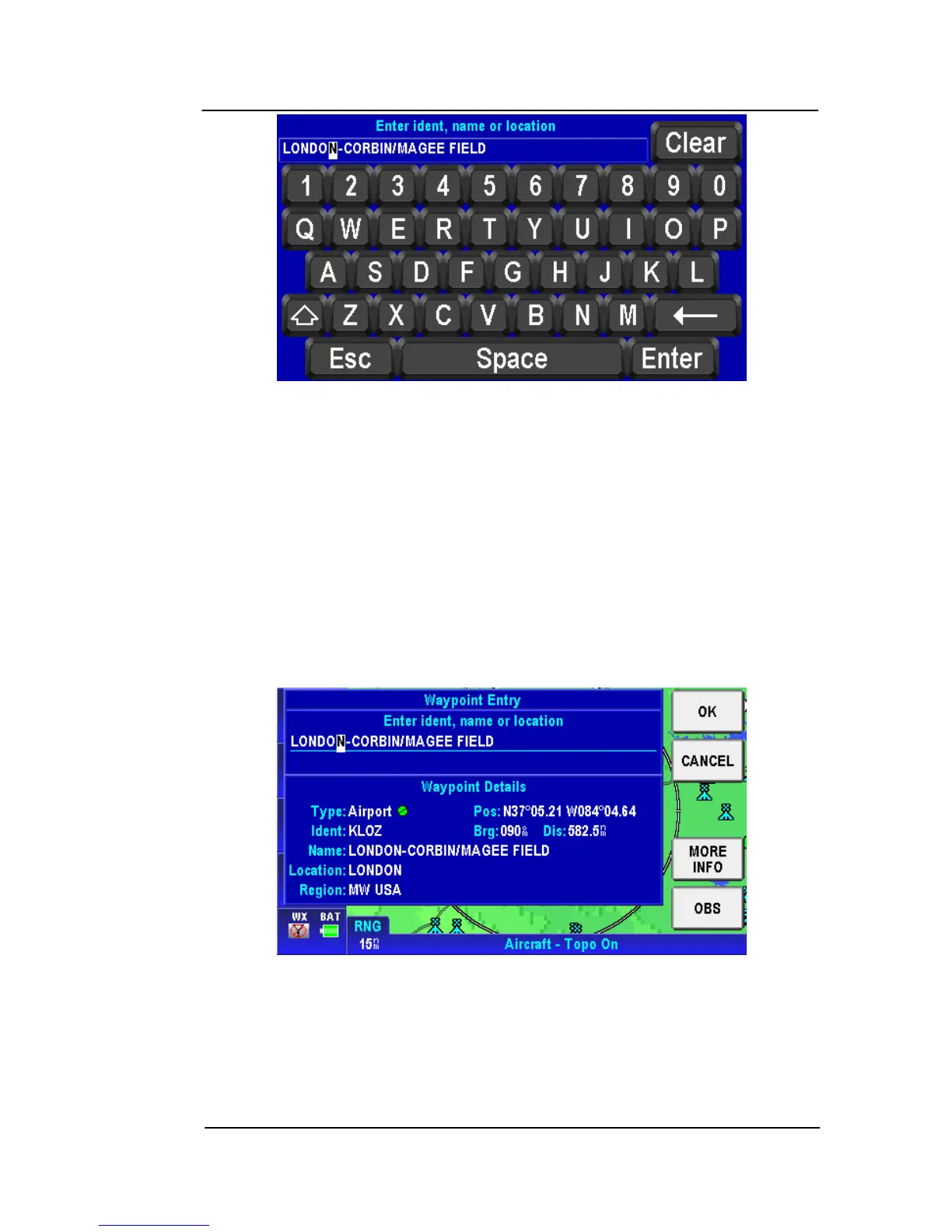
Figure 2-54: Map – Virtual Keyboard
Tap the Esc soft key to return to the Map page.
Tap the Clear soft key to clear the entry you typed in.
The user taps on the keyboard to enter the Ident, name or the
location of the existing NAVAID point. The closest match to the entry
shows on the page as you type in the data. If the closest match is
correct, tap the Enter soft key to accept without having to finish
typing the complete location.
After the Enter key is tapped, a Waypoint Entry screen shows
detailed information about the entered location.
Figure 2-55: Map – Entered Waypoint Info
Tap the CANCEL soft key to cancel the Direct-To and return to the
virtual keyboard page to enter a different location or to Esc back to
the Map page.



 To Next Page