Honeywell Bendix/King AV8OR Handheld User’s Guide
D200803000008 Weather Function
Rev 5 Mar 2012 Page 2-117
© Honeywell International Inc. Do not copy without express permission of Honeywell
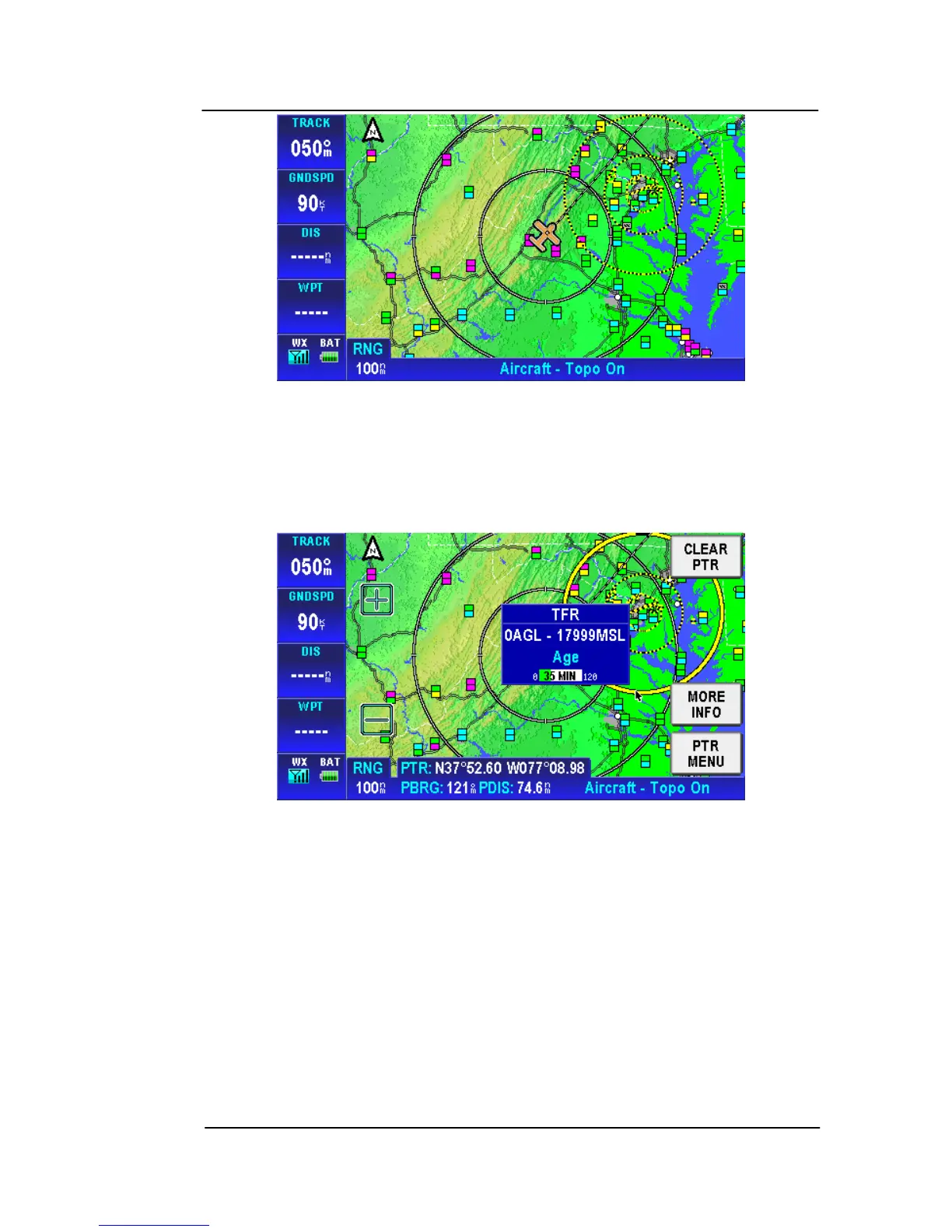
Figure 2-165: TFR Overlay
TFRs show as a yellow/black segmented line which represents
the boundary around the TFR area. Tap on the TFR line to show
the TFR Pop-UP window.
Figure 2-166: TFR Overlay – Popup
Tap on the MORE INFO soft key to show the Temporary Flight
Restriction window.



 To Next Page