Honeywell Bendix/King AV8OR Handheld User’s Guide
System Setup Function D200803000008
Page 2-158 Rev 5 Mar 2012
© Honeywell International Inc. Do not copy without express permission of Honeywell
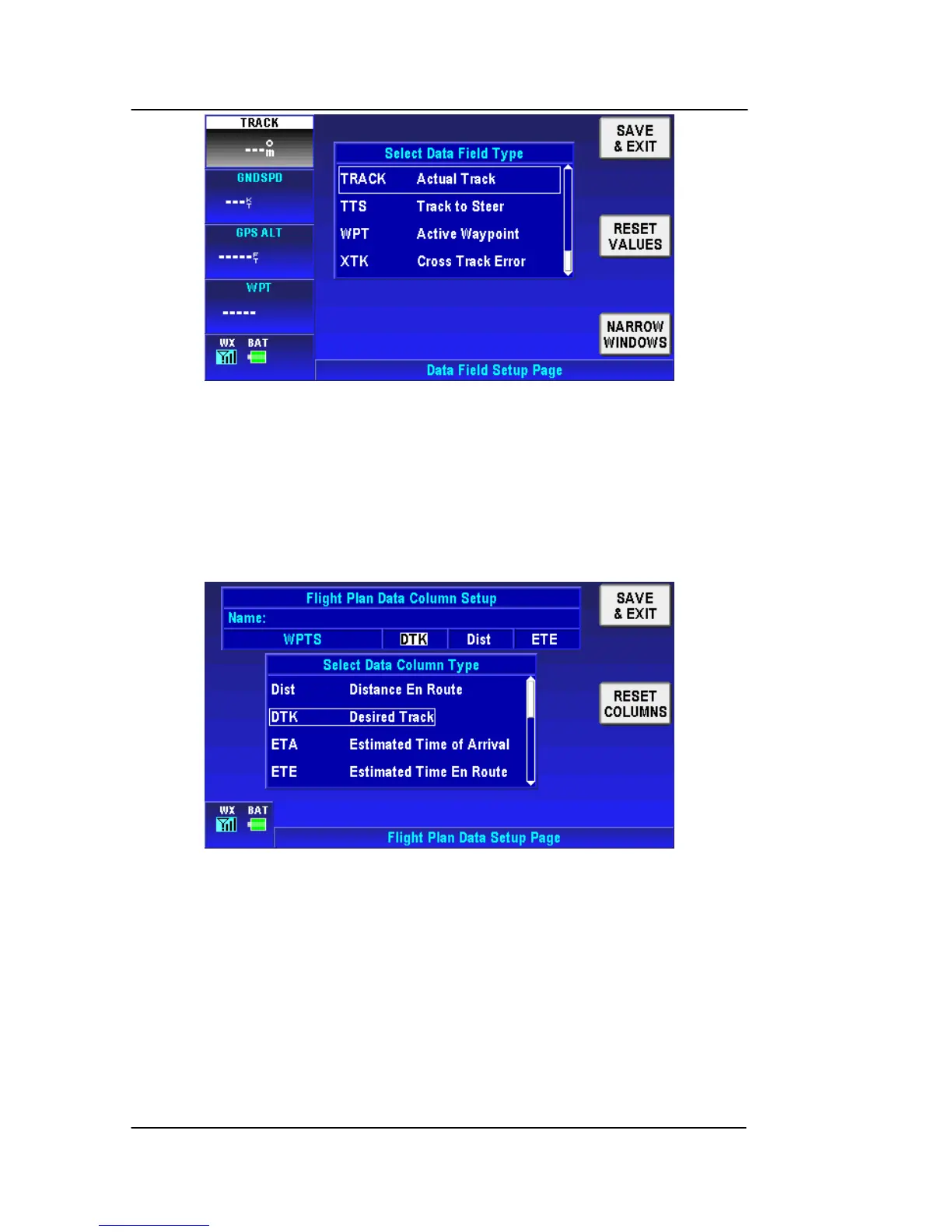
Figure 2-205: System Setup – Wide windows Data Field
Tap the RESET VALUES soft key to set all option to their factory
defaults.
FLIGHT PLAN DATA SETUP
Flight Plan Data Setup page allows the user to set up the headers
for the flight plan in the flight plannin
g section.
Figure 2-206: System Setup – Flight Plan Data Setup
The ‘Flight Plan Data Column Setup’ table displays the current
column headings for the flight plan data display. The ‘Select Data
Column Type’ table defines the column headings that are available.
Tap on the ‘Flight Plan Data Column Setup’ table to highlight the
desired configurable column, the corresponding column type is
displayed with a white border box in the ‘Select Data Column Type’
table. Move the highlighted box to the desired new column heading
the heading in the above table changes as the lower table highlight
is moved.



 To Next Page