Honeywell Bendix/King AV8OR Handheld User’s Guide
D200803000008 Traffic Function
Rev 5 Mar 2012 Page 2-123
© Honeywell International Inc. Do not copy without express permission of Honeywell
Flight Level
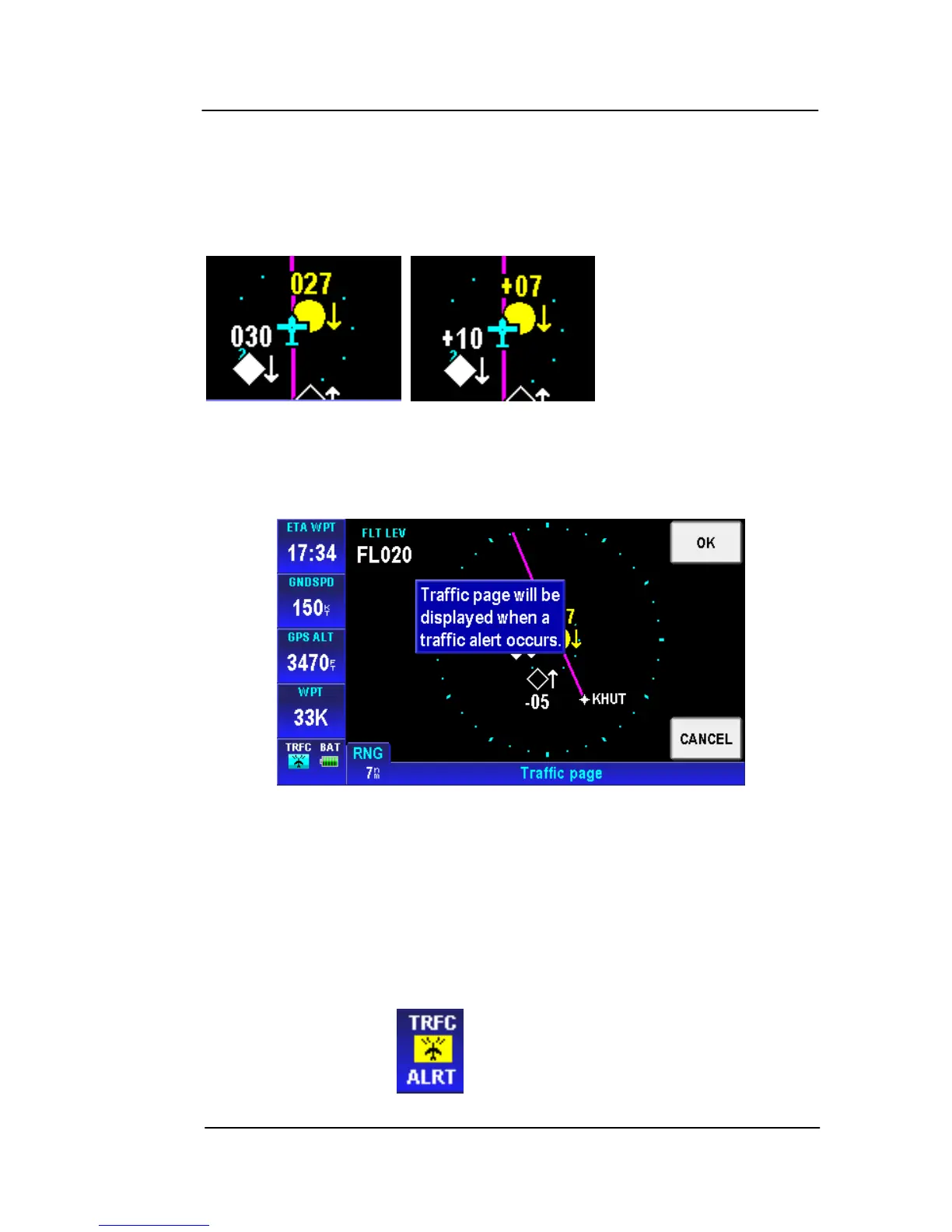
Tap the FLIGHT LEVEL soft key to change the altitude labels above
the targets from altitude above or below the target (100 ft
increments) to the altitude of target above sea level (100 ft
increments)
Enable/Disable Pop-UP
To ena
ble traffic alerts
pop-ups, tap the ENABLE POP_UP soft key
to display the following pop up window, as shown in the figure below.
Figure 2-173: Traffic page – Enable Pop-Up
Tap the OK soft key to accept the change and return to the Traffic
page.
Tap the CANCEL soft key to cancel the change and return to the
Traffic page.
When the Traffic Alerts Pop-up is enabled, AV8OR displays the
Traffic Page whenever an alert is given.
A traffic alert symbol is also displayed in the Status window.
“ALRT” flashes on and off to draw attention to the Traffic Alert.



 To Next Page