Honeywell Bendix/King AV8OR Handheld User’s Guide
D200803000008 Appendix
Rev 5 Mar 2012 Page 6-13
© Honeywell International Inc. Do not copy without express permission of Honeywell
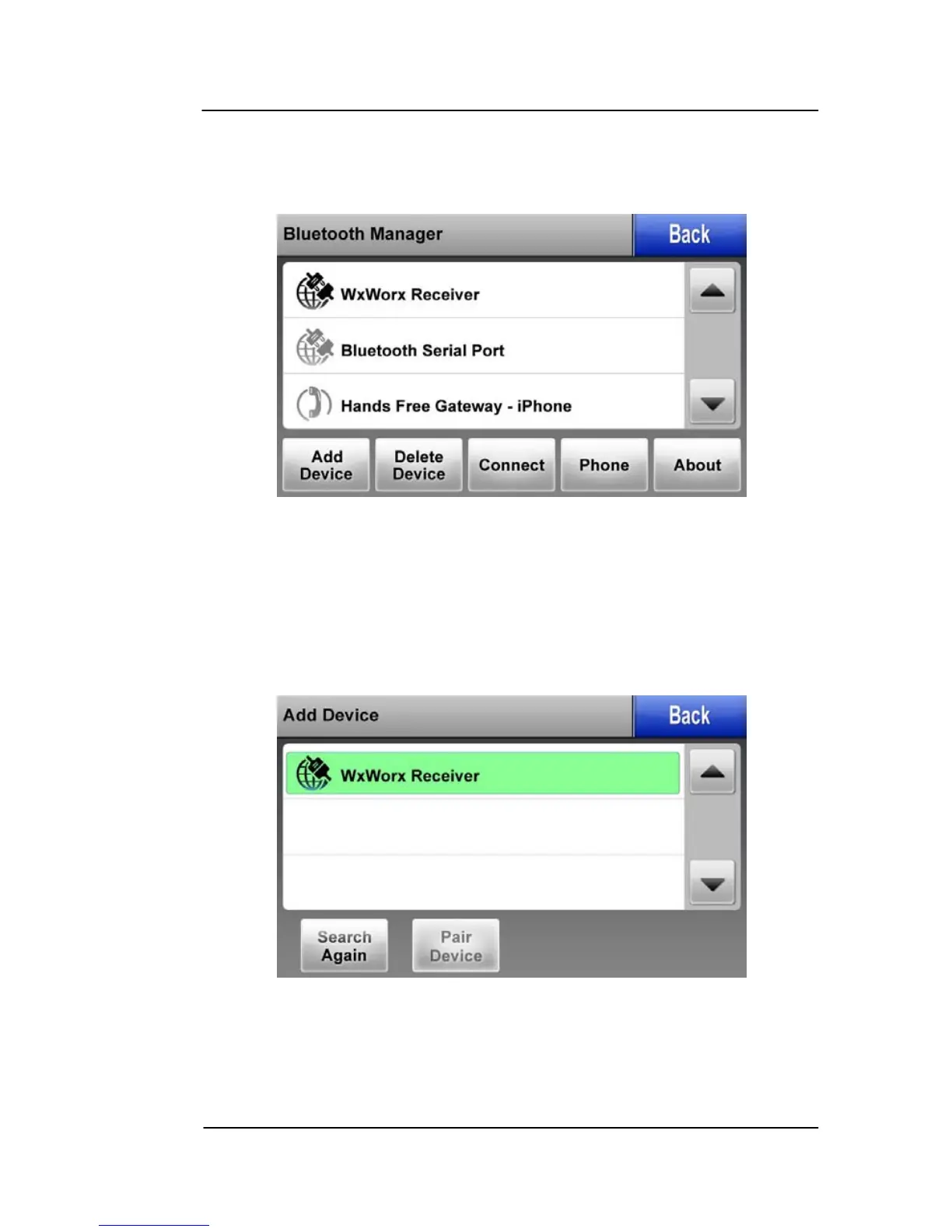
1. From the MAIN MENU, touch the SETTINGS soft key, and then
touch the Bluetooth soft key to display the Bluetooth Manager
Page.
Figure 6-7: Bluetooth Manager Page
2. This page shows the devices that have been previously paired
with AV8OR. If the WxWorx Receiver has not previous been
paired with AV8OR, tap on the Add Device soft key to start the
connection process. The Bluetooth manager searches for all
available Bluetooth devices that have not been previously paired
with the unit and displays them on the screen as shown below.
Figure 6-8: Add Bluetooth Device
3. Highlight the WxWorx Receiver option and tap on the “Pair
Device” soft key. The Pair Device is page is displayed.



 To Next Page