Honeywell Bendix/King AV8OR Handheld User’s Guide
D200803000008 Automotive Mode Operation
Rev 5 Mar 2012 Page 3-69
© Honeywell International Inc. Do not copy without express permission of Honeywell
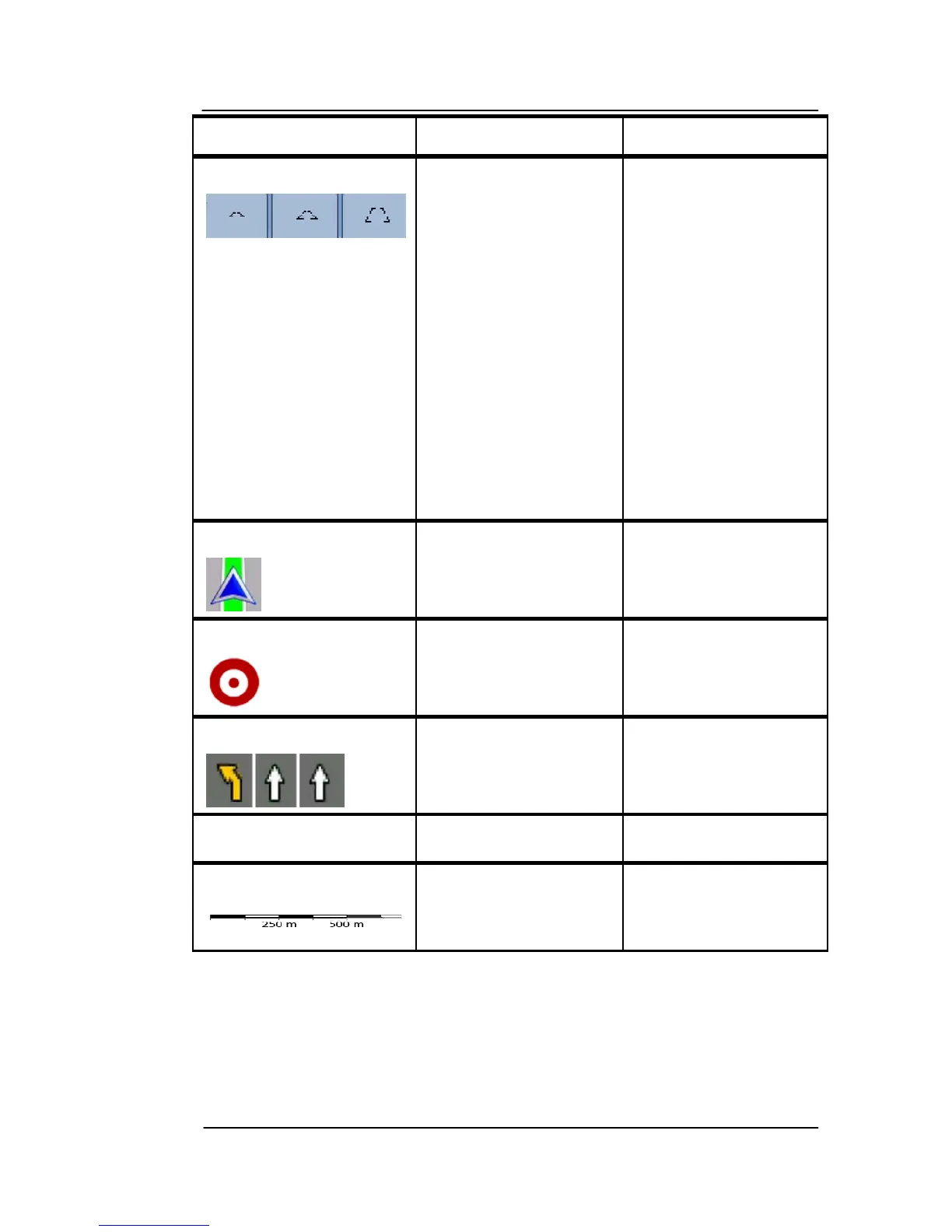
Symbol Name Action
Tilt preset soft Keys
(available in
Advanced mode
only)
Tap one of the
preset soft Keys to
set the tilt and zoom
levels to fix,
predefined values.
Smart Zoom is
disabled. These soft
Keys are available
in 3D mode. Tap &
hold any of the soft
Keys to set its value
to the current tilt
and zoom levels, or
to reset it to its
original value.
Current GPS
position (on nearest
road)
n/a
Cursor (selected
map location)
n/a
Lane information n/a
Orange line Active route n/a
Map scale (2D map
only)
n/a
ICONS ON THE MAP
There are
several status icons on the map. Most of them also
function as a soft Key. The information they provide is as follows:
• GPS position quality



 To Next Page