Honeywell Bendix/King AV8OR Handheld User’s Guide
D200803000008 VFR Moving Map Function
Rev 5 Mar 2012 Page 2-33
© Honeywell International Inc. Do not copy without express permission of Honeywell
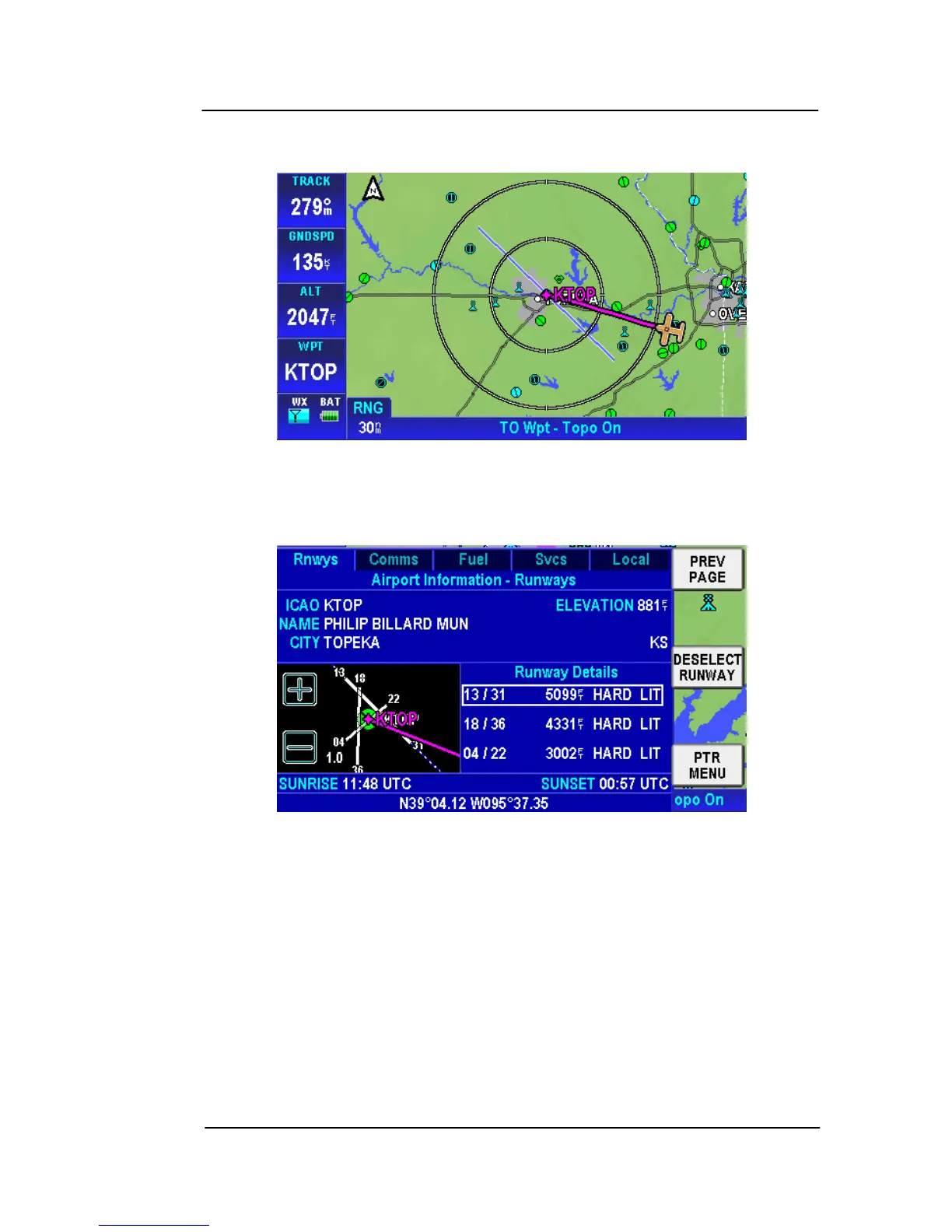
The extended runway centerlines are displayed in a light blue and
white line as shown below.
Figure 2-35: Airports – Extended Centerline on Map page
.On the Airport Information – Runways page, the selected runway
background changes to blue with a white outline as shown below.
Figure 2-36: Airports – Deselect Runway
Tap on the DESELECT RUNWAY soft key to remove the extended
centerlines from the MAP page.
NOTE: When a new airport is selected, the extended centerlines on
the current airport are turned off.
Additional pages of airport information are shown as tabs across the
top of the page.
The tabs are as follows:
• Rnwys – Shows Airport and Runway information.



 To Next Page