Honeywell Bendix/King AV8OR Handheld User’s Guide
Weather Function D200803000008
Page 2-96 Rev 5 Mar 2012
© Honeywell International Inc. Do not copy without express permission of Honeywell
Log Trail. Refer to the Map Setup section on page 2-148 for more
information on how to configure the overlays
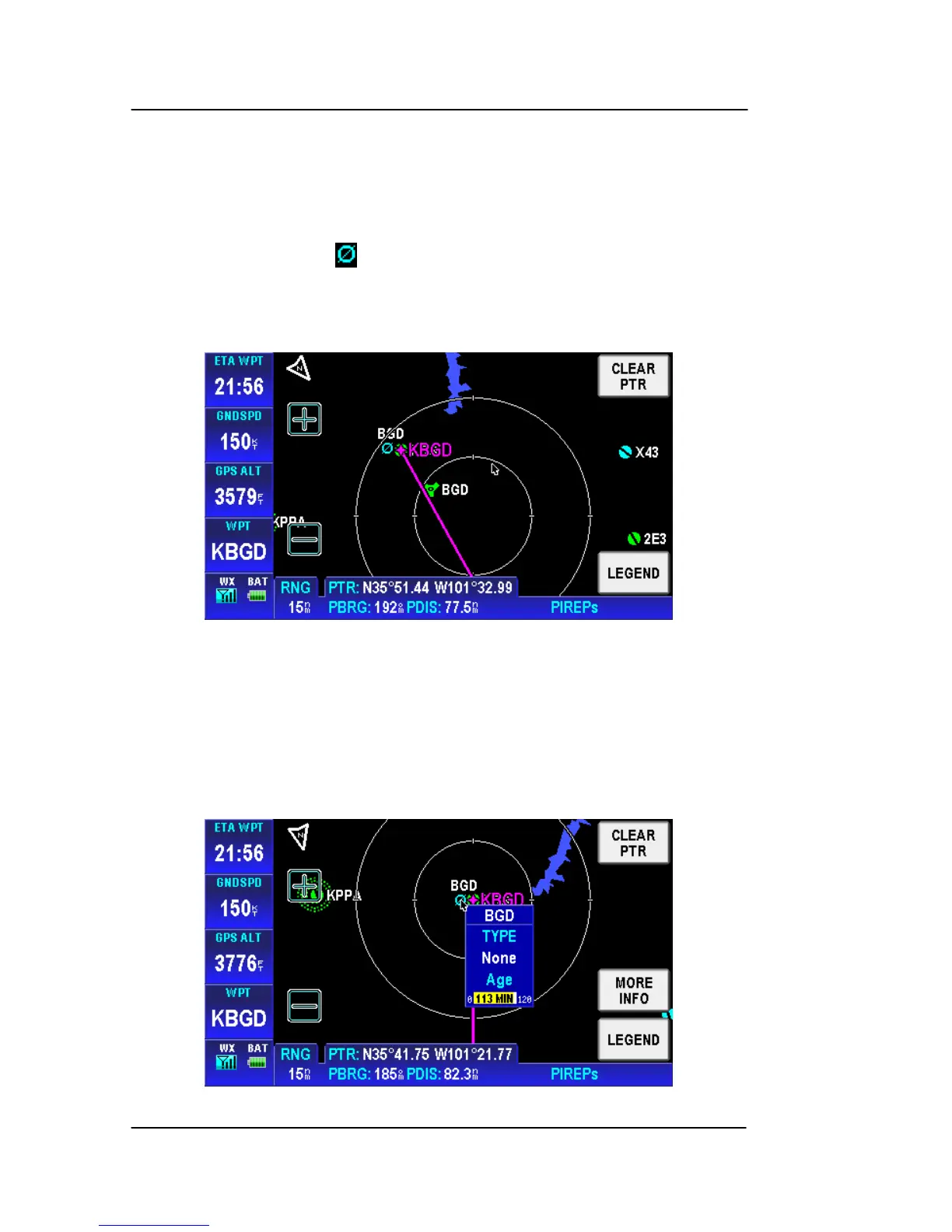
The graphical PIREPs is derived from the location description in the
textual PIREPs and displayed as a blue circle with a diagonal line
intersecting the circle . The boundaries are displayed on a map
background to enhance situational awareness as shown in the figure
below.
Figure 2-132: WX – Graphical PIREPs
Tap on a graphical PIREP to show the PIREPs popup window.
The PIREPs popup window contains the PIREP name, type,
intensity and age as shown in the figure below.
Figure 2-133: WX – Graphical PIREPs Popup Window



 To Next Page