Honeywell Bendix/King AV8OR Handheld User’s Guide
D200803000008 Traffic Function
Rev 5 Mar 2012 Page 2-121
© Honeywell International Inc. Do not copy without express permission of Honeywell
If AV8OR is configured correctly and does not receive traffic
information from the Zaon XRX, a caution popup window shows on
the Traffic page
Traffic Main Page
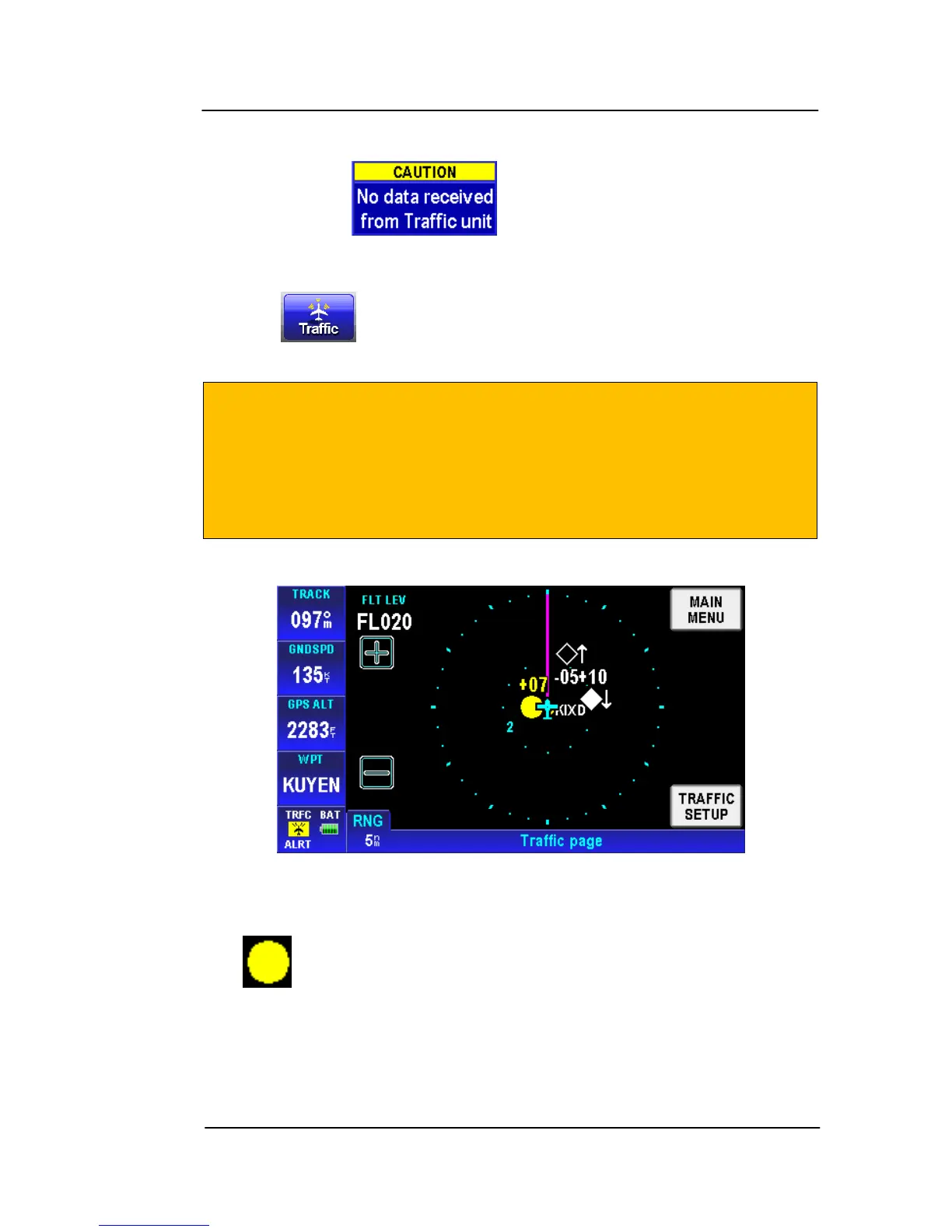
Tap the soft key on the Aviation Main Menu page to display
the Traffic page as shown in the figure below.
CAUTION
AV8OR displays all of the traffic targets that are received from
traffic receivers. The Zaon XFX only displays a primary target
and two secondary targets. There may be additional traffic
targets that do not show on the display.
Figure 2-171: Traffic Main Page
FIELDS ON THE TRAFFIC PAGE:
• Traffic Alerts targets
show as a solid yellow circle. Traffic
alerts are used for targets within 0.7 nm range and within 700 ft
of the same altitude.



 To Next Page