Honeywell Bendix/King AV8OR Handheld User’s Guide
D200803000008 Basic Operation
Rev 5 Mar 2012 Page 2-7
© Honeywell International Inc. Do not copy without express permission of Honeywell
Setup). The AV8OR system connects with a Bendix/King KDR-
610 XM receiver or a WxWorx XM receiver through a Bluetooth
or RS 232 interface to receive weather data from the XM
Satellite Radio network. Refer to the Weather Function section
on page 2-86 for a detailed explanation
of the Weather function
.
Refer to the Connection to An External Weather Source section
in the Appendix on page 6-9 for a detail
ed explanation on how to
connec
t the AV8OR to an XM receiver.
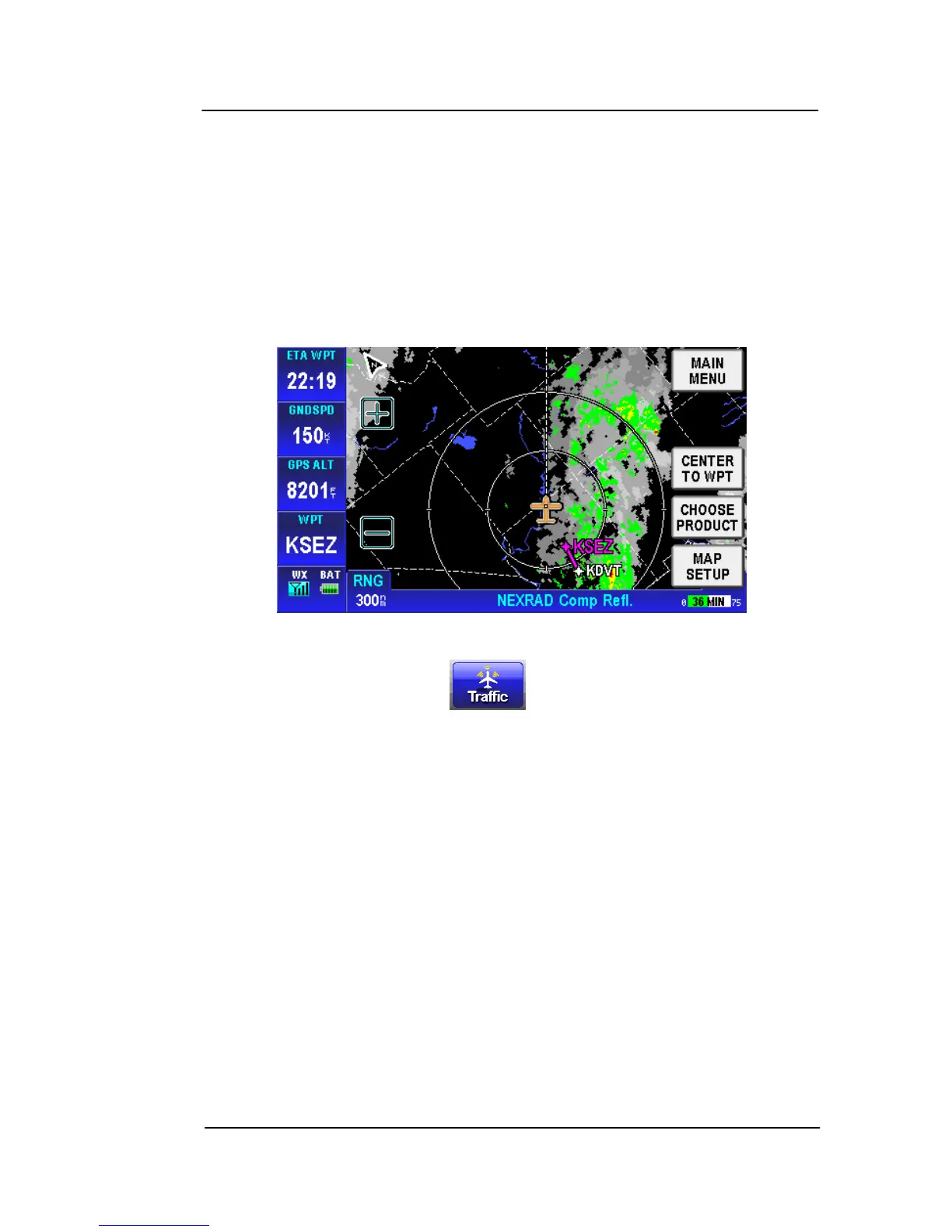
Figure 2-11: Weather – Weather Map Page
•
Traffic:
Tap on the soft key on the Aviation Main
Menu to show the Traffic page. The AV8OR system connects
through a RS-232 interface to devices such as the Zaon XRX
traffic receiver. Refer to the Traffic Function section on page 2-
120 for a detailed expl
anation of the
Traffic function. Refer to
the Connection to An External Traffic Source section on page 6-
16 in the APPENDIX for a detailed explanation on how to
c
onnec
t the AV8OR to a Traffic receiver.



 To Next Page