Honeywell Bendix/King AV8OR Handheld User’s Guide
D200803000008 Auxiliary Function
Rev 5 Mar 2012 Page 2-135
© Honeywell International Inc. Do not copy without express permission of Honeywell
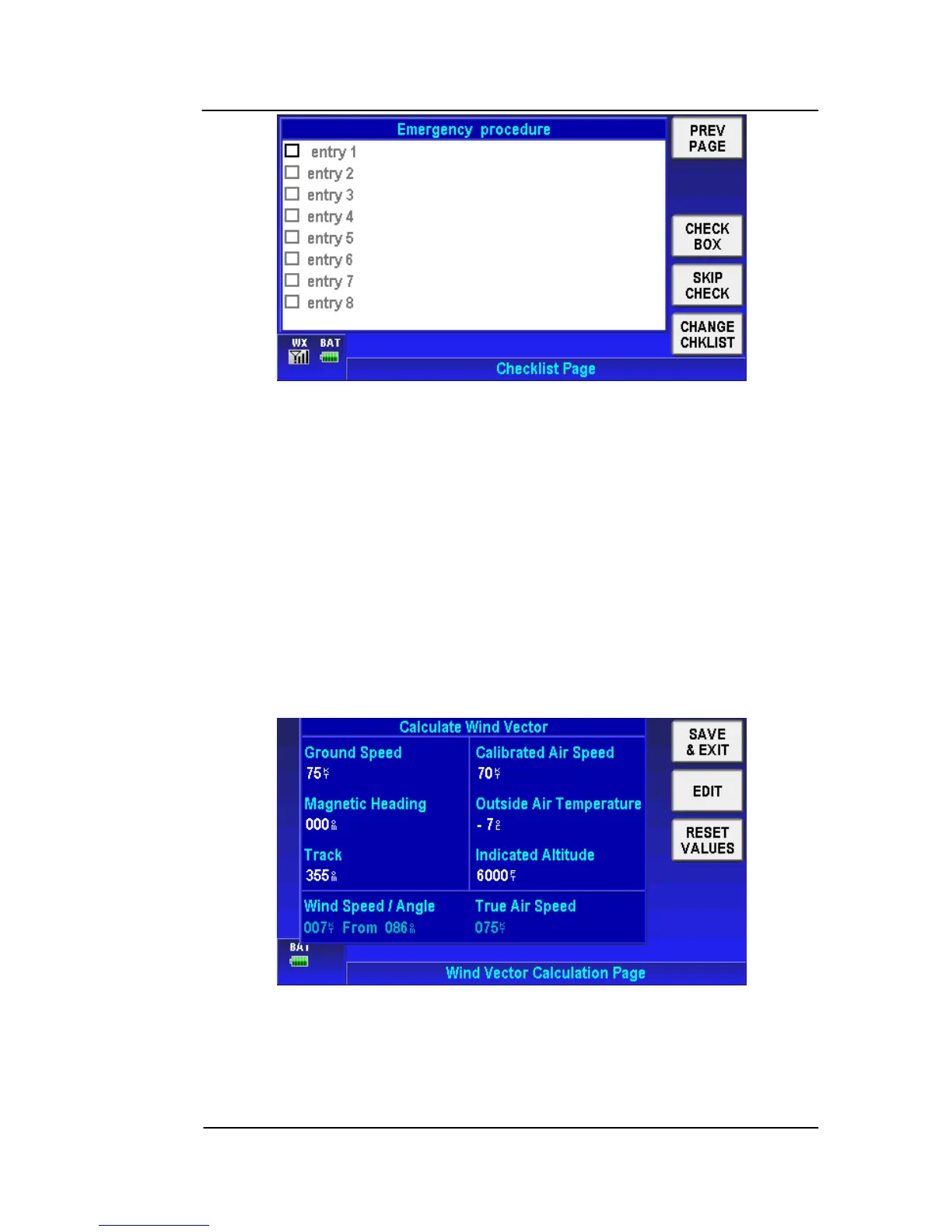
Figure 2-183: Checklist Page
Tap the PREV PAGE soft key to return to the Checklist Page.
Tap the CHECK BOX soft key to put a check mark in the first
checkbox.
Tap the SKIP CHECK soft key to skip to the next check box.
Tap the CHANGE NOTEPAD soft key to change to a different
checklist.
Wind Vector Calculator Page
Tap on the WIND CALC soft key on the Message page to display
the Wind Vector Calculation Page. as shown in the figure below.
Figure 2-184; Wind Vector Calculation Page
This page allows the user to enter the following parameters: Ground
Speed, Magnetic Heading, Desired Track (DTK), Calibrated Air
Speed (CAS), Outside Air Temperature (OAT) and Indicated



 To Next Page