89000109-002 xVue Touch Installation Manual
Rev 2 Page 6-11
© Honeywell International Inc. Do not copy without express permission of Honeywell.
For Use in Non-Certified Aircraft
(3) Configure Maximum Brightness Levels:
(a) Select the Max Brightness Level button, shown in Figure 6-10.
(b) Adjust the cockpit lighting control to its maximum setting.
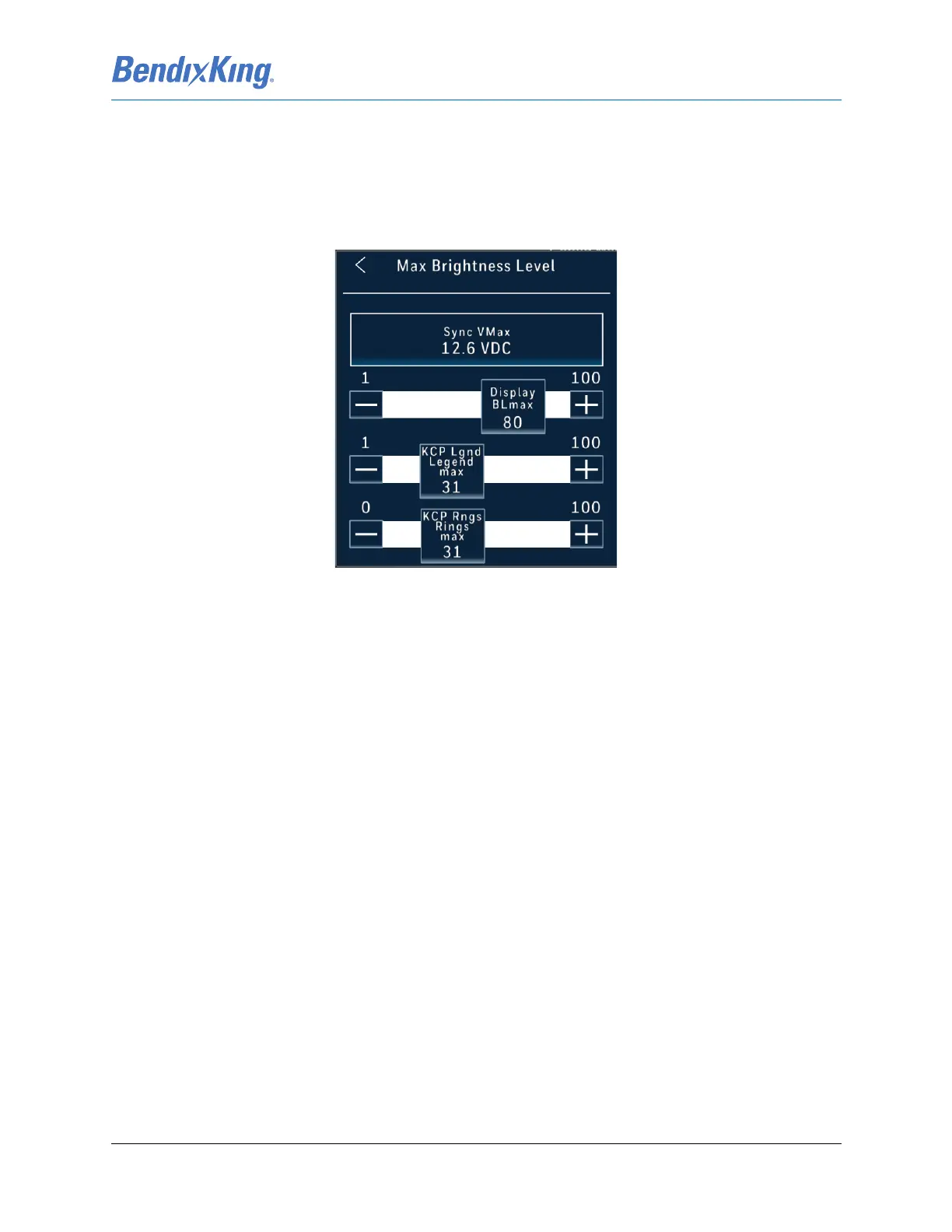
(c) With the dimming bus control at its maximum setting, press the Sync VMax button, shown
in Figure 6-12. This stores the current voltage as the maximum voltage input available on
the dimming bus.
Figure 6-12 Maximum Brightness Levels
(d) With the external lighting control at its maximum value, set the Display BLmax value by
touching the bar or incrementing the + and - buttons to adjust the Display backlight so
the maximum brightness level is appropriately balanced with the other cockpit
instruments. (Note: Default value in 80)
(e) With the external lighting control at its maximum value, set the KCP Lgnd Legend max
value by touching the bar or incrementing the + and - buttons to adjust the Control Panel
Legend so the maximum brightness level is appropriately balanced with the other cockpit
instruments. (Note: Default value in 31)
(f) With the external lighting control at its maximum value, set the KCP Rngs Rings max value
by touching the bar or incrementing the + and - buttons to adjust the Control Panel Rings
so the maximum brightness level is appropriately balanced with the other cockpit
instruments. (Note: Default value in 31)
(g) Press the Back-Arrow button to exit the Max Brightness Level window
(h) Press the Back-Arrow button to exit the External Dimming Calibration menu



 To Next Page