89000109-002 xVue Touch Installation Manual
Rev 2 Page 6-23
© Honeywell International Inc. Do not copy without express permission of Honeywell.
For Use in Non-Certified Aircraft
(2) Press the Back-Arrow button to return to the PFD sub-menu.
(3) Press the Back-Arrow button to exit the PFD sub-menu and return to the Installer Main Menu,
Figure 6-7.
6.2.2.5 KSD Altitude Preselect Toggle
The altitude preselect configuration is used to indicate whether the KSD 100EXP PFD pilot selected
altitude function is enabled or disabled.
If the airplane is already equipped for a pilot selectable altitude bug/aural, such as an autopilot altitude
select, the KSD 100EXP can be configured to disable its selected altitude function, otherwise this setting
should remain enabled.
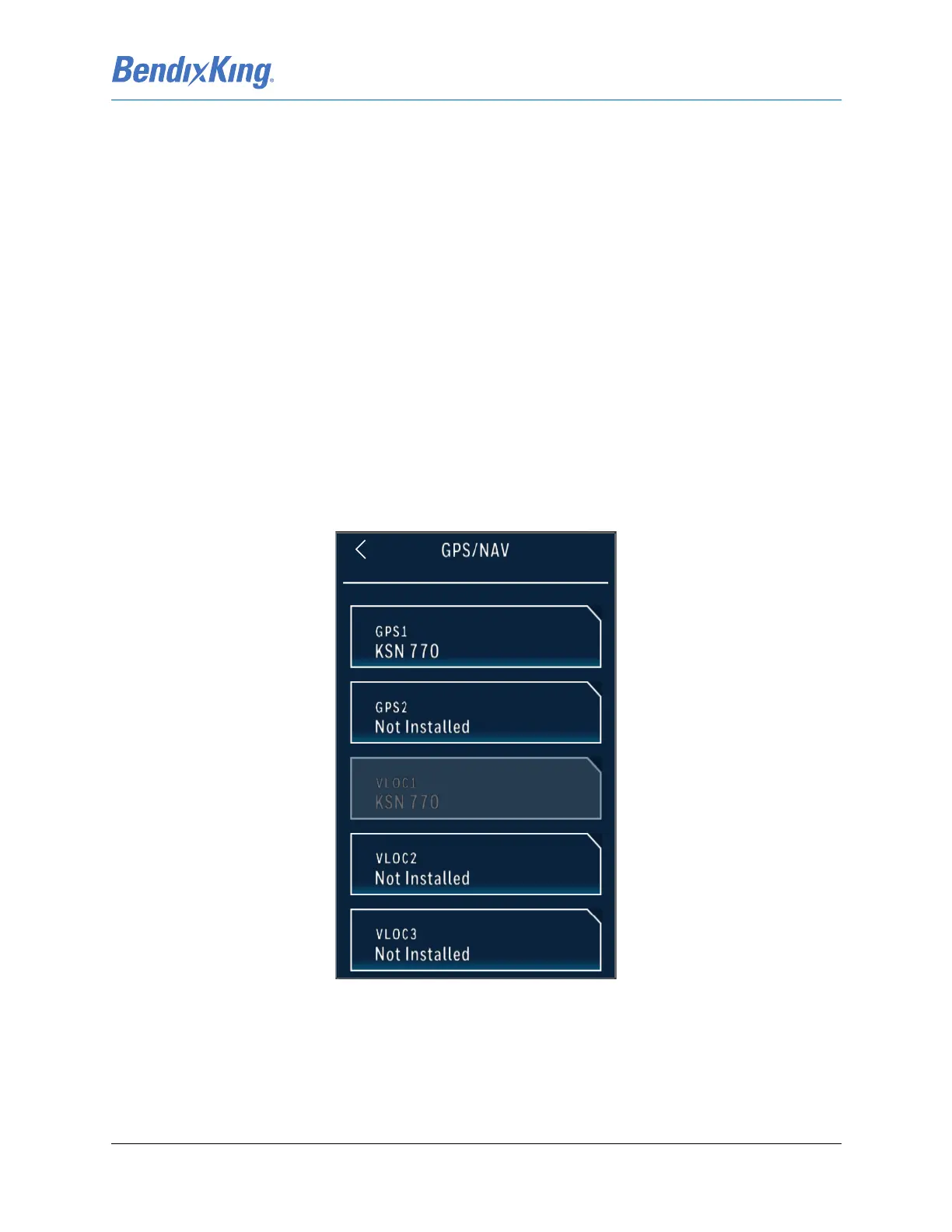
6.2.3 GPS/NAV Configuration Setup
The GPS/NAV button allows the technician to configure the following parameters, as shown in Figure 6-
31:
(1) GPS 1
(2) GPS 2
(3) VLOC 1
(4) VLOC 2
(5) VLOC 3
Figure 6-31 GPS/NAV Sub-Menu



 To Next Page