89000109-002 xVue Touch Installation Manual
Rev 2 Page 4-5
© Honeywell International Inc. Do not copy without express permission of Honeywell.
For Use in Non-Certified Aircraft
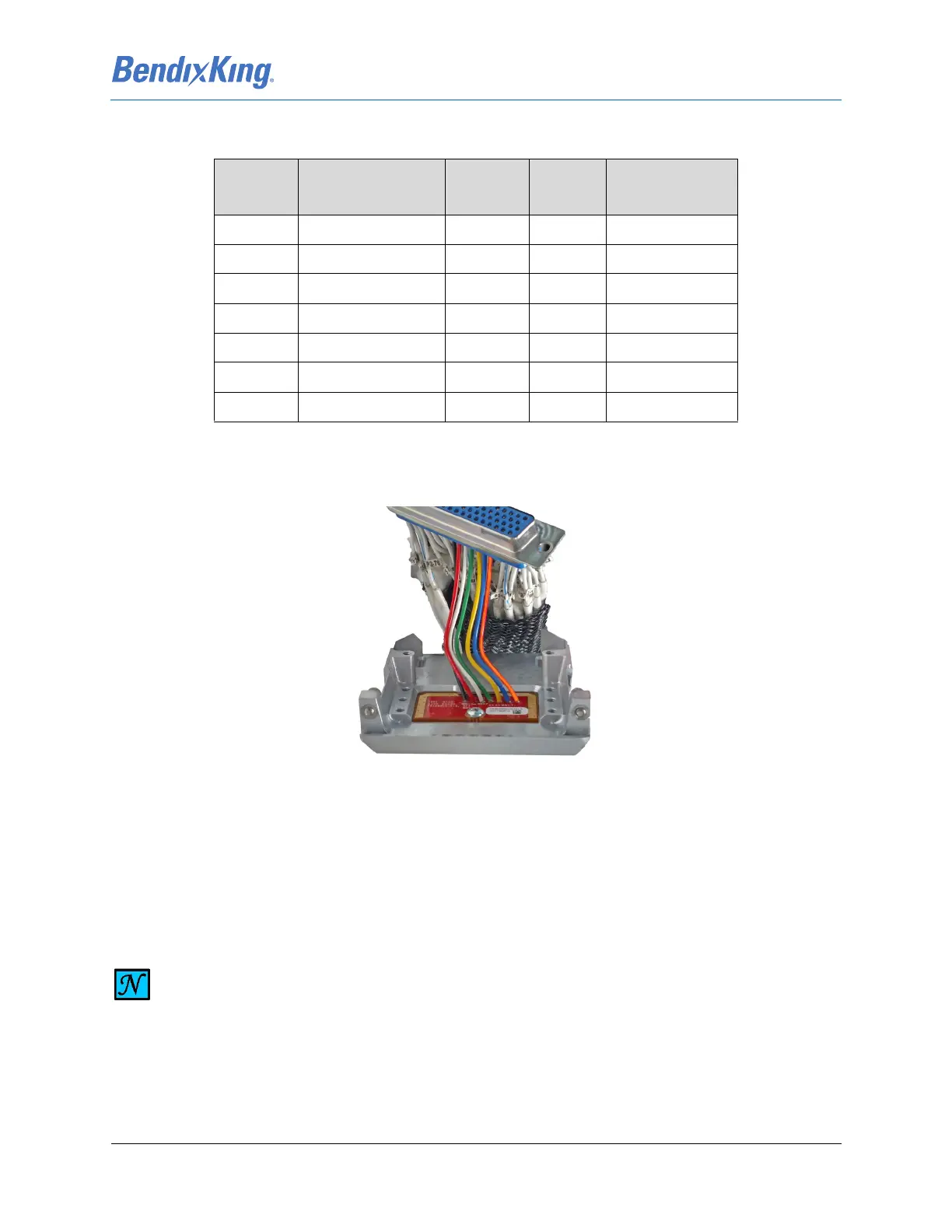
The bottom side of the J2 Backshell is illustrated in Figure 4-8, showing the ground connections for the
shielding. The wired configuration module in the J2 Backshell is illustrated in Figure 4-6.
Figure 4-6 Configuration Module Inside J2 Backshell
(1) Cut seven lengths of 22AWG wire (M22759/16-22-XX), per Table 4-1, to 2.5 ± 0.5 inches.
(2) Solder the seven lengths of wire per J-STD-001 to the Configuration Module CCA provided in the
KSD 100EXP Installation Kit -Configuration Module using Table 4-1 Configuration Module (J2
Backshell) Pin Descriptions.
Table 4-1 Configuration Module (J2 Backshell) Pin Descriptions
J2 Pin Signal Name In/Out CCA Wire Color
(Recommended)
64 APM Master Out Out E1 Orange
65 APM Master In In E2 Blue
66 APM Clock In E3 Yellow
67 APM Chip Select In E4 Green
68 APM Write Protect In E5 White
69 APM Power PWR E6 Red
70 APM Return GND E7 Black
NOTE
WIRES ARE INSERTED IN THE CIRCUIT CARD THROUGH HOLES FROM THE SECONDARY
SIDE AND SOLDERED TO THE PRIMARY SIDE OF THE CARD (REFER TO FIGURE 4-7). VERIFY
SOLDER JOINTS DO NOT PROTRUDE MORE THAN 0.080 INCHES FROM THE CARD
SURFACE (PRIMARY SIDE).



 To Next Page