89000109-002 xVue Touch Installation Manual
Rev 2 Page 7-7
© Honeywell International Inc. Do not copy without express permission of Honeywell.
For Use in Non-Certified Aircraft
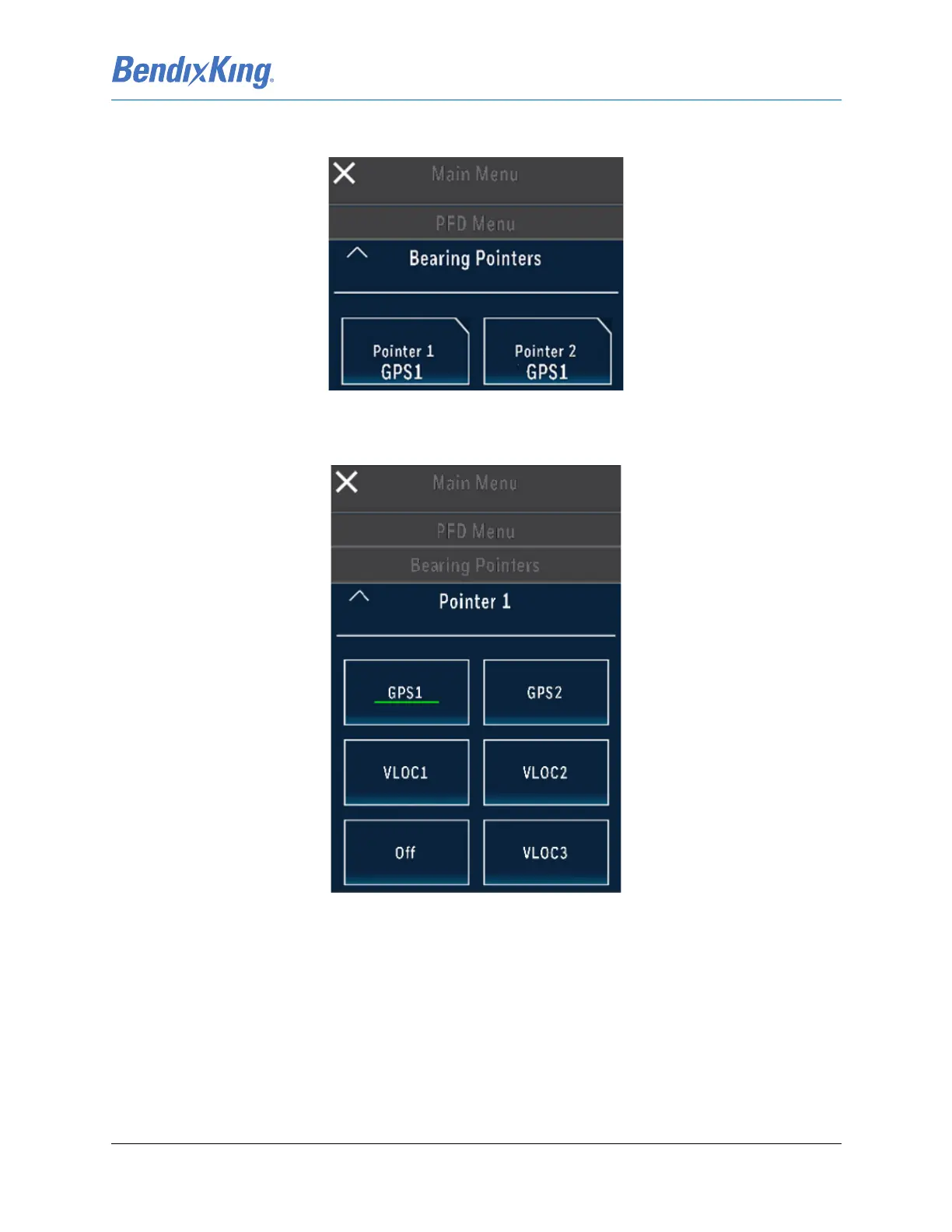
(10) From the PFD Menu, press the Bearing Pointers button, to launch the Bearing Pointers sub-menu,
Figure 7-8.
Figure 7-8 Bearing Pointers Sub-Menu
(11) From the Bearing Pointers sub-menu, press the Pointer 1 button and set the Bearing 1 source to
GPS1, Figure 7-9.
Figure 7-9 Pointer 1 Sub-Menu
(12) From the Pointer 1 sub-menu, press the Up Arrow “^” button to return to the Bearing Pointers
sub-menu.
(13) From the Bearing Pointers sub-menu, Figure 7-8, press the Pointer 2 button and set the source to
GPS1, Figure 7-9.
(14) Close the Main Menu, by pressing the “X” button, to return to the KSD 100EXP screen.
(15) From the KSD 100EXP PFD screen, verify the following:
(a) Verify the CDI source is set to “GPS1”, displayed in magenta.
(b) Verify the CDI CRS numeric value and CDI course pointer matches the GPS Navigators
desired track (DTK).



 To Next Page