89000109-002 xVue Touch Installation Manual
Rev 2 Page 7-16
© Honeywell International Inc. Do not copy without express permission of Honeywell.
For Use in Non-Certified Aircraft
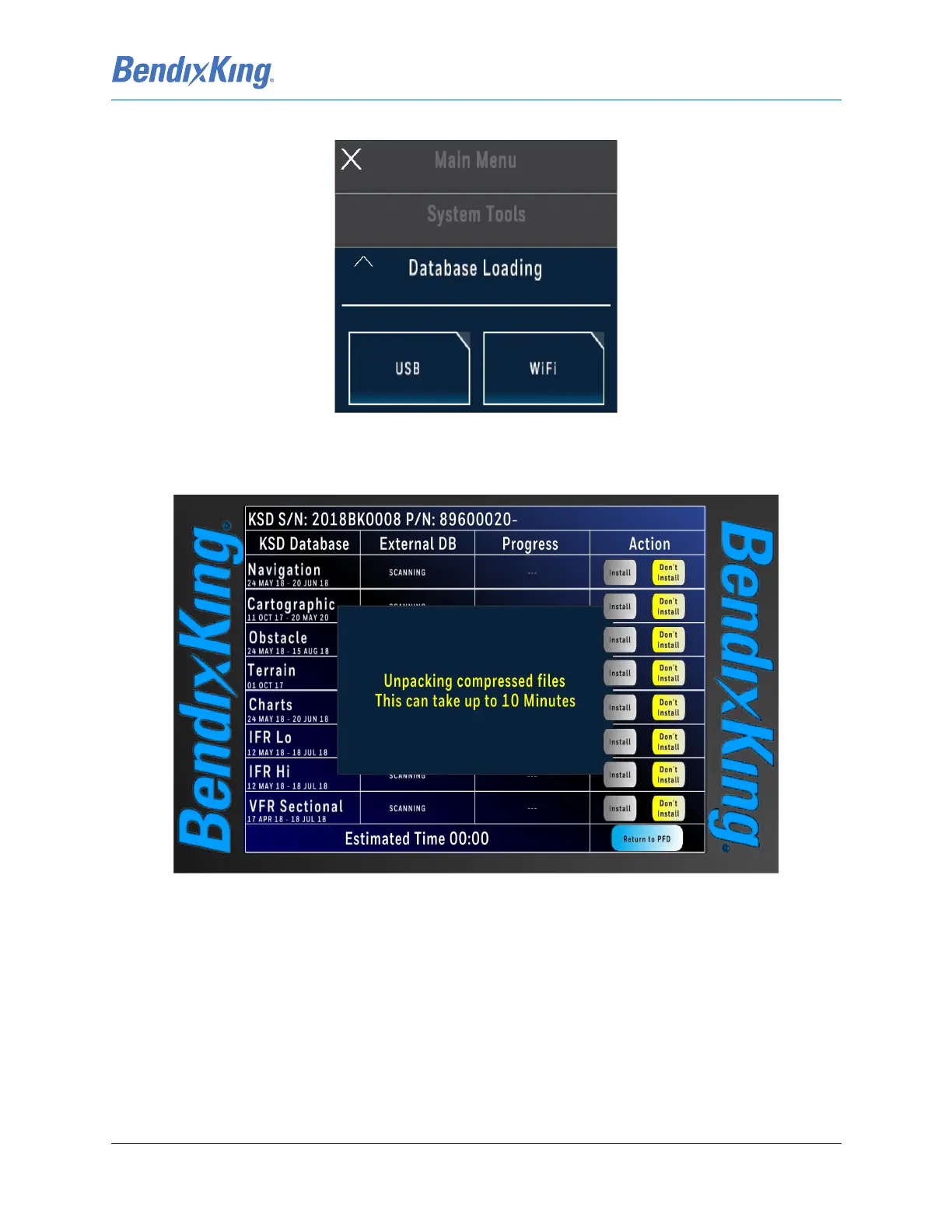
(7) From the Database Loading Menu, press the USB button, Figure 7-15.
Figure 7-15 Database Loading Menu
(8) The Database Loading Page is displayed while the files are unpacked. During this time the External
Database column shows status as “Scanning”, Figure 7-16.
Figure 7-16 Database Loading Page (Unpacking)
(9) After the database scanning is complete, the database loading page is updated with status
information, as shown in Figure 7-17. This page allows the user to select the databases to install
and shows the estimated time to complete the installation.



 To Next Page