89000109-002 xVue Touch Installation Manual
Rev 2 Page 7-33
© Honeywell International Inc. Do not copy without express permission of Honeywell.
For Use in Non-Certified Aircraft
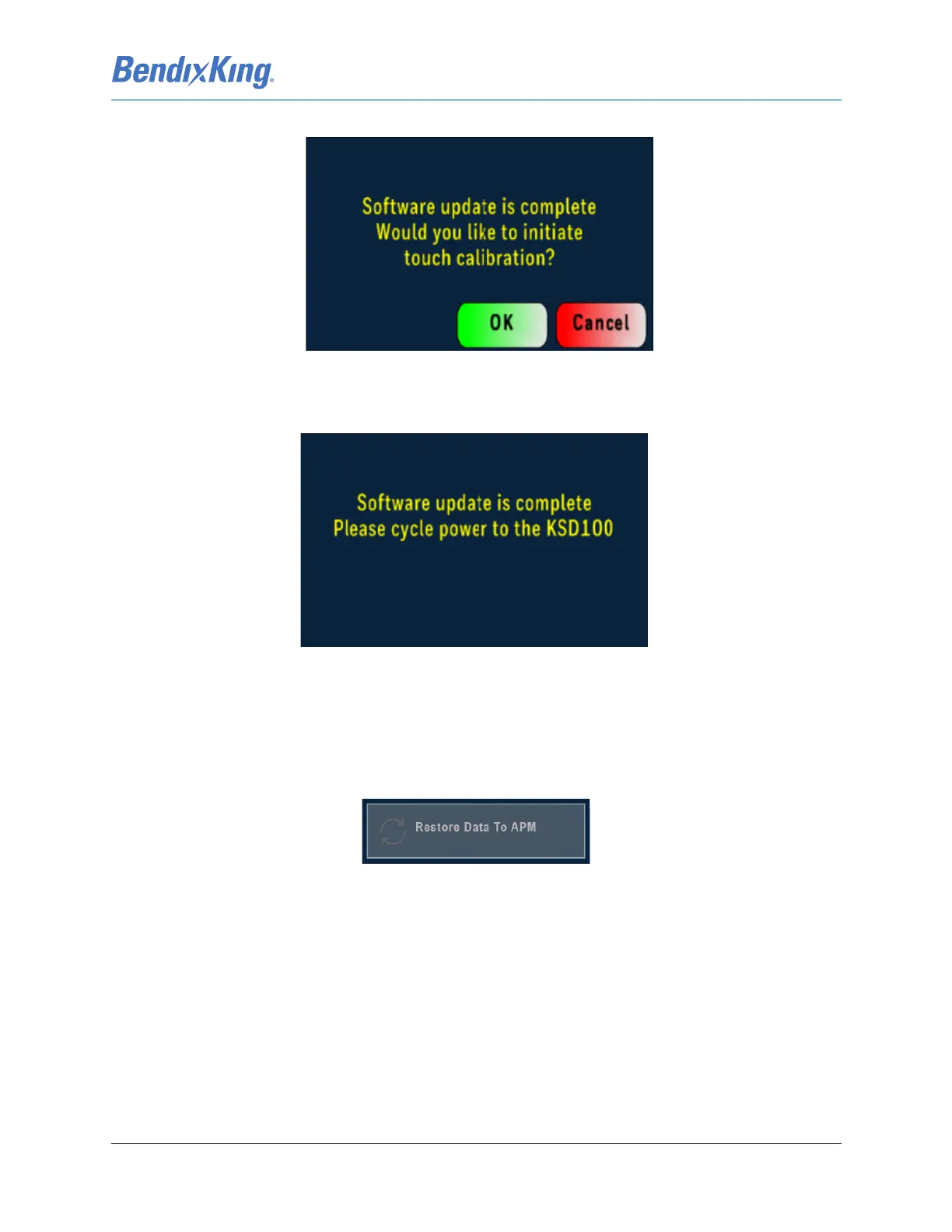
Figure 7-44 Software Loading Pop-Up Window (Loading Complete)
(13) A pop-up window message will appear to cycle power, Figure 7-45. Power cycle the KSD 100EXP
display by pulling and resetting the PFD breaker.
Figure 7-45 Software Loading Pop-Up Window (Power Cycle)
(14) During boot up Access Config Mode (refer to steps in Section 6.2) if there is an APM configuration
mismatch, error message is displayed on the screen, or if there is a need to update the installa-
tion parameters.
(a) If the APM requires a reset to default values, from the Installer Main Menu press the
Restore Data to APM button.
Figure 7-46 Restore Data to APM
(b) Power cycle the KSD 100EXP display by pulling and resetting the PFD breaker.
(15) Software installation is complete, record the software part information in the airplane logbook.



 To Next Page