89000109-002 xVue Touch Installation Manual
Rev 2 Page 6-39
© Honeywell International Inc. Do not copy without express permission of Honeywell.
For Use in Non-Certified Aircraft
• System Info – this tab provides following information about the KG 71EXP system:
o KG 71EXP computer Hardware Part Number (KG 71EXP PN)
o KG 71EXP computer Hardware Serial Number (KG 71EXP SN)
o KG 71EXP computer Software Part Number (KG 71EXP SW PN)
o KMG 7010 magnetometer Hardware Part Number (KMG 7010 PN/MD32 PN)
o KMG 7010 magnetometer Hardware Serial Number (KMG 7010 SN/MD32 SN)
o KMG 7010 magnetometer Software Image Number (KMG 7010 SIN/MD32 SIN)
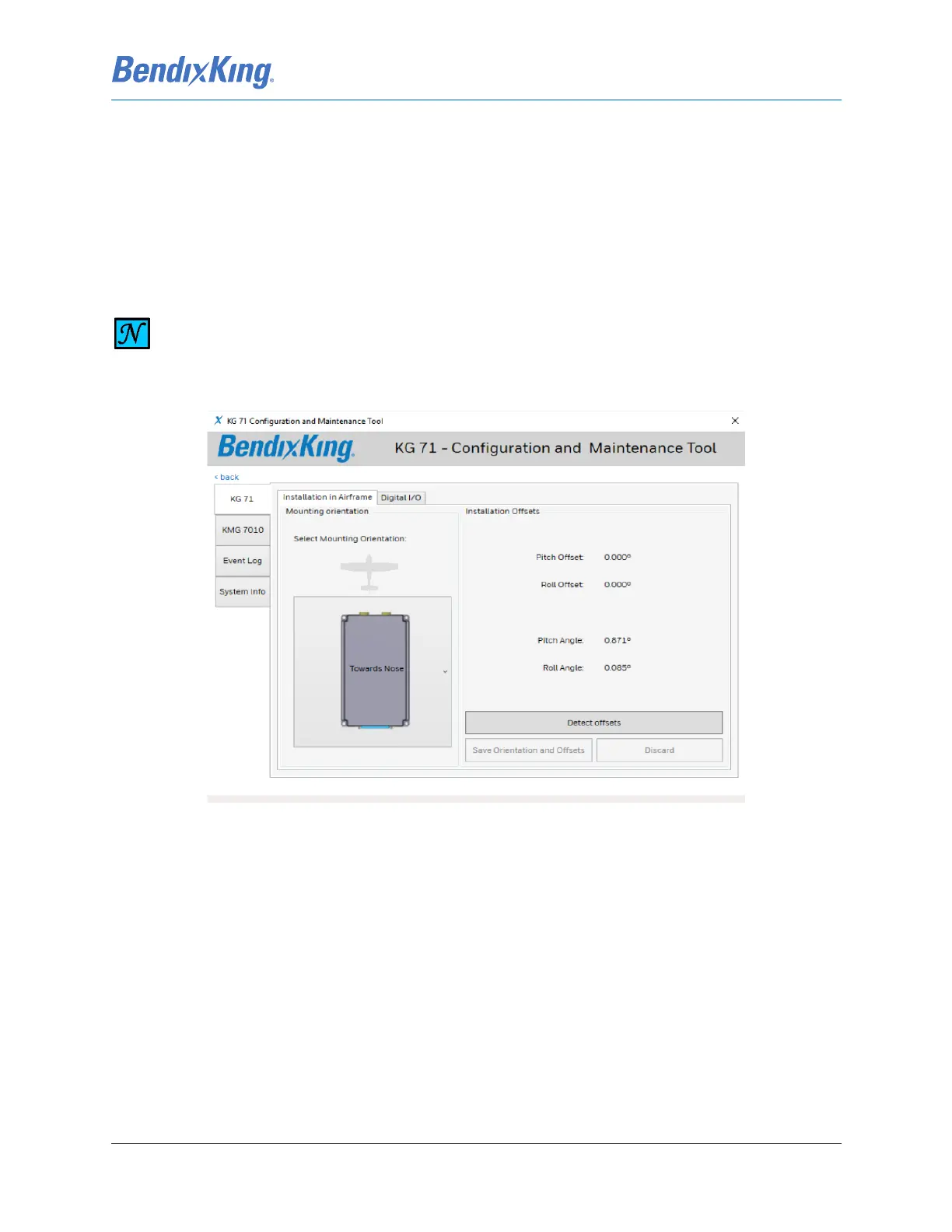
Figure 6-47 CMT Main Configuration Screen
6.3.1.1 KG 71EXP Orientation
The KG 71EXP orientation and tilt angles (offsets) must be configured and stored as a first step during the
unit configuration. The KG 71 tab provides two sub-tabs:
(1) Installation in Airframe
(2) Digital I/O
The tab “Installation in Airframe” tab displays the current unit orientation setting, actual Pitch and Roll
Offsets and the currently measured Pitch and Roll angles.
The CMT application provides a pictorial drop-down list for the selection of the KG 71EXP orientation. The
four available orientations are described in Section 3.6.7.2. The technician will select proper orientation
from the drop-down list. The orientation of the unit in the airframe is in relation to the positioning of the
pressure inlet ports. Figure 6-48 illustrates the page with the drop-down list active. When the KG 71EXP
NOTE
THE KG 71EXP AND KMG 7010/MD32 SERIAL NUMBERS MAY NOT BE DISPLAYED IN
ENTIRETY ON THE KSD 100EXP SYSTEM INFO PAGE (REFER TO FIGURE 6-7 INSTALLER
MAIN MENU).



 To Next Page