89000109-002 xVue Touch Installation Manual
Rev 2 Page 7-22
© Honeywell International Inc. Do not copy without express permission of Honeywell.
For Use in Non-Certified Aircraft
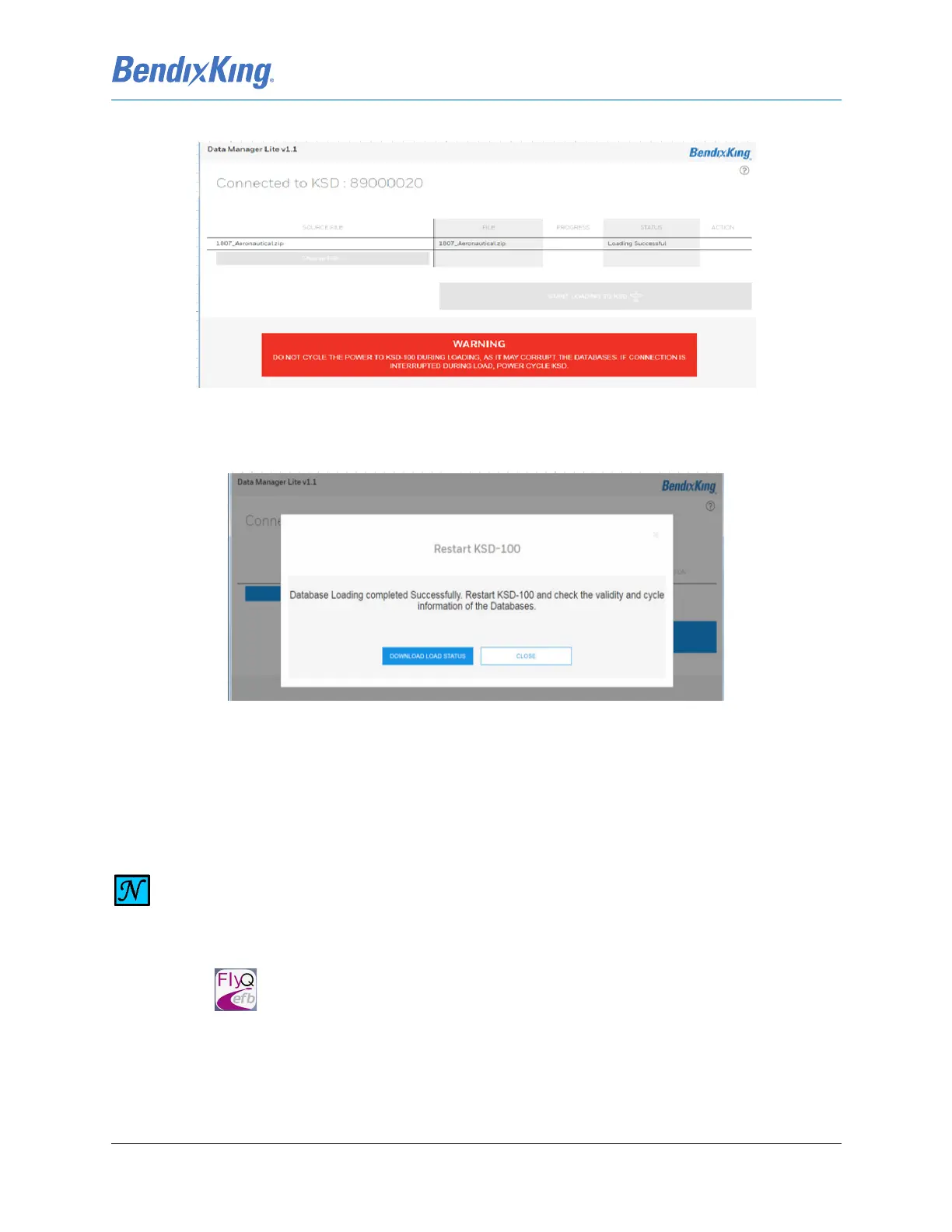
(15) When the database loading has completed, the status indicates “Loading Successful”, Figure 7-27.
Figure 7-27 Wi-Fi Database Loading Complete
(16) A restart window appears on the external device signaling the completion of the Wi-Fi database
loading procedure, Figure 7-28.
Figure 7-28 Restart KSD 100EXP Window
(17) Cycle power on the KSD 100EXP.
(18) Review and acknowledge the updated dates and effectivity ranges shown on the Database
Acknowledge Screen, Figure 6-3.
7.5.1.2.2 Seattle Avionics Databases
(3) Login to your account
NOTE
DOWNLOAD THE FLYQ APP FROM THE APPLE APP STORE.
(1) Check that Wi-Fi is turned on and connected to the Internet.
(2) Press on the iPad® or iPhone®.



 To Next Page