89000109-002 xVue Touch Installation Manual
Rev 2 Page 7-32
© Honeywell International Inc. Do not copy without express permission of Honeywell.
For Use in Non-Certified Aircraft
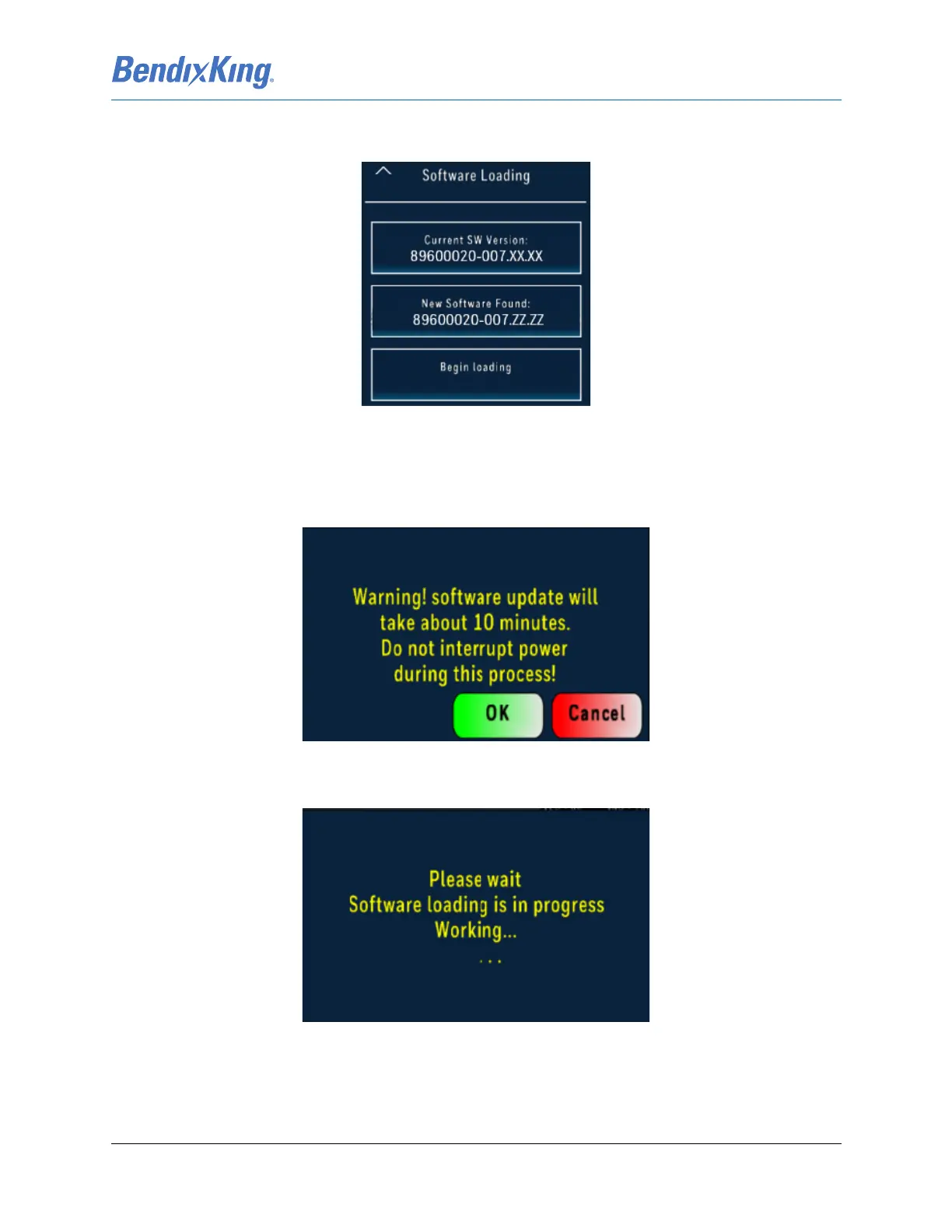
(8) On the Software Loading sub-menu as shown in Figure 7-42 verify the new software found part
number displays the correct part information.
Figure 7-41 Software Loading Sub-Menu (New Software Found)
(9) Press the Begin loading button, Figure 7-41.
(10) A prompt window, Figure 7-42, will appear and states the projected duration of the software load
and a reminder to not interrupt power. Press the Ok button to proceed and the system will begin
the software update.
Figure 7-42 Software Loading Pop-Up Window (Initiate)
(11) A series of pop-up window messages, Figure 7-43, will appear that describe the installation status.
Figure 7-43 Software Loading Pop-Up Window (Loading In Progress)
(12) When the software load is complete a prompt window, Figure 7-44, will appear to calibrate touch
or to cancel. If touch recalibration is not required, press the Cancel button.



 To Next Page