89000109-002 xVue Touch Installation Manual
Rev 2 Page 6-13
© Honeywell International Inc. Do not copy without express permission of Honeywell.
For Use in Non-Certified Aircraft
6.2.1.4 Aircraft Serial Number
(1) From the System Config sub-menu, Figure 6-8, press the A/C Serial # button.
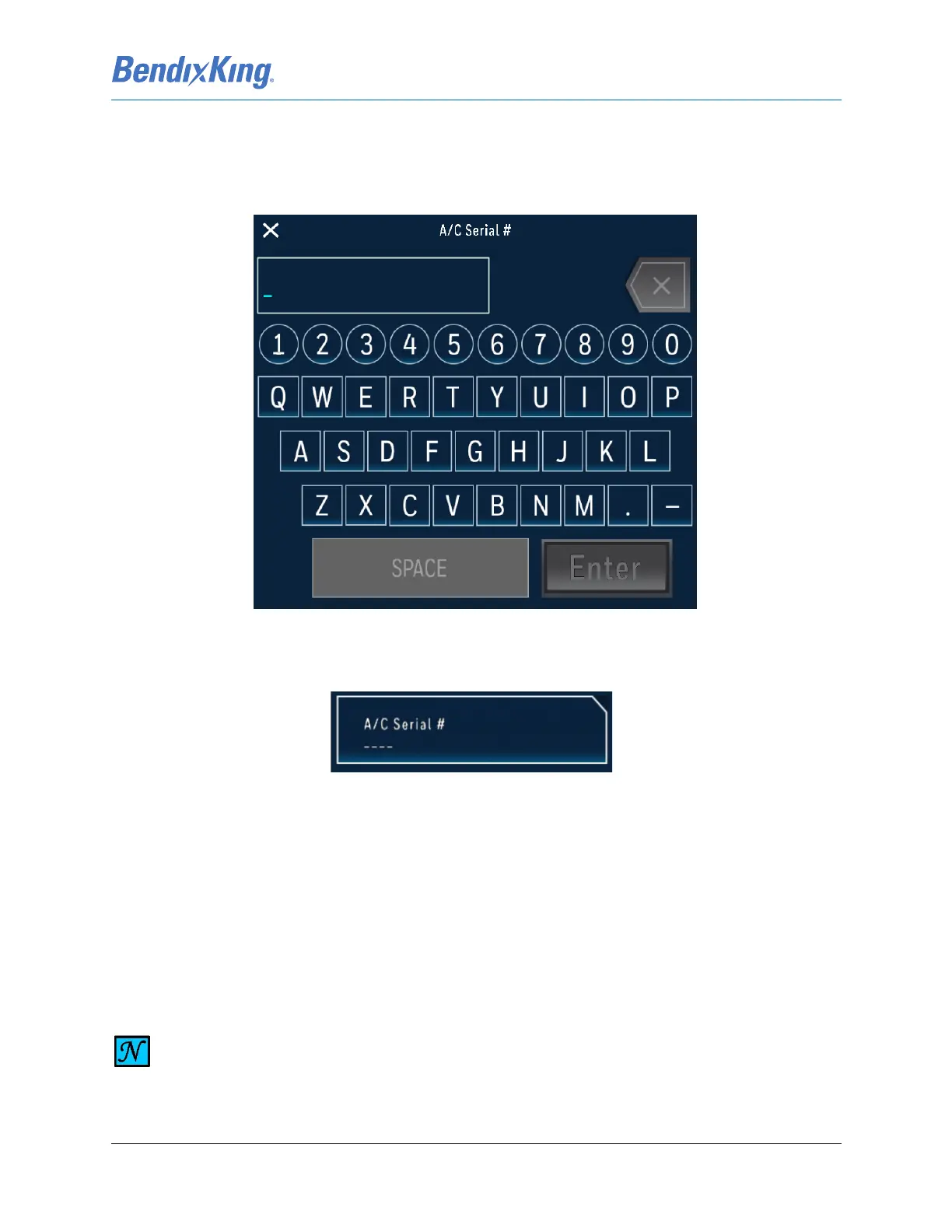
(2) Using the alpha-numeric keyboard, shown in Figure 6-15, input the aircraft serial number and
press the Enter button.
Figure 6-15 A/C Serial # Keypad
(3) Verify that the Serial Number is reflected correctly on the Aircraft Serial # button as illustrated in
Figure 6-16.
Figure 6-16 A/C Serial #
6.2.1.5 Aircraft Pitch Bias
Pitch bias function provides a means to adjust the KSD 100EXP pitch attitude indicator. Examples of
when it might be used is to compensate for non-zero AoA during level flight (level = 0 fpm)
(1) From the Installer Main Menu, Figure 6-7, press the System Config button to display the System
Config sub-menu, Figure 6-8.
(2) From System Config sub-menu press the Pitch Bias button.
NOTE
THE PITCH BIAS IS LIMITED TO A RANGE OF ± 5 DEGREES WITH INCREMENTS OF 0.1.



 To Next Page