89000109-002 xVue Touch Installation Manual
Rev 2 Page 4-7
© Honeywell International Inc. Do not copy without express permission of Honeywell.
For Use in Non-Certified Aircraft
4.3.2 KSD 100EXP Installation Procedures
(1) Prepare the KSD 100EXP for installation:
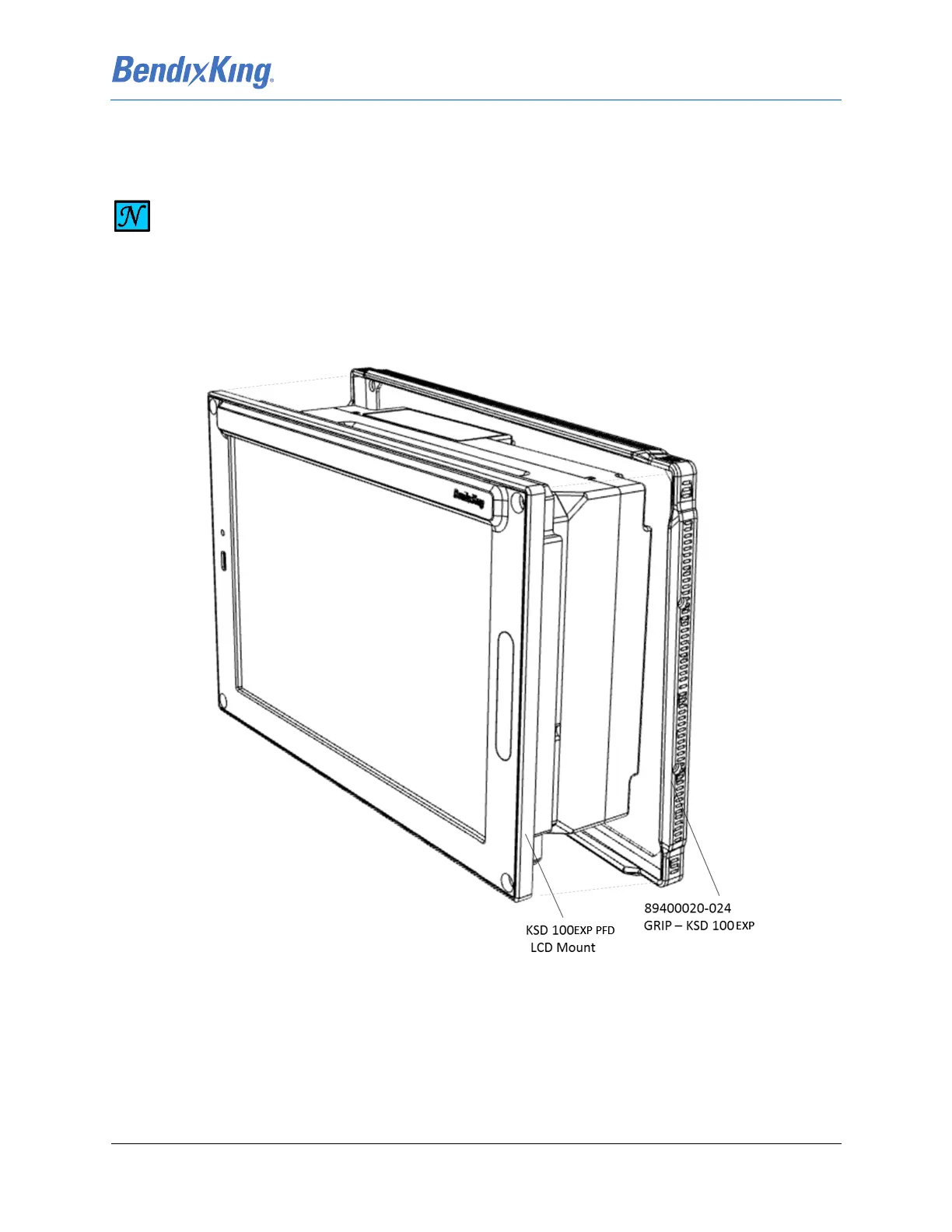
(a) Using the KSD 100EXP Mounting Hardware and Grip Installation Kit, install the
Santoprene™ Grip by sliding the grip from the back of the KSD 100EXP and snapping it
over the front edge of the KSD 100EXP LCD mount.
Figure 4-9 KSD 100EXP Grip Installation (Sheet 1 of 2)
NOTE
DO NOT REMOVE THE PROTECTIVE FILM FROM THE DISPLAY GLASS UNTIL THE UNIT IS
INSTALLED.



 To Next Page