89000109-002 xVue Touch Installation Manual
Rev 2 Page 7-20
© Honeywell International Inc. Do not copy without express permission of Honeywell.
For Use in Non-Certified Aircraft
(10) Enter Ksd*user as password.
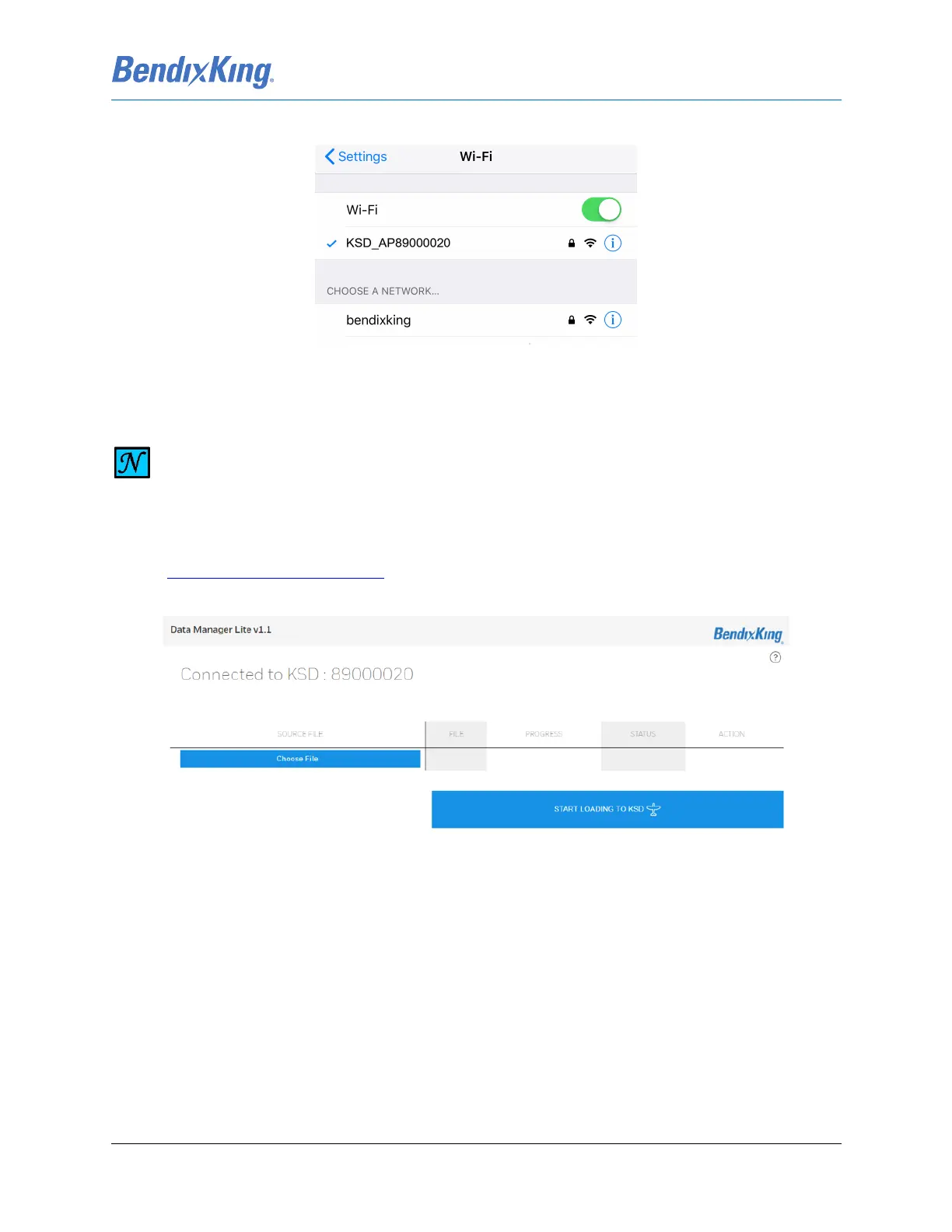
Figure 7-22 Connected to KSD Wi-Fi
(11) On the external device, open an Internet browser and enter the web address:
https://ksd100.bendixking.com
, to access the DataManager Lite application, Figure 7-23.
(12) From the webpage, select “Choose File”.
Figure 7-23 DataManager Lite Main Page
(13) Select the database .ZIP file downloaded in Step (1) from Wingman Services, Figure 7-24.
NOTE
THE WI-FI ENABLED WINDOW DISPLAYS UNTIL THE DATABASE UPLOAD AND
SUBSEQUENT XVUE TOUCH DISPLAY POWER CYCLE ARE COMPLETE. DURING THIS TIME
THE XVUE TOUCH DOES NOT ALLOW ANY USER INTERACTION.



 To Next Page