89000109-002 xVue Touch Installation Manual
Rev 2 Page 7-21
© Honeywell International Inc. Do not copy without express permission of Honeywell.
For Use in Non-Certified Aircraft
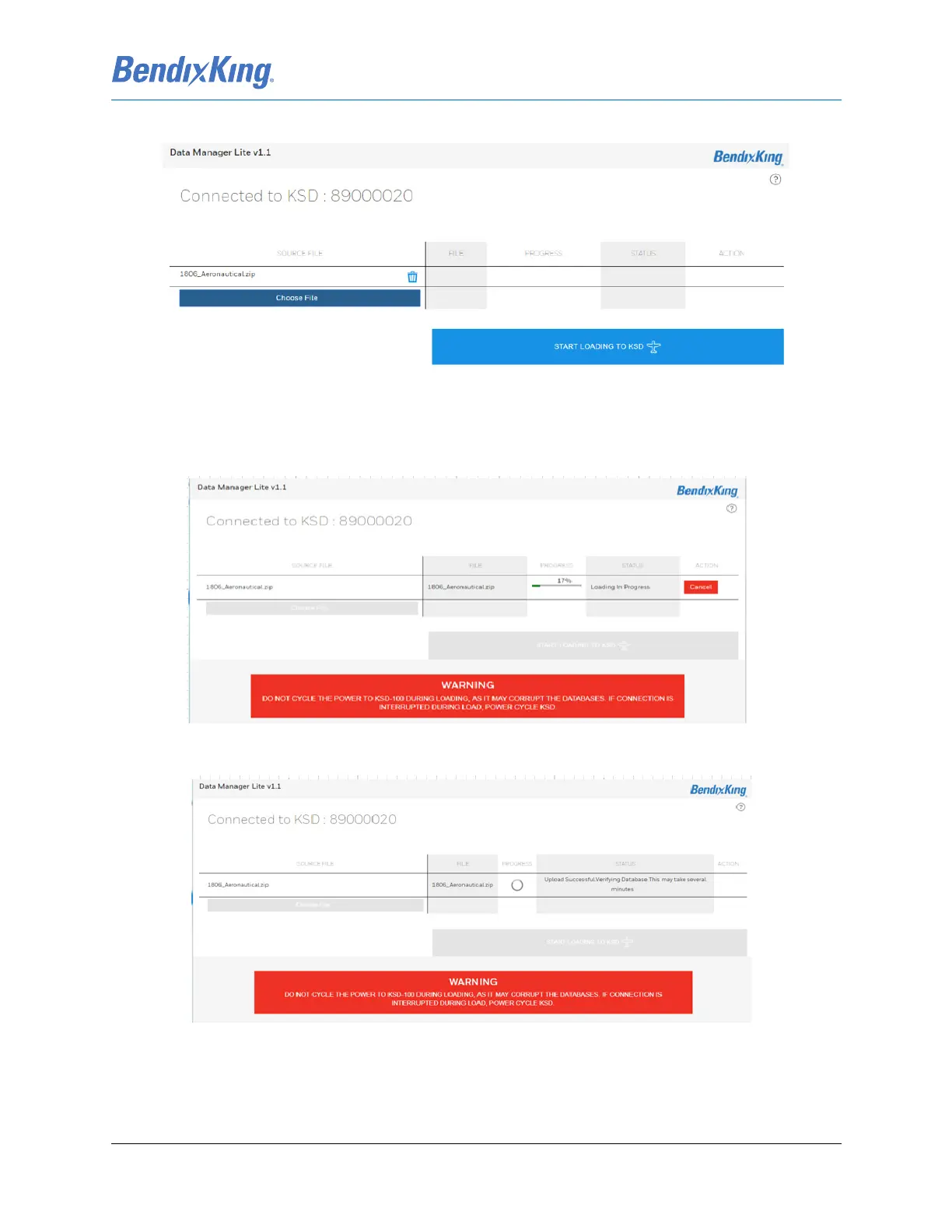
(14) Select “Start Loading to KSD” to begin the database loading process.
Figure 7-24 Wi-Fi Webpage with Selected Database
Uploading and verifying the database(s) takes about 6 to 10 minutes. This process uploads the databases
from the external device to the KSD 100EXP, Figure 7-25, and verifies the database information, Figure 7-
26.
Figure 7-25 Uploading Databases to KSD 100EXP
Figure 7-26 Verifying Databases



 To Next Page