Operation 53
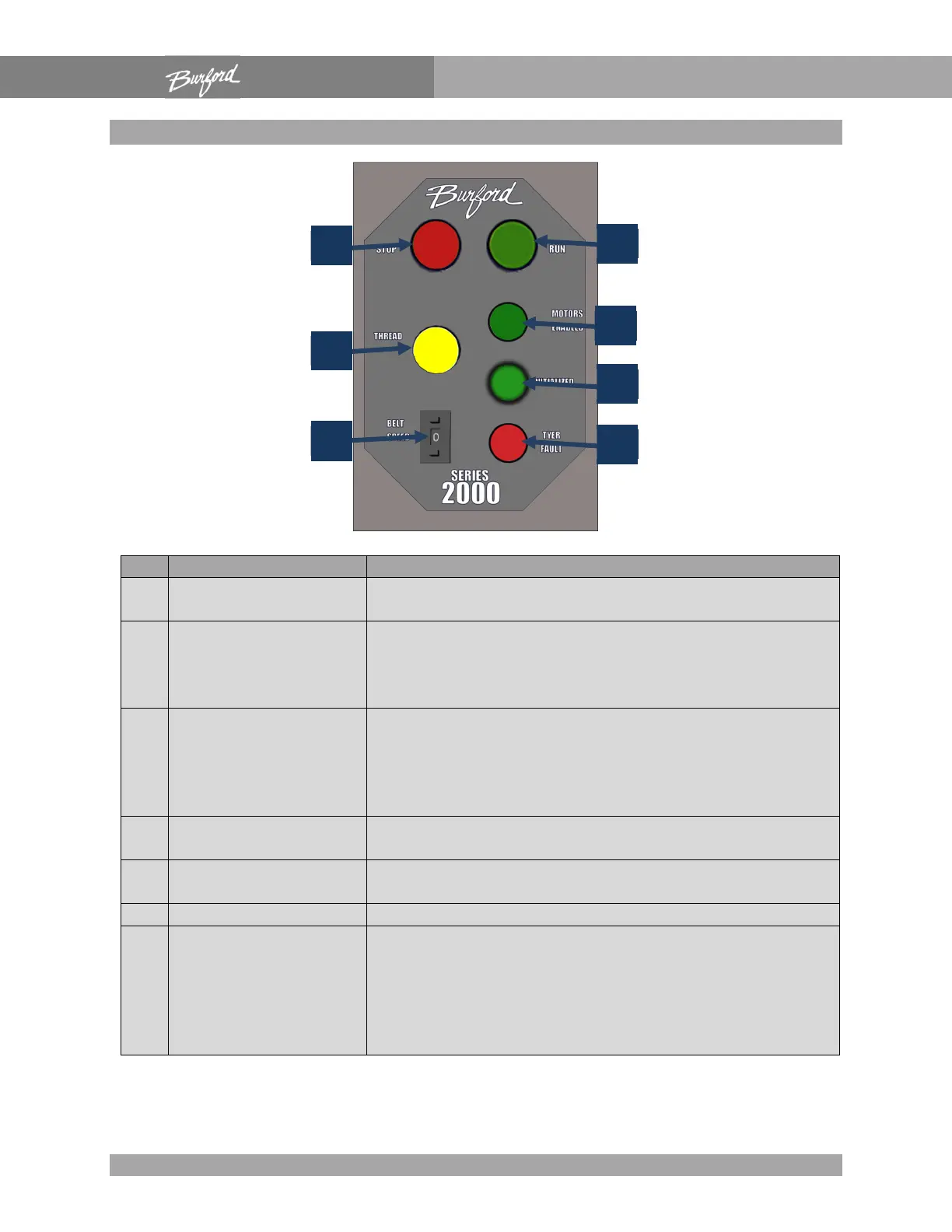
Control Panel
1 “STOP”
This button is used to disable the Servo Tyer during
2 “RUN”
The first time this button is pushed after power up, the
homing sequence is initiated. Any other time the RUN
button is pushed; power will be applied to the servo
motors without going through the homing sequence.
3 “THREAD”
This button has two functions. The main function is to
complete the threading procedure after being pushed
and quickly released. The second function is to force
the Servo Tyer to re-initiate the homing sequence by
holding the “THREAD” button in for three seconds.
4
“MOTORS
This light indicates when the servo motors have power.
5 “INITIALIZED”
This light will be “OFF” when the Servo Tyer is first
This light will indicate problems with the Servo Tyer.
7 “BELT SPEED”
In normal operation, this switch enables the operator to
adjust the speed of the gathering belts. If the Tyer is
set up with a speed following kit, the belt speed
automatically adjusts to compensate for conveyor
speed; this switch provides a fine adjustment for



 To Next Page