170
Chapter 9
BCD Switch Test Procedure
The BCD switch controls the speed of the gathering belts. It can be checked for proper
operation by following these steps.
1. Open the Main Enclosure.
2. Turn the disconnect switch on.
3. Push the “ON” button located on the door to engage power.
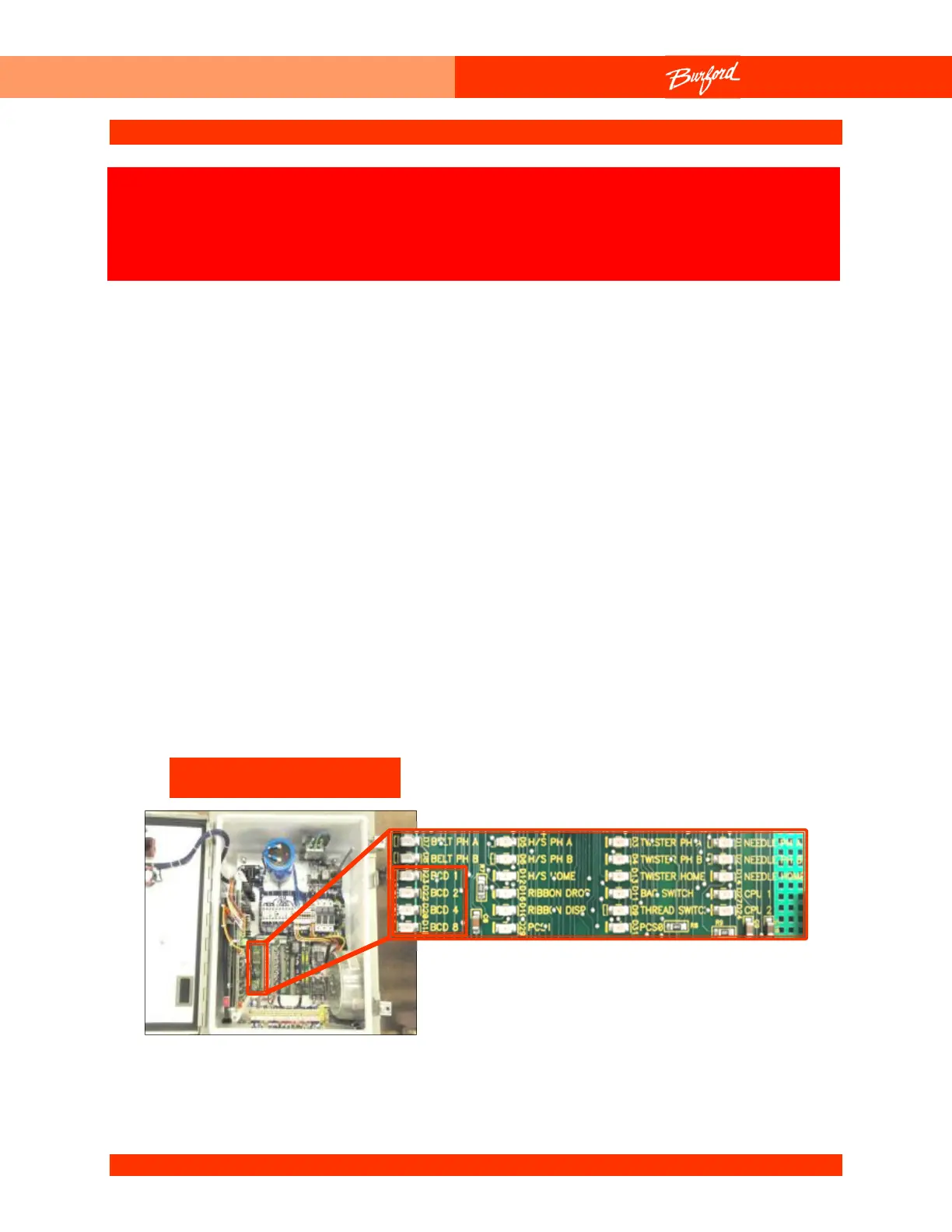
4. Locate the BCD LEDs on the Field Termination Board. The 4 BCD LEDs are labeled
“BCD 1”, “BCD 2”, “BCD 4” and “BCD 8”.
5. Observe the LEDs while changing the setting of the BCD switch, located on the
Control Panel. The LEDs should display in binary whatever is set on the switch. For
example, if the switch is set at 11 the LEDs labeled “BCD 1”, “BCD 2”, and “BCD 8”
(1+2+8=11) should be on. All the BCD LEDs should be on at the setting of 15, and
they all should be off at the setting of 0.
The following procedure may require that tests are made with the
electrical enclosures open and power turned “ON”. These tests
should only be conducted by authorized personnel who are aware
of the electrical and mechanical hazards present.
Main Enclosure



 To Next Page