111
Auxiliary functions
26.2.6. X.LIMIT – Limits the mechanical stroke range
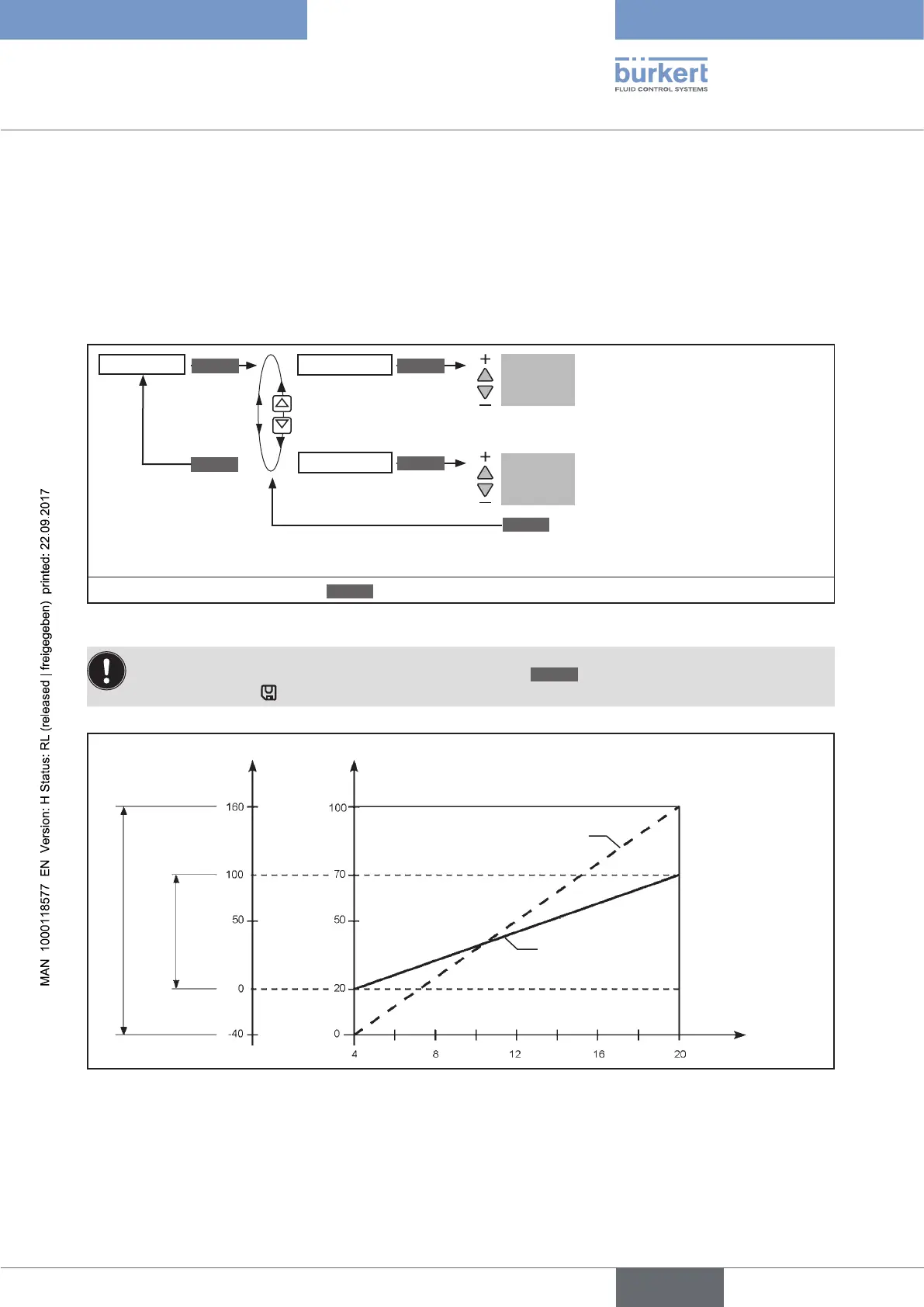
This auxiliary function limits the (physical) stroke to specified % values (minimum and maximum). In doing so, the
stroke range of the limited stroke is set equal to 100 %.
If the limited stroke range is left during operation, negative POS values or POS values greater than 100 % are indicated.
Factory setting: Min = 0 %, Max = 100 %
EXIT
*
OK
Enter
value
Enter
value
X.LIMIT
Min 0 %
Max 100 %
Input the initial value of the stroke
range as %.
Adjustment range:
0 – 50 % of the total stroke
Input the final value of the stroke
range as %.
Adjustment range:
50 – 100 % of the total stroke
ENTER INPUT
INPUT
The minimum gap between Min
and Max
is 50 %
* If the submenu is left by pressing the
ESC
key, the value remains unchanged.
Figure 63: Operating structure X.LIMIT
The changed data is saved in the memory (EEPROM) only when there is a switch to the process level,
by leaving the main menu (MAIN) using the left selection key
EXIT
. During the save process, the save
symbol is indicated
on the display.
Limited stroke
Unlimited stroke
Physical stroke (%)
(POS)
Limited stroke (%)
(POS)
Set-point value [mA]
(INPUT)
Adjustment range in MANUAL mode
Control range in
AUTOMATIC
operating state
Figure 64: Graph - X.LIMIT



 To Next Page