65
Operation
17.4. Date and time
Date and time are set on the process level in the CLOCK menu.
To ensure that the input menu for CLOCK can be selected on the process level, the following functions must be
activated in 2 stages:
1. The EXTRAS auxiliary function in the ADD.FUNCTION menu
2. The CLOCK function in the EXTRAS auxiliary function, DISP.ITEMS submenu.
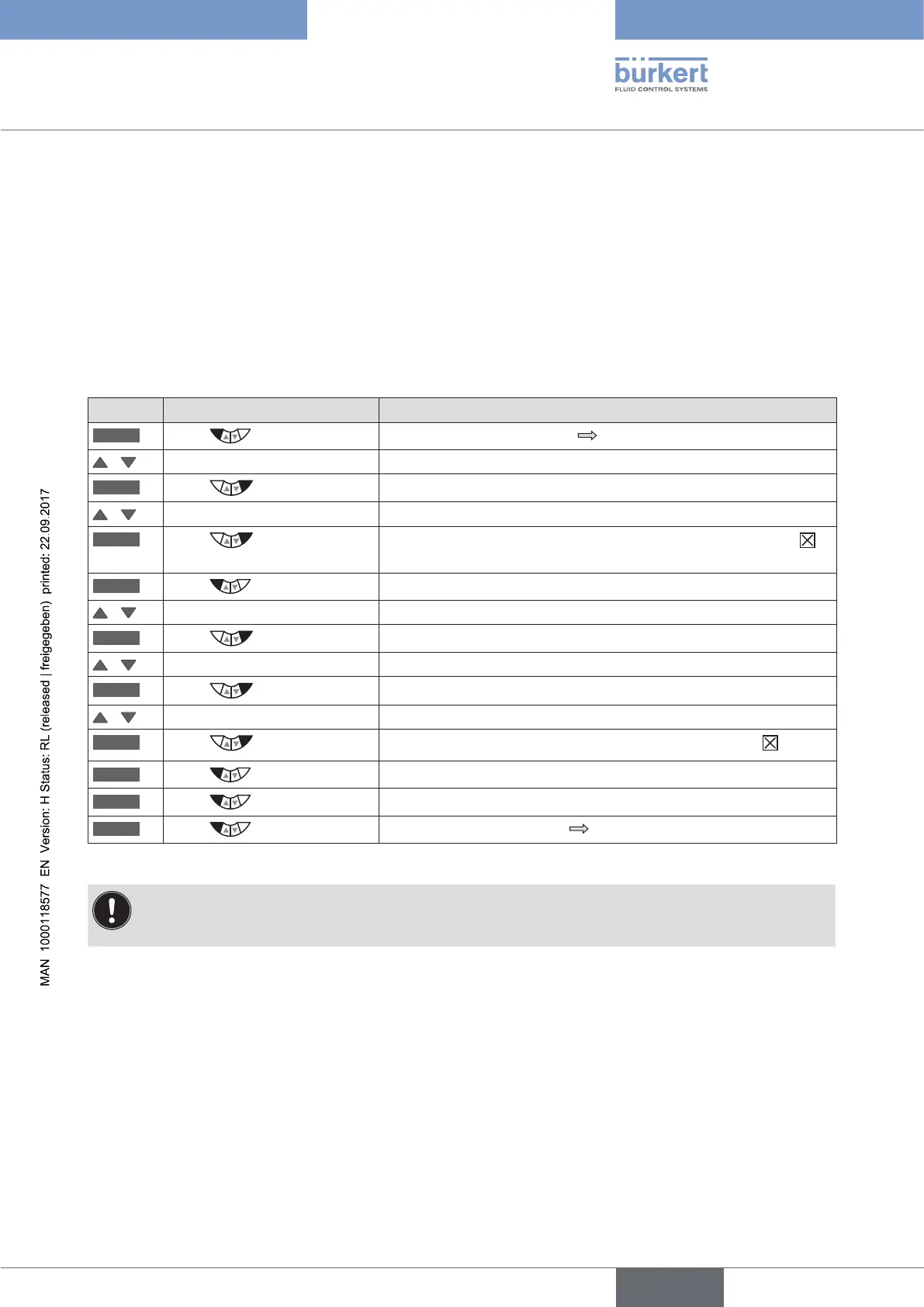
Activating EXTRAS and CLOCK:
Key Action Description
MENU
Press for approx. 3 s
Switching from process level setting level.
/ Select ADD.FUNCTION
ENTER
Press
The possible auxiliary functions are displayed.
/ Select EXTRAS
ENTER
Press
Activate the EXTRAS auxiliary function by marking with a cross
and transfer into the main menu (MAIN).
EXIT
Press
Return to the main menu (MAIN).
/ Select EXTRAS
ENTER
Press
The submenus of EXTRAS are displayed.
/ Select DISP. ITEMS
ENTER
Press
The possible menu options are displayed.
/ Select CLOCK
SELEC
Press
The activated CLOCK function is now marked by a cross .
EXIT
Press
Return to the EXTRAS menu.
EXIT
Press
Return to the main menu (MAIN).
EXIT
Press
Switching from setting level process level.
Table 28: EXTRAS; Activating the CLOCK function
Date and time must be reset whenever the device is restarted.
After a restart the device therefore switches immediately and automatically to the corresponding input
menu.



 To Next Page