78
Start-Up
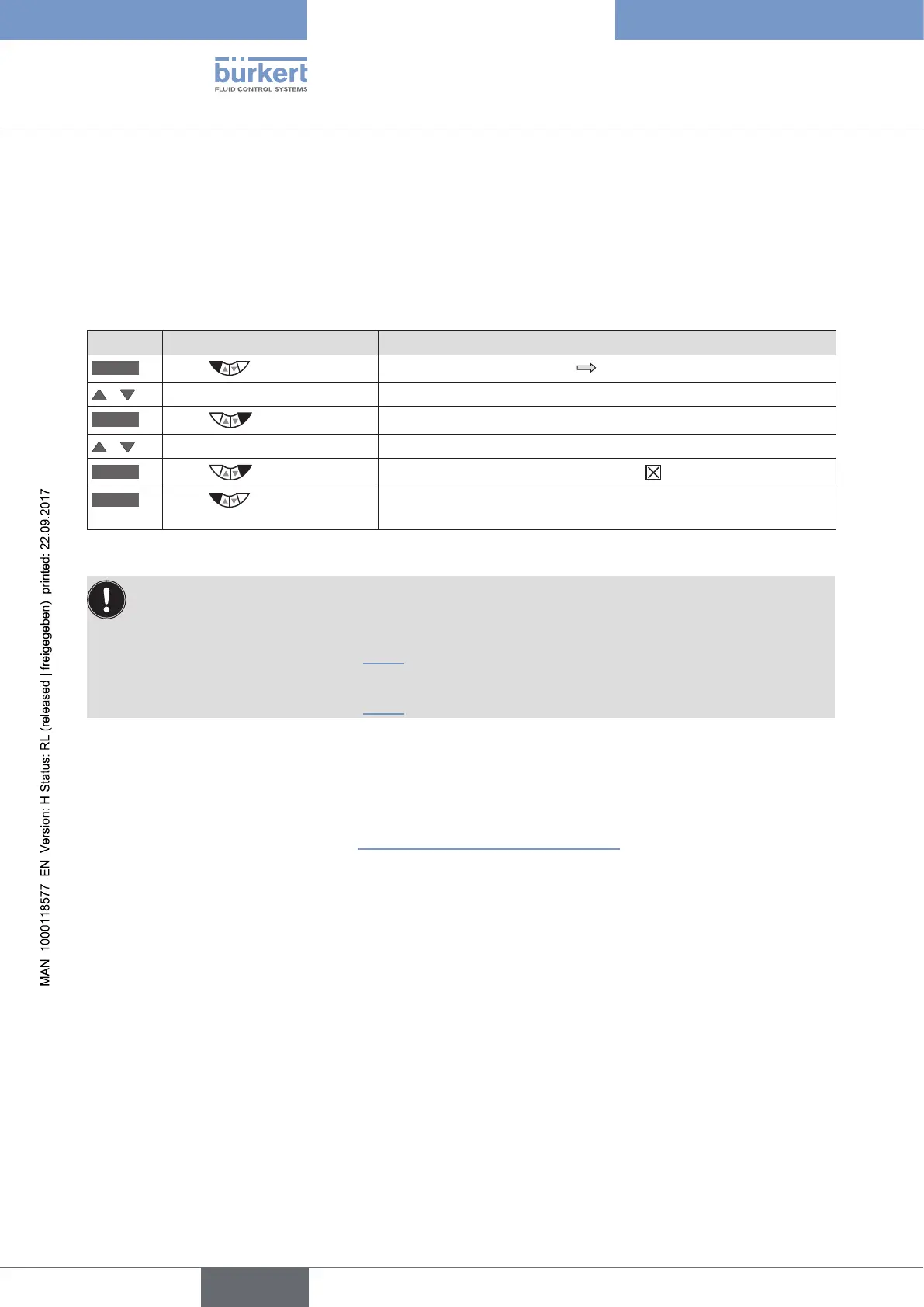
24. ACTIVATION OF THE PROCESS
CONTROLLER
The process controller is activated by selecting the P.CONTROL auxiliary function
in the
ADD.FUNCTION menu.
The activation transfers P.CONTROL into the main menu (MAIN) where it is available for further settings.
Procedure:
Key Action Description
MENU
Press for approx. 3 s
Switching from process level setting level.
/ Select ADD.FUNCTION
ENTER
Press
The possible auxiliary functions are displayed.
/ Select P.CONTROL
ENTER
Press
P.CONTROL is now marked by a cross .
EXIT
Press
Acknowledgment and simultaneous return to the main menu (MAIN).
P.CONTROL is now activated and incorporated into the main menu.
Table 37: Activating auxiliary functions
Following activation of P.CONTROL, the P.Q‘LIN and P.TUNE menus are also available in the main menu
(MAIN). They offer support for the setting of the process control.
P.Q‘LIN
Linearization of the process characteristic
Description see Chapter "25.4"
P.TUNE
Self-optimization of the process controller (process tune)
Description see Chapter "25.5"
ADD.FUNCTION – Add auxiliary functions
Apart from activating the process controller, ADD.FUNCTION can be used to activate auxiliary functions and
incorporate them into the main menu.
The description can be found in Chapter "26. Configuring the auxiliary functions".



 To Next Page