163
Auxiliary functions
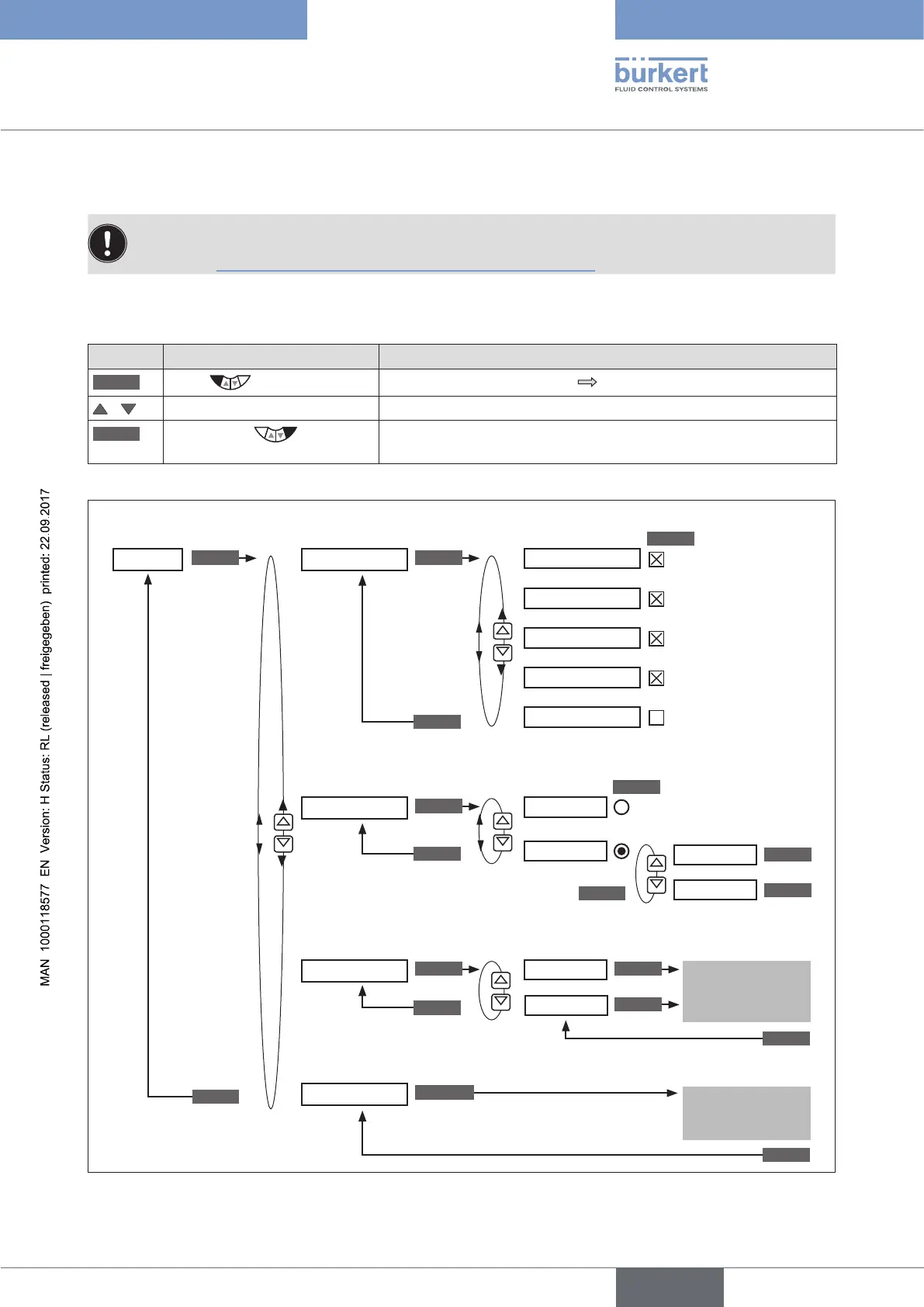
26.3. Manual configuration of X.TUNE
This function is needed for special requirements only.
For standard applications the X.TUNE function has been preset at the factory.
See chapter “23.2. X.TUNE – Automatic adjustment of the positioner”.
For special requirements the X.TUNE function, as described below, can be manually configured.
Opening the menu for the manual configuration of X.TUNE
Key Action Description
MENU
Press for approx. 3 s
Switching from process level setting level.
/ Select X.TUNE
RUN
Briefly press
Opening the Manual.TUNE menu. The menu options for the manual
configuration of X.TUNE are displayed.
X.TUNE; opening the menu for the manual configuration of X.TUNE
INPUT
INPUT
X.TUNE
X.TUNE.CONFIG
X.TUNE.POS
X.TUNE.PWM
X.TUNE.AIR
X.TUNE.DBDx
ACT.limit
yB.min
ACT.nolimit
yE.min
POS.pMIN
POS.pMAX
X.TUNE.PARAx
X.TUNE.
LEAKAGE
X.TUNE.Ypwm
X.TUNE.Yfric
Selecting functions for X.TUNE
Determining end positions
Optimizing PWM signals
EXIT
EXIT
EXIT
SELEC
SELEC
RUN ENTER
ENTER
ENTER
RUN
ENTER
ENTER
press
briefly
EXIT
Dead band
Control parameter
positioner
Leakage test
Parameter PWM
signals
Friction behavior
Input values
Acknowledge
value
Values are
displayed
Hold down
as long as countdown (5 ...) is running
Determining opening and closing times
OK
OK
EXIT
Figure 99: Operating structure for the manual configuration of X.TUNE



 To Next Page