74
Start-Up
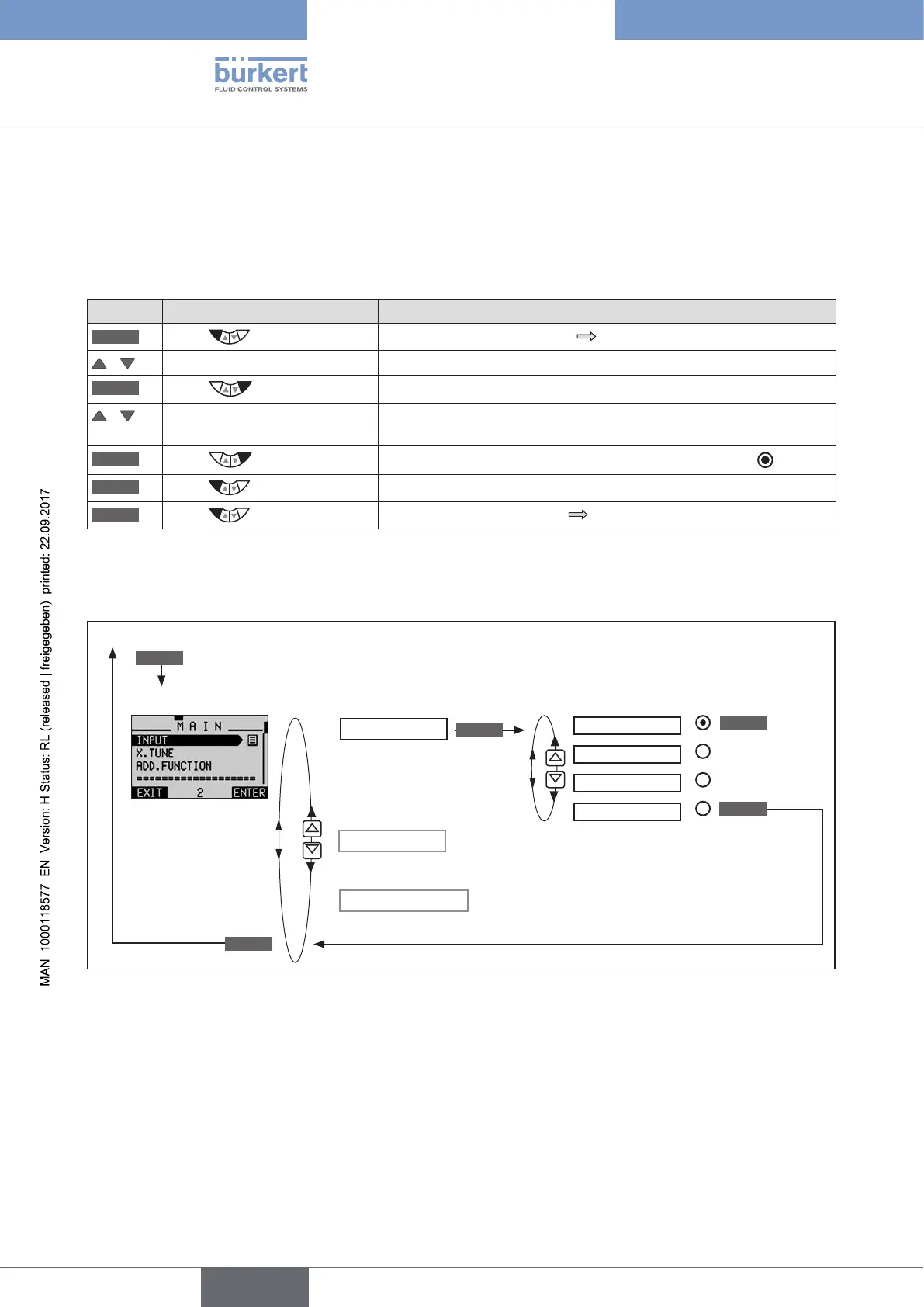
23.1. INPUT - Setting the input signal
This setting is used to select the input signal for the set-point value.
Procedure:
Key Action Description
MENU
Press for approx. 3 s
Switching from process level setting level.
/ Select INPUT
ENTER
Press
The possible input signals for INPUT are displayed.
/ Select input signal
(4-20 mA, 0-20 mA,....)
SELEC
Press
The selected input signal is now marked by a filled circle .
EXIT
Press
Return to the main menu (MAIN).
EXIT
Press
Switching from setting level process level.
Table 34: Setting the input signal
Operating structure:
INPUT
4-20 mA
0-20 mA
0-10 V
0-5 V
Select the input signal
EXIT
ENTER
SELEC
X.TUNE
Press for approx. 3 s
Process level (values are displayed)
MENU
Setting level
ADD.FUNCTION
EXIT
Figure 32: Operating structure INPUT



 To Next Page