39
Installation
12.2.3. Attaching mounting bracket
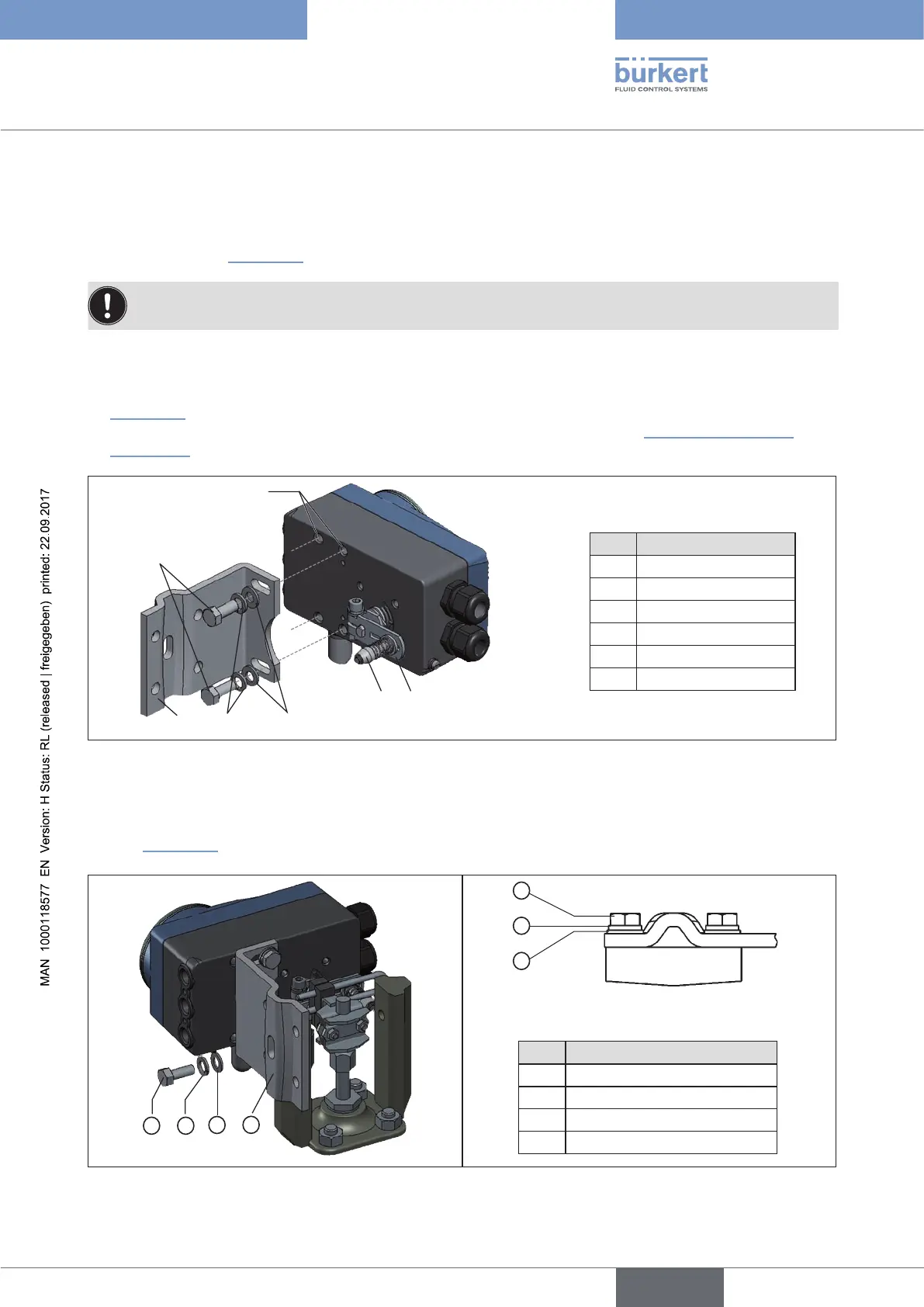
→ Attach mounting bracket ① to the back of the Type 8792/8793 with hexagon bolts ⑨, circlip ⑩ and
washers ⑪ (see “Figure 15”).
The selection of the M8 thread used on the Type 8792/8793 depends on the size of the actuator.
→ To determine the correct position, hold the Type 8792/8793 with mounting bracket on the actuator.
The conical roller ⑤ on the lever ⑥ of the position sensor must be able to move freely in the hoop (refer
“Figure 15”) along the entire stroke range of the actuator.
At 50% stroke the lever position should be approximately horizontal (see chapter “12.2.4. Aligning lever
mechanism”.
①
⑨
⑩
⑪
M8 thread
⑥⑤
Legend:
No. Name
1 Mounting bracket
5 Conical roller
6 Lever
9 Hexagon bolt
10 Circlip
11 Washer
Figure 15: Attaching mounting bracket
Attaching the Type 8792/8793 with mounting bracket for actuators with cast frame:
→ Attach mounting bracket to the cast frame with one or more hexagon bolts ⑧, washers ⑪ and circlips ⑩
(see “Figure 16”).
8
10
11
1
8
10
11
Legend:
No. Name
1 Mounting bracket
8 Hexagon bolt
10 Circlip
11 Washer
Figure 16: Attach Type 8792/8793 with mounting bracket; for actuators with cast frame



 To Next Page