62
Operation
17.2.1. Entering and changing numerical values
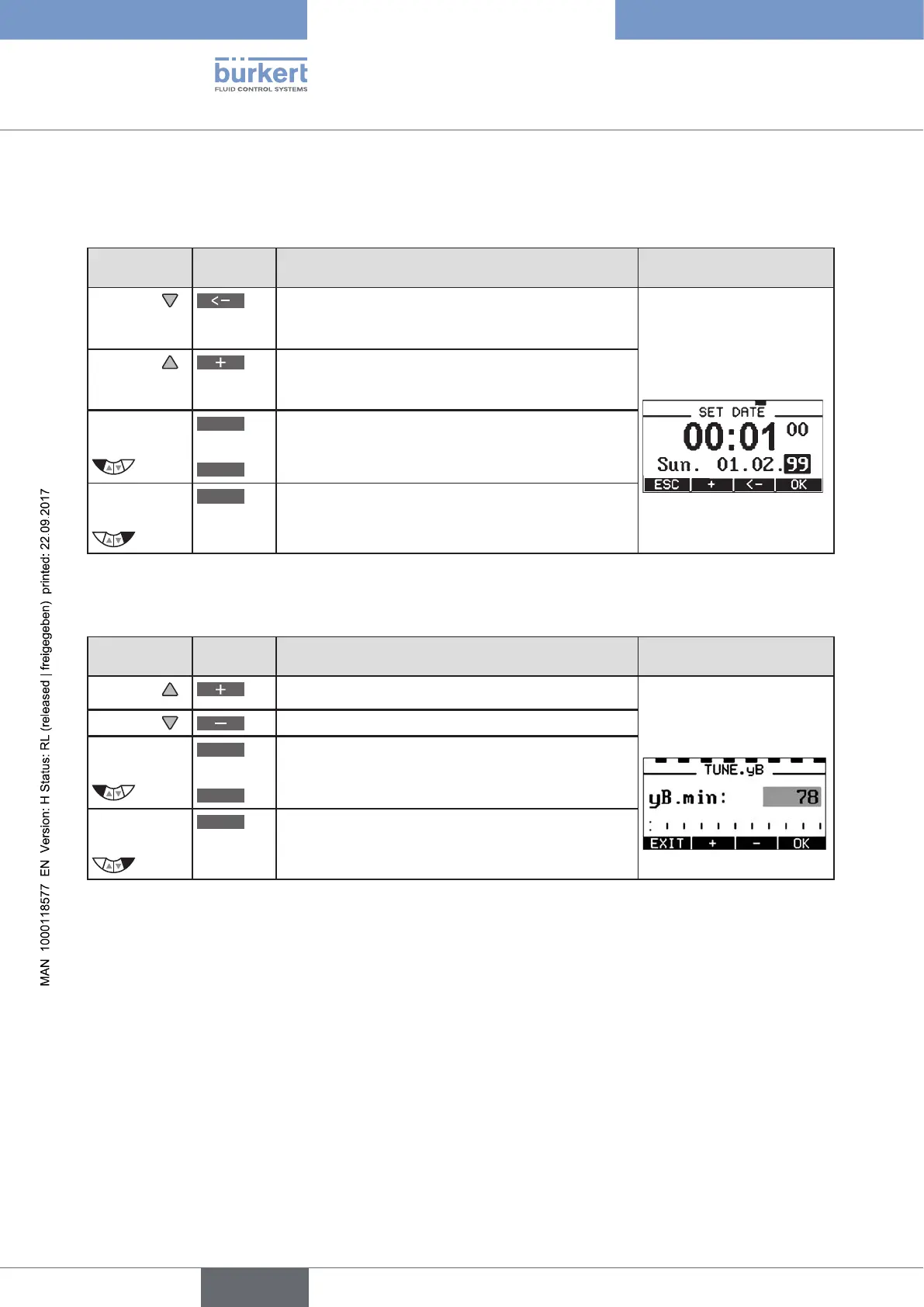
Changing numerical values with fixed decimal places:
Key
Key
function
Description of the function Example
Arrow key
Change to the next decimal place (from right to left).
After reaching the last decimal place, the display
switches back to the first decimal place.
Enter date and time.
Arrow key
Increase value.
When the largest possible value has been reached,
0 is displayed again.
Left
selection key
ESC
or
EXIT
Return without change.
Right
selection key
OK
Accept the set value.
Table 25: Change numerical values with fixed decimal places.
Enter numerical values with variable decimal places:
Key
Key
function
Description of the function Example
Arrow key
Increase value.
Enter PWM signal
Arrow key
Reduce value.
Left
selection key
ESC
or
EXIT
Return without change.
Right
selection key
OK
Accept the set value.
Table 26: Enter numerical values with variable decimal places.



 To Next Page