58
Operation
16. OPERATING LEVELS
There is the process level and the setting level for the operation and setting of type 8792/8793.
Process level:
The running process is displayed and operated on the process level.
Operating state: AUTOMATIC – Displaying the process data
MANUAL – Manually opening and closing the valve
Setting level:
The basic settings for the process are made on the setting level.
– Inputting the operating parameters
– Activating auxiliary functions
If the device is in the AUTOMATIC operating state when changing to the setting level, the process continues
running during the setting.
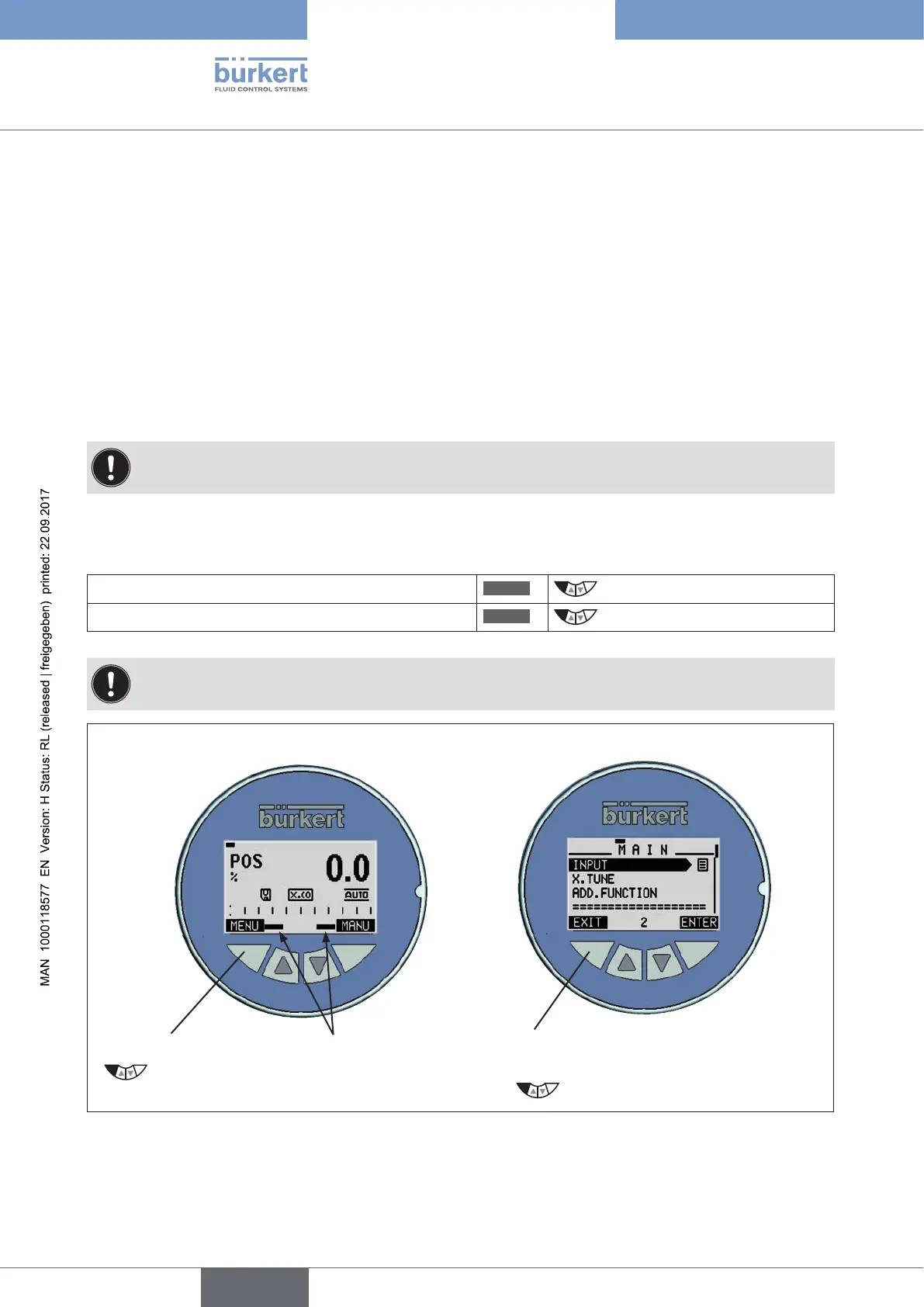
16.1. Switching between the operating levels
Change to the setting level
MENU
Press for 3 seconds
Return to the process level
EXIT
Press briefly
The set MANUAL or AUTOMATIC operating state is retained even when the operating level is changed.
Left selection key
Press for 3 seconds
Progress bar
closes
Change to the setting level
Return to the process level
Left selection key
Press
Figure 27: Changing operating level



 To Next Page