121
Auxiliary functions
26.2.14. OUTPUT – Configuring the outputs (option)
The OUTPUT menu option is only indicated in the selection menu of ADD.FUNCTION if the Type
8792/8793 has outputs (option).
The Type 8792/8793 which has the outputs option is available in the following versions:
• one analogue output
• one analogue and two binary outputs
• two binary outputs
According to the version of the Type 8792/8793 only the possible adjustable outputs (ANALOGUE,
ANALOGUE + BIN 1 + BIN 2 or BIN 1 + BIN 2) are indicated in the OUTPUT menu option.
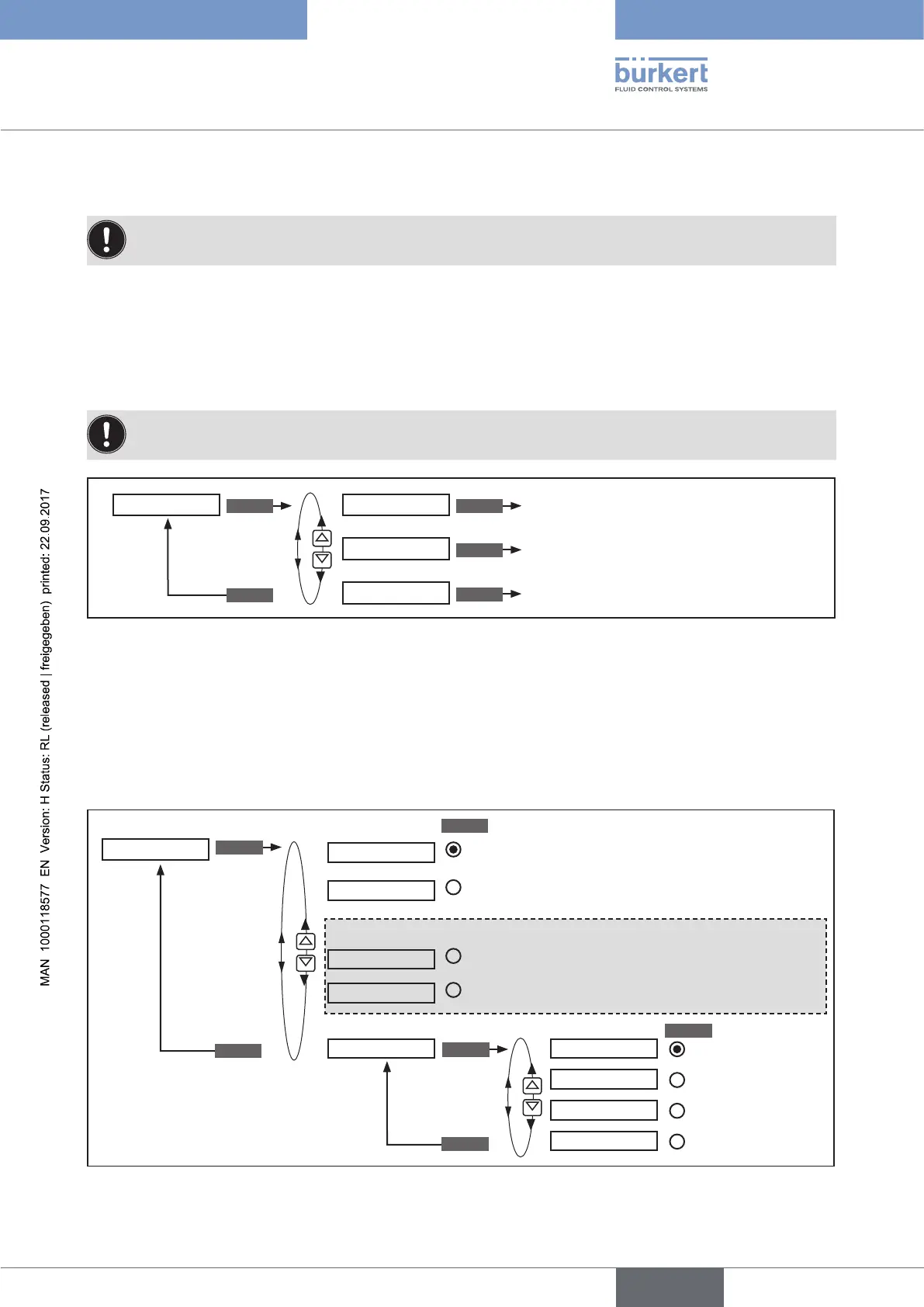
ENTER ENTER
ENTER
ENTER
EXIT
Configuration of the analogue output
Configuration of the binary output 1
Configuration of the binary output 2
OUTPUT OUT ANALOG
OUT BIN1
OUT BIN2
Figure 73: Operating structure OUTPUT;
26.2.14.1. OUT ANALOG - Configuring the analogue output
Type 8792: The feedback of the current position (POS) or of the set-point value (CMD) can be transmitted to the
control center via the analog output.
Type 8793: The feedback of the current position (POS) or of the set-point value (CMD), of the process actual value
(PV) or of the process set-point value (SP) can be transmitted to the control center via the analog output.
OUT ANALOG
SELEC
ENTER
EXIT
POS
CMD
PV
SP
OUT type 4 - 20 mA
0 - 20 mA
0 - 10 V
0 - 5 V
Output of actual position
Output of set-point position
Output of the process actual value
Output of the process set-point value
Selection of the
standard signal
SELEC
ENTER
EXIT
For Type 8793 only (process control):
Figure 74: Operating structure OUTPUT-ANALOG;



 To Next Page