60
Operation
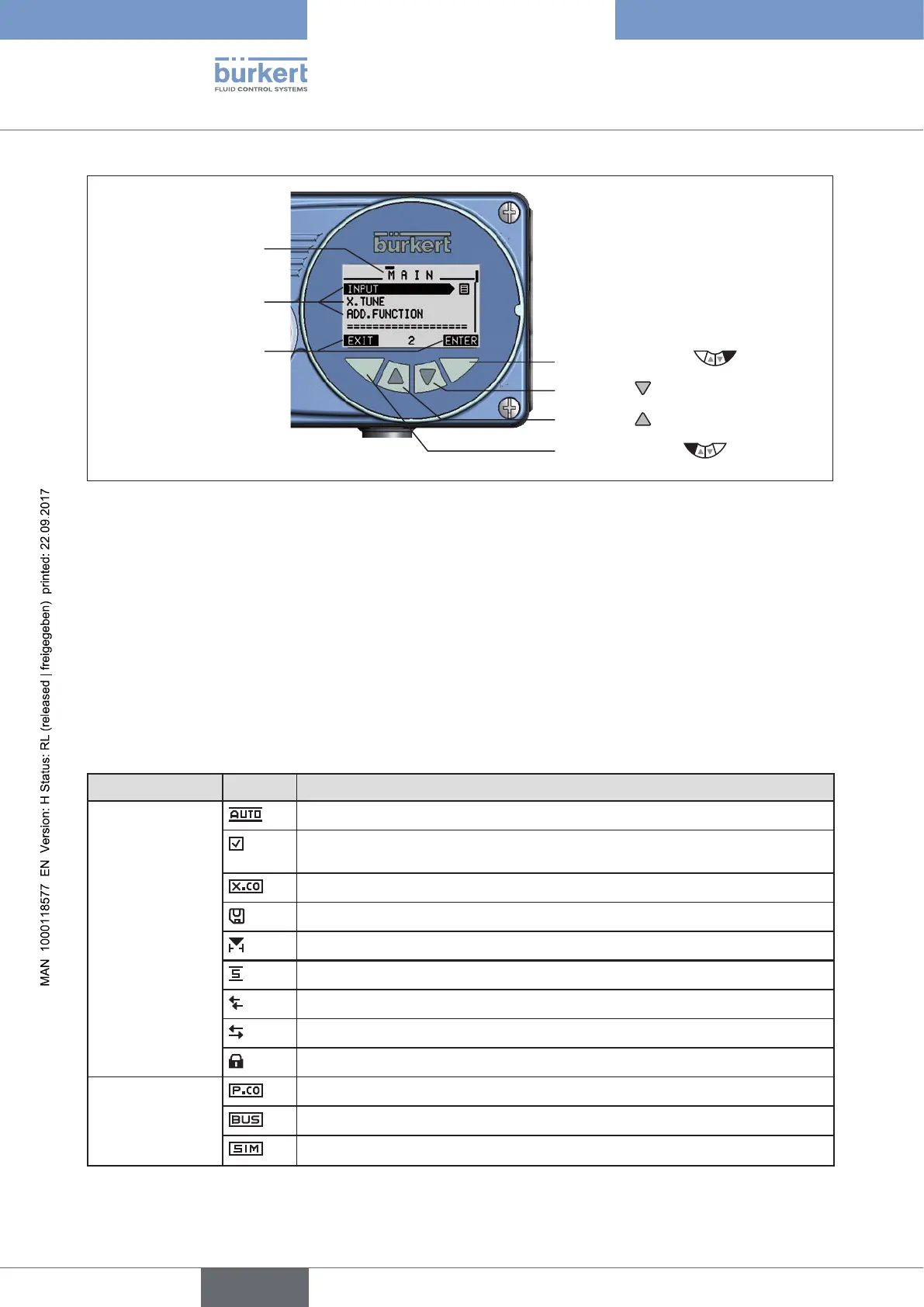
Operating elements:
Right selection key
Arrow key , down arrow
Arrow key
, up arrow
Left selection key
Submenu
Designation for the
function of the keys
Display elements of
the setting level:
Menu designation
Figure 29: Display and operating elements of the setting level
17.1.1. Description of the symbols which are displayed on the
process level
The symbols which are displayed depend on
• type,
• operation as position or process controller,
• AUTOMATIC or MANUAL operating state and
• the activated functions.
Operation Symbol Description
Types 8792/8793
Operation as
positioner
AUTOMATIC operating state
Diagnosis active (optional; only available if the device has the additional
software for the diagnosis)
X.CONTROL / Positioner active (symbol is indicated for Type 8793 only)
Save EEPROM (is indicated during the save process)
CUTOFF active
SAFEPOS active
Interface I/O Burst
Interface I/O RS232 HART
SECURITY active
Other symbols for
Type 8793
Operation as
process controller
P.CONTROL / Process controller active
Bus active
SIMULATION active
Table 23: Symbols of the process level.



 To Next Page