67
Operation
18. OPERATING STATES
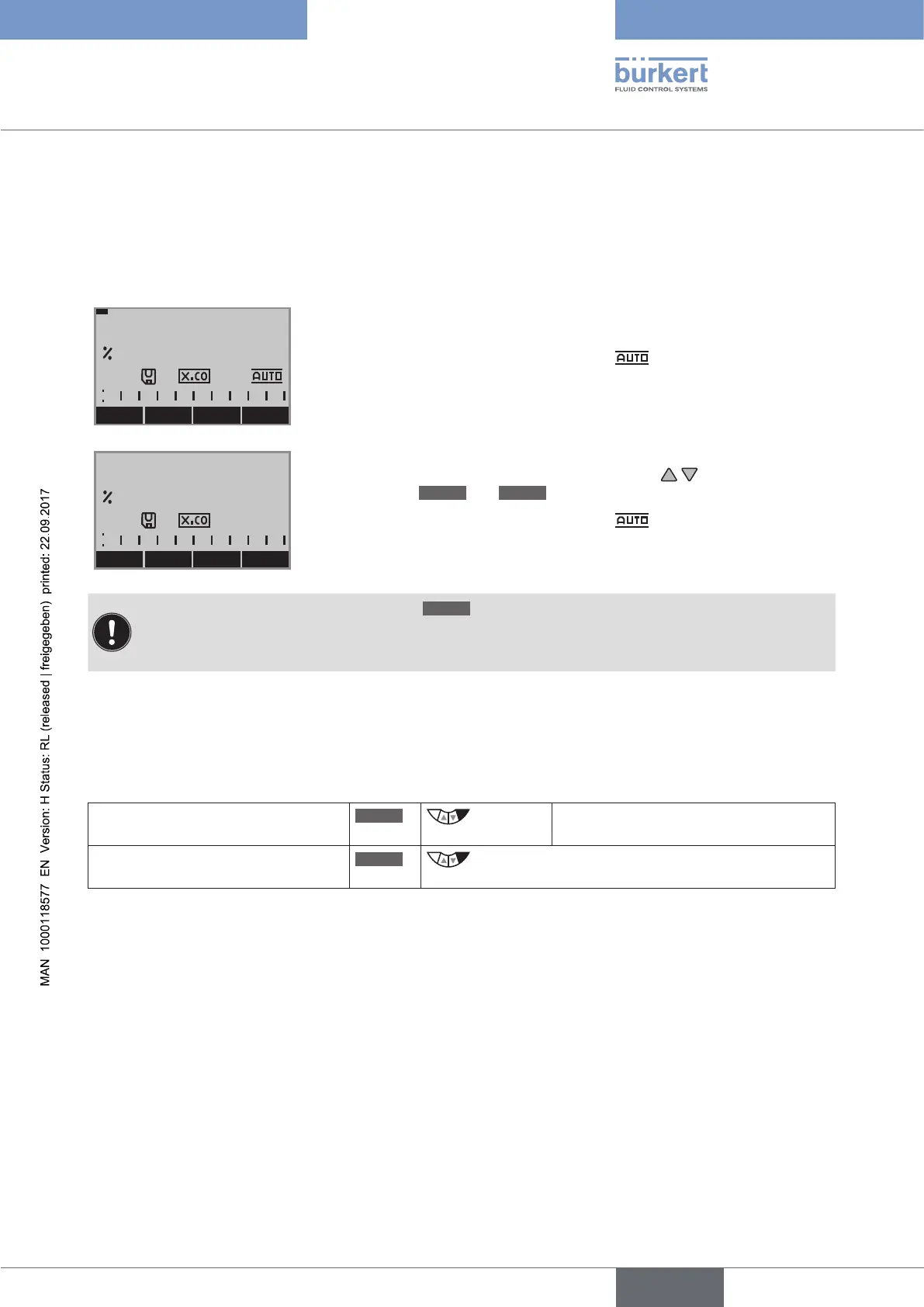
Type 8792/8793 has 2 operating states: AUTOMATIC and MANUAL.
When the operating voltage is switched on, the device is in the AUTOMATIC operating state.
MENU CMD POS MANU
POS
0.0
AUTOMATIC In the AUTOMATIC operating state normal
controlled operation is implemented.
(The symbol for AUTOMATIC
is shown on the display.
(A bar runs along the upper edge of the display).
MENU OPN CLS AUTO
POS
0.0
MANUAL In the MANUAL operating state the valve can be manually
opened or closed via the arrow keys (key function
OPN
and
CLS
).
(The symbol for AUTOMATIC
is hidden.
(No bar running along the upper edge of the display).
The MANUAL operating state (key function
MANU
)
is for the following process value displays only:
POS, CMD, PV, CMD/POS, SP/PV.
For SP only for external process set-point value.
18.1. Changing the operating state
MANUAL or AUTOMATIC operating state is switched on the process level.
When switching to the setting level, the operating state is retained.
Change to MANUAL operating state
MANU
press Only available for process value display:
POS, CMD, PV, SP
Return to AUTOMATIC operating
state
AUTO
press



 To Next Page