165
Auxiliary functions
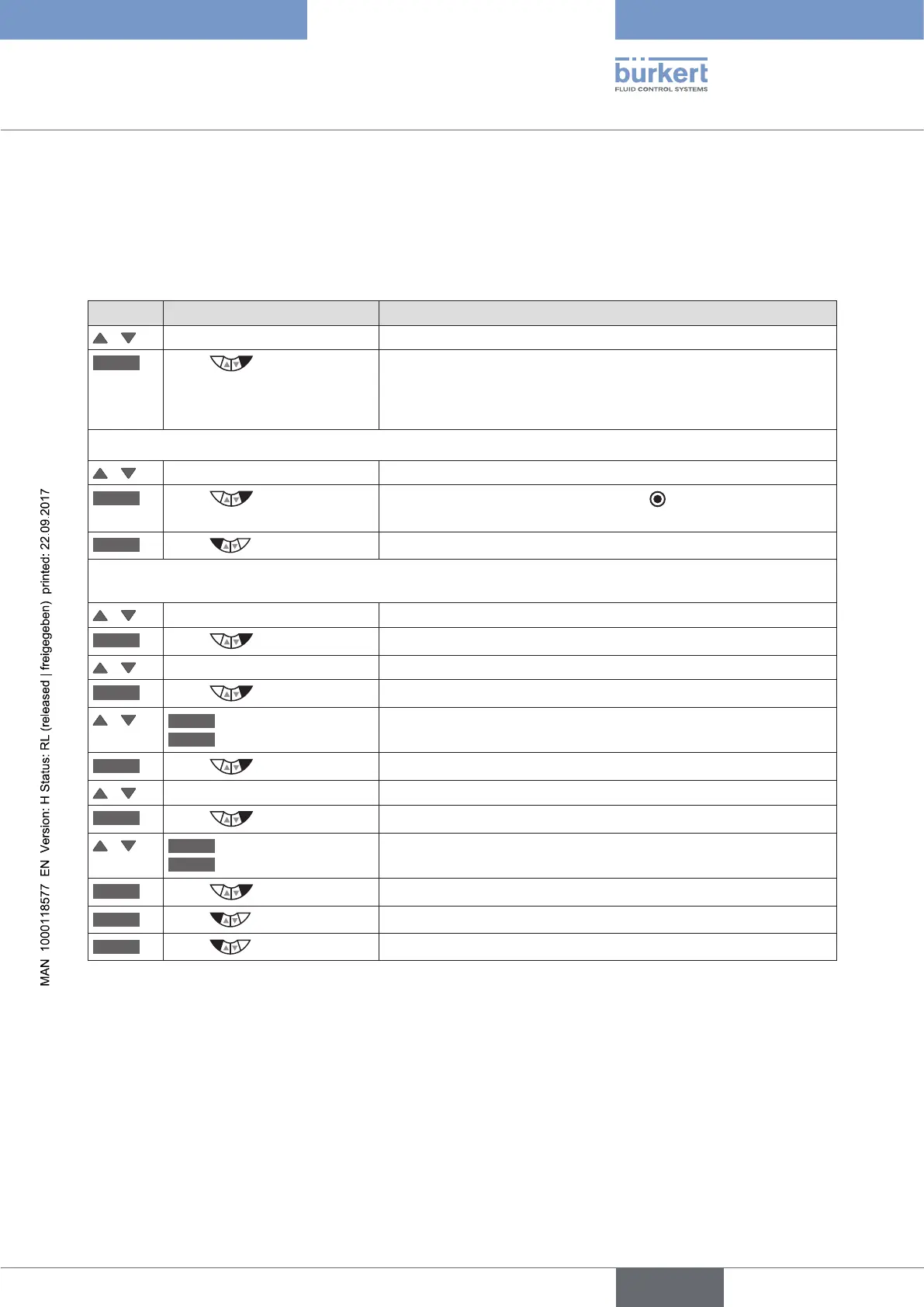
26.3.1.2. X.TUNE.POS – Setting of the end positions
In this menu you can specify whether the pneumatic actuator has mechanical end positions or not.
If there are no mechanical end positions available, these are not approached by the X.TUNE and must be man-
ually specified.
Position of the end positions
Key Action Description
/ Select M.TUNE.POS
ENTER
Press
The selection for
ACT.limit = mechanical end positions available
ACT.nolimit = mechanical end positions not available
is displayed.
If mechanical end positions are available
/ Select ACT.limit
SELEC
Press
The selection is marked by a filled circle .
EXIT
Press
Return to the Manual.TUNE menu.
If mechanical end positions are not available
/ Select ACT.nolimit
SELEC
Press
The CAL.POS submenu for inputting the end positions is opened.
/ Select POS.pMIN
INPUT
Press
The input screen for the value of the lower end position is opened.
/
OPN
Open more
CLS
Close more
Approach lower end position of the valve.
OK
Press
Transfer and simultaneous return to the CAL.POS menu.
/ Select POS.pMAX
INPUT
Press
The input screen for the value of the upper end position is opened.
/
OPN
Open more
CLS
Close more
Approach upper end position of the valve.
OK
Press
Transfer and simultaneous return to the CAL.POS menu.
EXIT
Press
Return to the M.TUNE.POS. menu.
EXIT
Press
Return to the Manual.TUNE menu.
Table 98: M.TUNE.POS; position of the end positions



 To Next Page