214
DeviceNet
Key Action Description
/ Select BAUD RATE
ENTER
Press
The input screen is opened.
/ Select baud rate 125 kBd / 250 kBd / 500 KBd
SELEC
Press
The selection is now marked by a filled circle .
EXIT
Press
Return to BUS.COMM.
Deactivating / activating safety position
/ Select BUS FAIL
ENTER
Press
The menu options for deactivating and activating the safety position
are displayed.
/ Select menu option
SafePos off
= deactivated
SafePos on
= activated
SELEC
Press
The selection is now marked by a filled circle .
EXIT
Press
Return to BUS.COMM.
EXIT
Press
Return to the main menu (MAIN).
EXIT
Press
Switching from setting level process level.
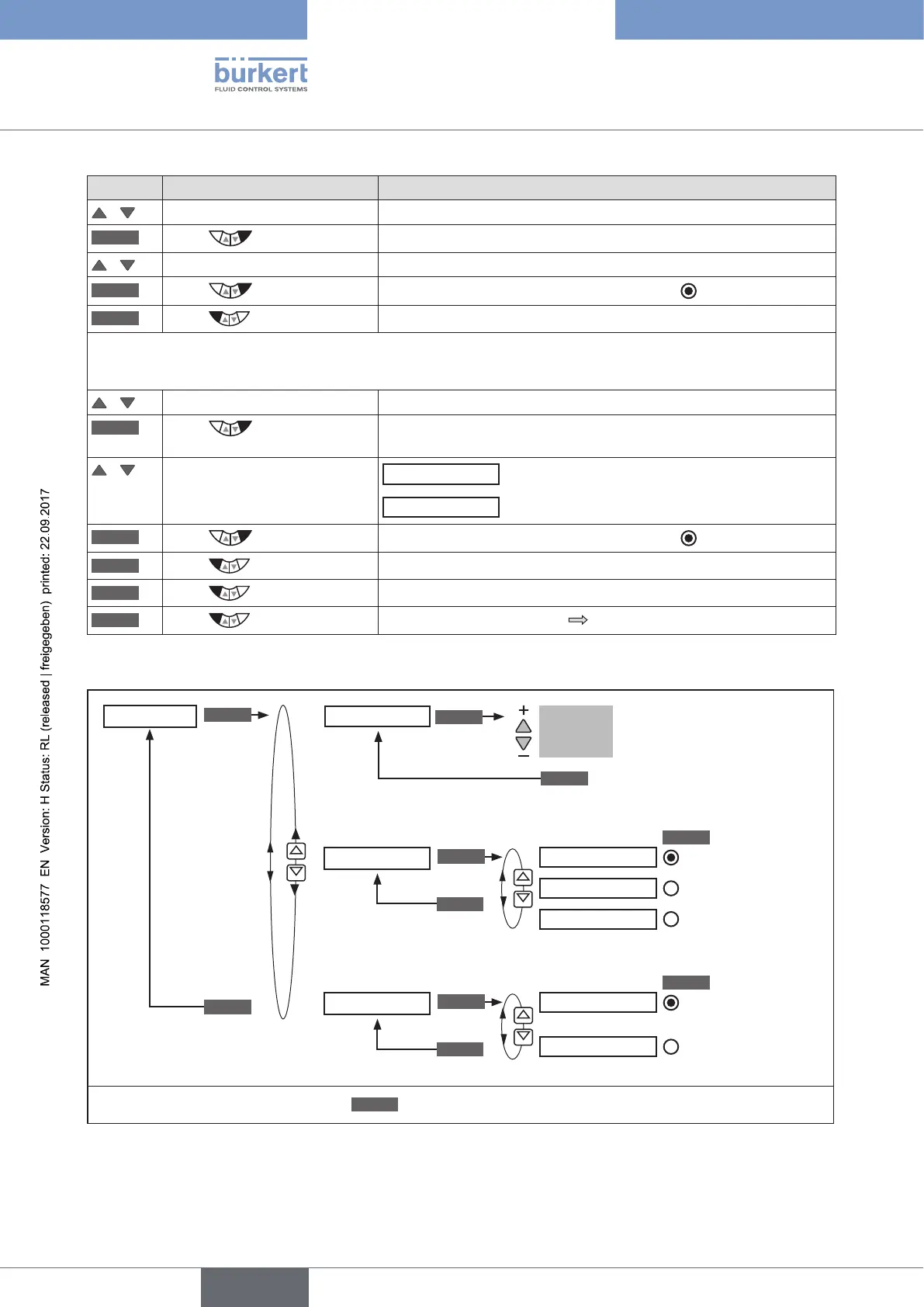
Table 120: BUS.COMM; settings DeviceNet
BUS.COMM
BAUDRATE
BUS FAIL
125 kBd
250 kBd
500 kBd
SafePos off
SafePos on
EXIT
EXIT
SELEC
SELEC
ENTER
ENTER
ENTER
EXIT
*
OK
Enter
value
Input device address.
Adjustment range: 0 ... 63
INPUT
Address 0
Selection of the
baud rate
Activating /
deactivating
approach of the
safety position
* If the submenu is left by pressing the
ESC
key, the value remains unchanged.
Figure 127: Operating structure - BUS.COMM; DeviceNet



 To Next Page