Selecting Copy Paper
0UWX-01K
Specify the paper source that contains the paper to use for printing out copies.
● You must rst specify the size and type of paper that is loaded in the paper source.
Specifying Paper Size and Type(P. 67)
Loading Paper(P. 51)
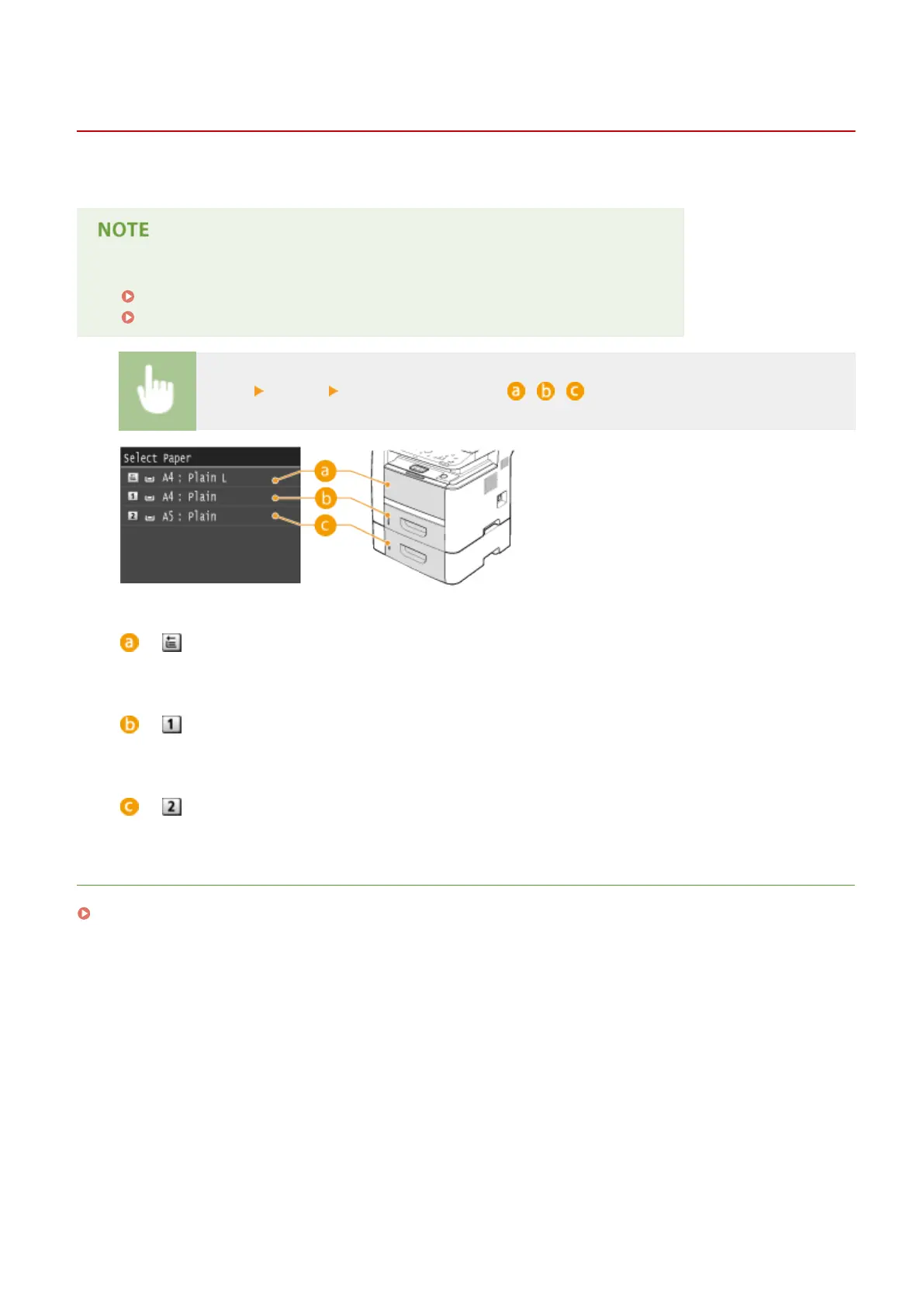
<Copy> <Paper> Select the paper source ( , , )
< >
Selects the paper loaded in the multi-purpose tray.
< >
Selects the paper loaded in the paper drawer of the machine (drawer 1).
< >
Selects the paper loaded in the optional paper feeder (drawer 2).
LINKS
Basic Copy Operations(P. 107)
Copying
110











 To Next Page