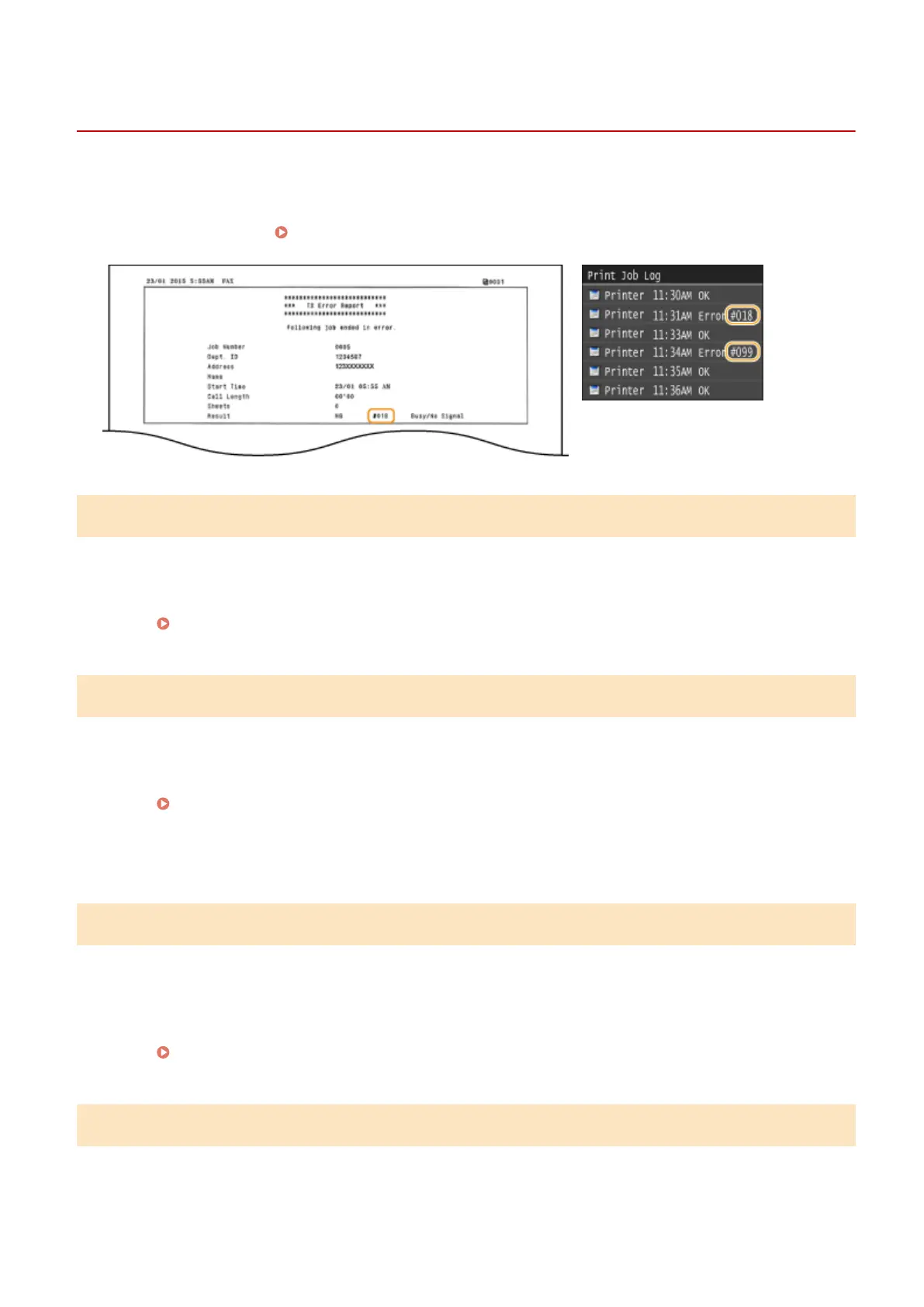
When an Error Code Appears
0UWX-0C2
If an error occurs such as when printing is not successful or when you cannot send or receive a fax or scanned
document, the corresponding error code is displayed in a report or in the <Job Log> screen as a three-digit number.
Check the following to nd out causes and solutions for each error code. For how to print an error report and
information in the report, see
Printing Reports and Lists(P. 808) .
#001
A document jams in the feeder.
● Remove the jammed document.
Document Jams in the Feeder(P. 724)
#003
A fax could not be sent or received due to its large data size.
● When sending a fax: Reduce the resolution, and scan the document.
Adjusting Resolution(P. 167)
● When receiving a fax: Ask the sender to divide the document into multiple sections or reduce the
resolution before sending.
#005
A fax could not be sent because the recipient's machine did not respond within 35 seconds.
● When the recipient's machine is turned OFF or the line is busy, a fax may not be sent. Ask the recipient to
check the machine status. When sending the fax overseas, insert pauses in the fax number.
Sending Faxes (MF419x / MF416dw)(P. 149)
#012
A fax could not be sent because the recipient's machine ran out of paper.
● Ask the recipient to reload the paper.
Troubleshooting
747











 To Next Page