Color is adjusted so that the color tone on the display comes closer to that on the printed result. This
setting is available if you select [Color] for [Color Mode] ( Specifying Settings for Documents and Color
Mode(P. 318) ).
● If [Color Matching] is enabled, the [Fading Correction] ( Adjusting Image Quality(P. 321) ) setting and
the buttons for brightness and color settings ( Adjusting Brightness and Color(P. 322) ) are disabled.
[Always Execute the Auto Tone]
Color tone is automatically adjusted. The setting is available if you select [Color] or [Grayscale] for [Color
Mode].
[Monitor Gamma]
You can display the document at the proper brightness level by specifying the gamma value of the computer
display that displays the scanned image. The setting is applied if you select [Color] or [Grayscale] for [Color
Mode].
◼
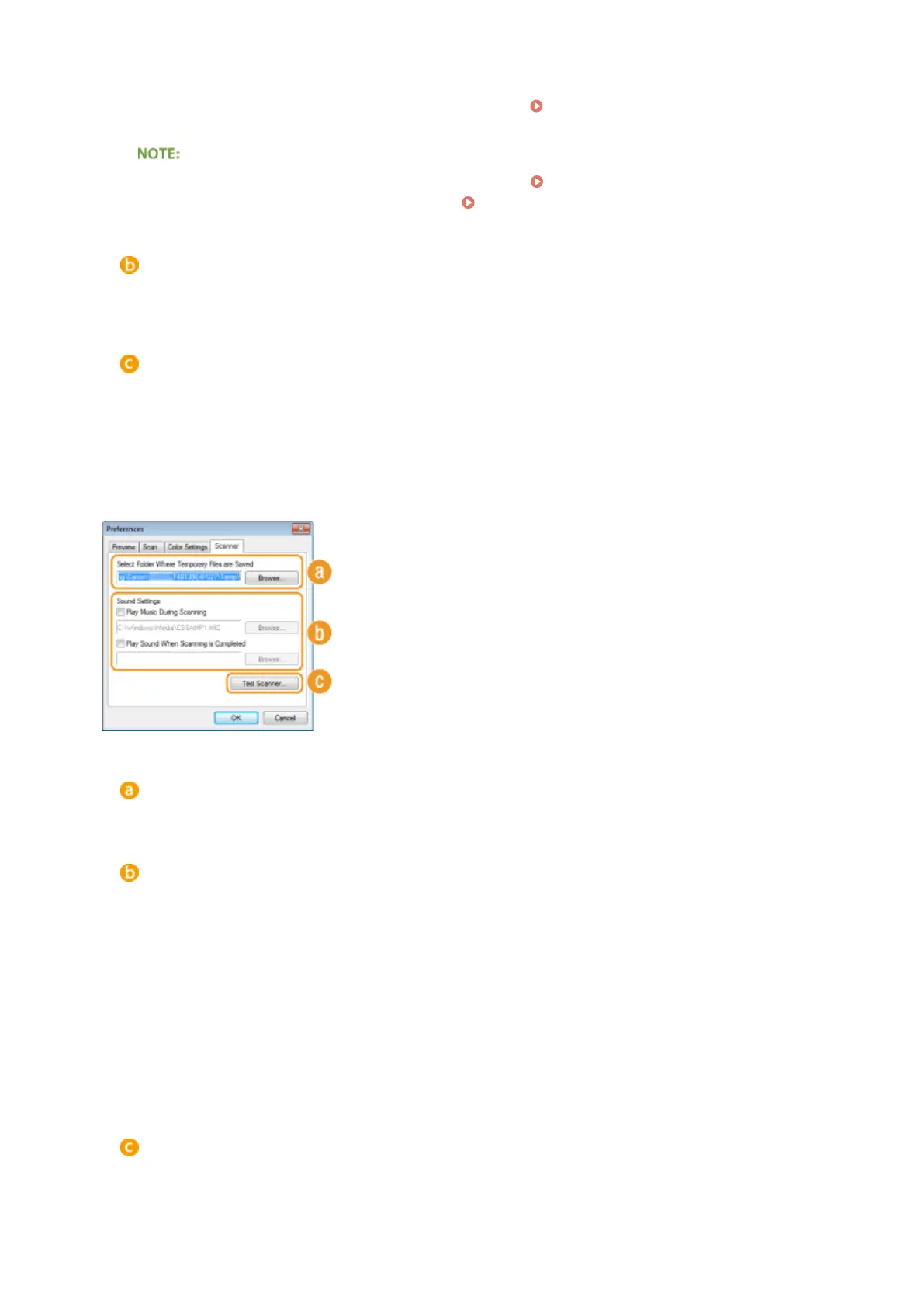
[Scanner] Tab
Congure the temporary save destination of les, the playing of audio les,
and other settings.
[Select Folder Where Temporary Files are Saved]
Click [Browse] to change the folder to which an image is temporarily saved.
[Sound Settings]
You can specify the music or sounds that are played while the machine is scanning or when scanning is
complete. Click [Browse] to specify a le to be played. The following le formats (extensions) are supported:
● MIDI les (.mid/.rmi/.midi)
● Audio les (.wav/.aif/.aiff)
● MP3 les (.mp3)
[Play Music During Scanning]
The specied sound le is played while scanning is being performed.
[Play Sound When Scanning is Completed]
The specied sound le is played when scanning is complete.
[Test Scanner]
You can check whether the scan function of the machine is working properly. When the [Scanner Diagnostics]
screen opens, click [Start].
Using the Machine as a Scanner
327











 To Next Page