Importing/Exporting Address Book Data from the Fax
Driver
0UWX-03X
Address Book data in CSV format created on applications such as Microsoft Excel can be imported into the machine, or
the Address Book data can be exported to a le for use on other fax machines or applications.
Importing Address Book Data(P. 219)
Exporting Address Book Data(P. 220)
Importing Address Book Data
The le formats that can be read into the fax driver are the following three: CSV le (*.csv), Canon Address Book le
(*.abk), and device conguration information le (*.dcm).
1
Open the printer folder. Displaying the Printer Folder(P. 892)
2
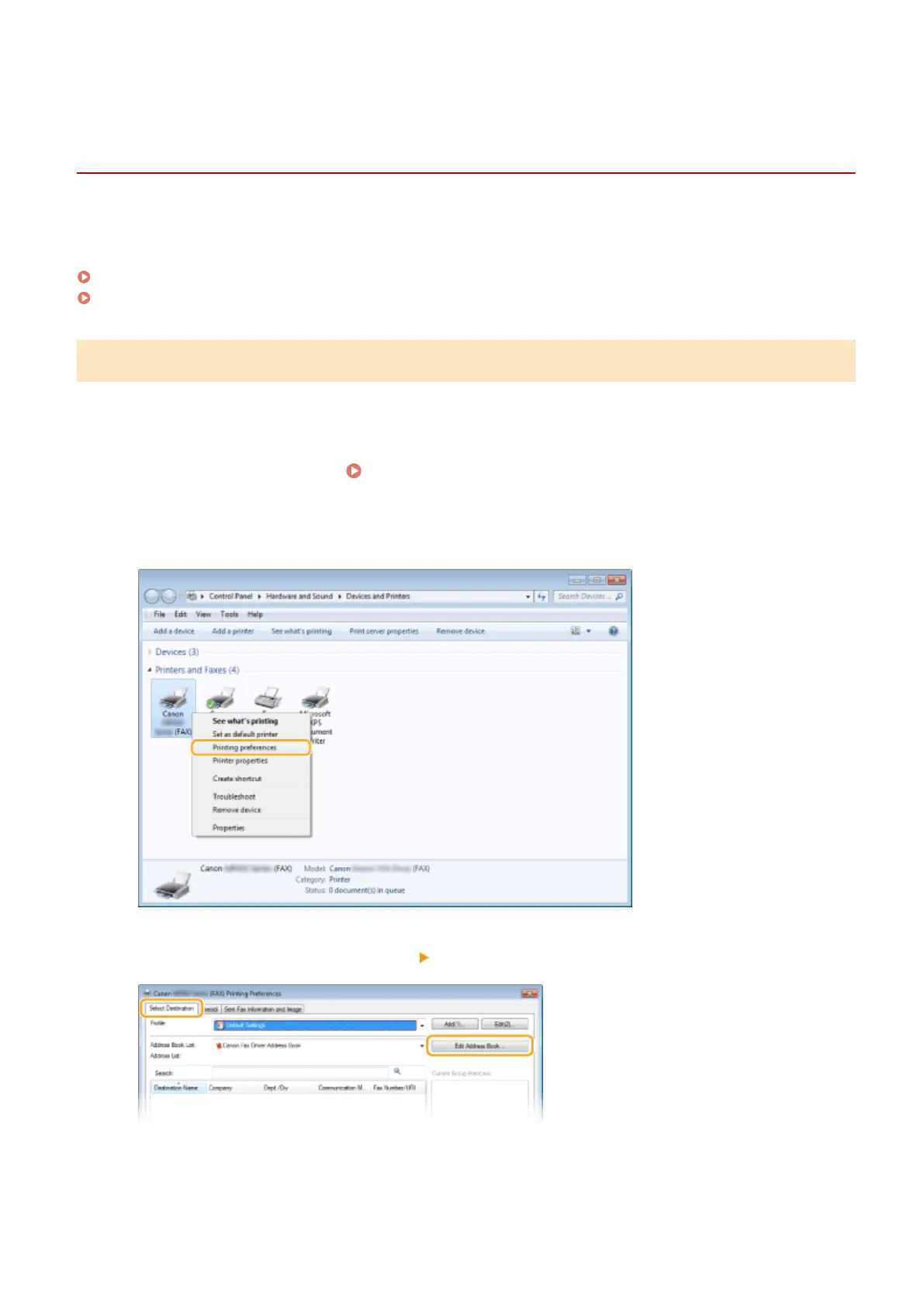
Right-click the fax driver icon for this machine and click [Printing preferences].
3
Click the [Select Destination] tab [Edit Address Book].
4
Click [Import].
Faxing
219











 To Next Page