Selecting a File Format
0UWX-05X
You can select the le format to which documents are scanned, from PDF/JPEG/TIFF.
For PDF, you can select a highly compressed PDF le with a reduced le size or a text
searchable PDF le prepared by OCR (Optical Character Recognition).
<Scan> Select <USB Memory> or specify a destination with <E-Mail>/<File> <File Format>
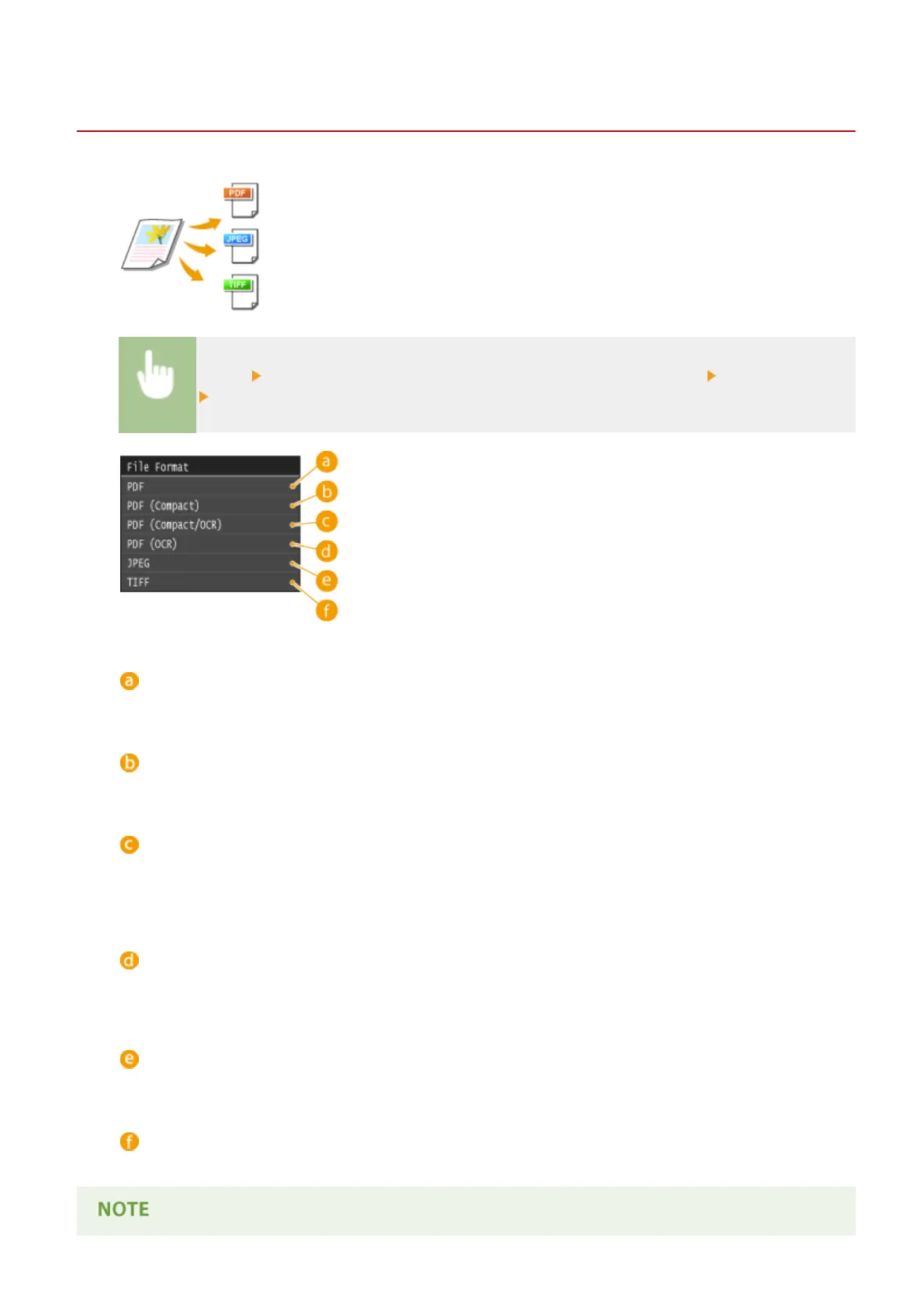
Select a le format
<PDF>
Converts a scanned document into a PDF le with no le size reduction.
<PDF (Compact)>
Converts a scanned document into a PDF le with a reduced le size than that of <PDF>.
<PDF (Compact/OCR)>
Converts a scanned document into a text searchable PDF le with a reduced le size than that of <PDF>. The
PDF le includes text data, extracted from the characters in the scanned document with OCR, enabling you to
search the text using a computer.
<PDF (OCR)>
Converts a scanned document into a text searchable PDF le as <PDF (Compact/OCR)>, with no le size
reduction.
<JPEG>
The scanned document is converted into a JPEG le.
<TIFF>
The scanned document is converted into a TIFF le.
Using the Machine as a Scanner
351











 To Next Page