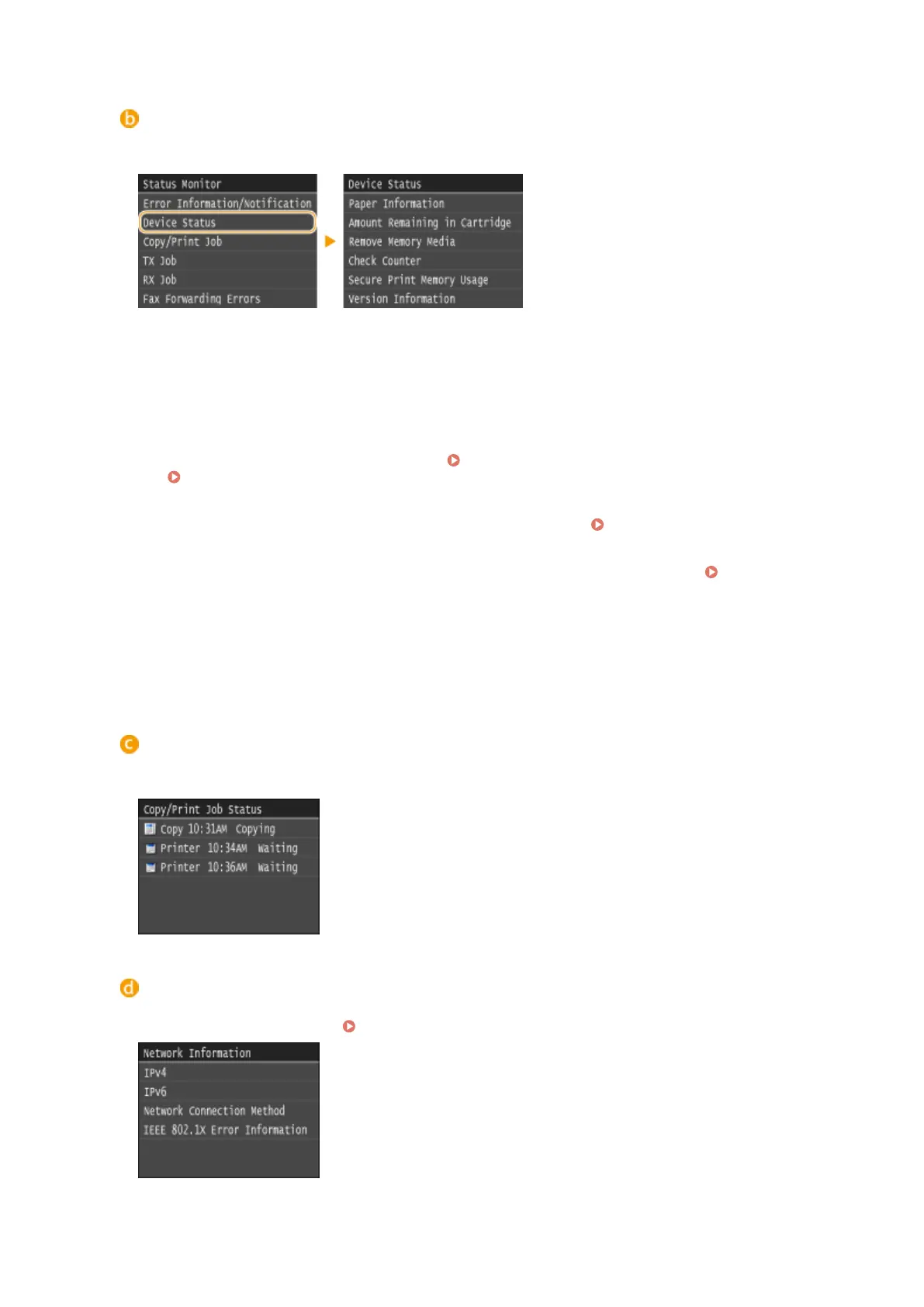
<Device Status>
Displays the status of the machine, such as the amount of paper or the amount remaining in the toner
cartridges.
<Paper Information>
Displays whether paper is loaded in each paper source.
<Amount Remaining in Cartridge>
Displays the amount remaining in the toner cartridges. Other internal parts may reach the end of their
lifetime before the toner runs out.
<Remove Memory Media>
Use to safely remove a USB memory device.
Printing from USB Memory (Memory Media Print)(P. 289)
Scanning Documents Directly to USB Memory(P. 332)
<Check Counter> (MF416dw / MF411dw)
Displays the total number of sheets that have been printed so far. Viewing the Counter Value(P. 823)
<Secure Print Memory Usage>
Displays the amount of memory currently used for storing secured document data.
Printing a
Document Secured by a PIN (Secure Print)(P. 276)
<Version Information>
Displays rmware version information.
<Serial Number>
Displays the serial number.
Status of copy/print/send/receive jobs
Displays the current status of the selected item. The <Copy/Print Job Status> screen is shown below as an
example.
<Network Information>
Displays the network settings such as the IP address of the machine and status such as the condition of
wireless LAN communications. Viewing Network Settings(P. 445)
Basic Operations
31











 To Next Page