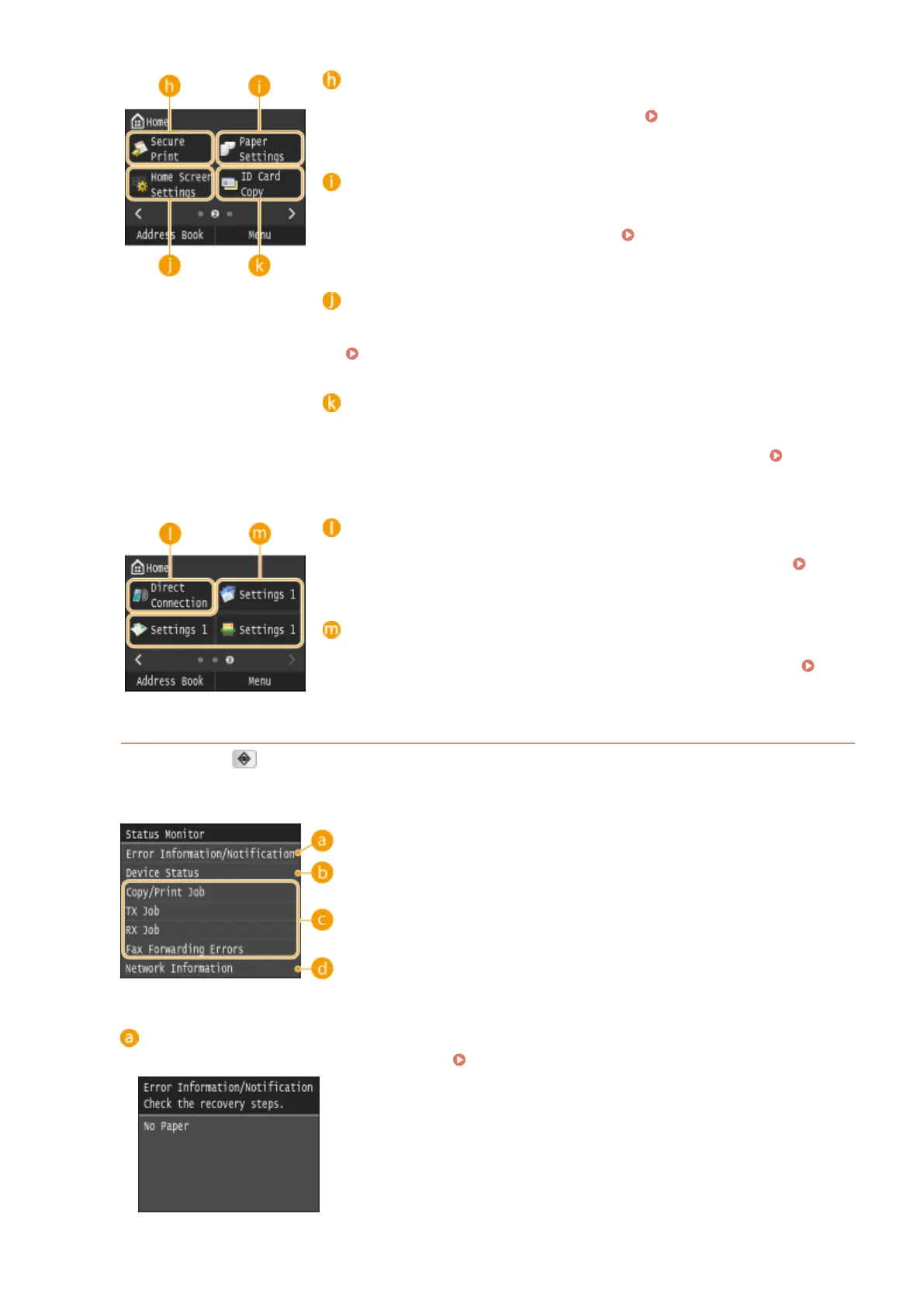
<Secure Print>
Use this function to print a secure document. Printing a Document
Secured by a PIN (Secure Print)(P. 276)
<Paper Settings>
This button is also used for specifying the size and type of paper loaded in
the paper drawer and multi-purpose tray.
Specifying Paper Size and
Type(P. 67)
<Home Screen Settings>
Allows you to change the order that Home screen buttons are displayed in.
Customizing the Home Screen(P. 34)
<ID Card Copy>
Settings are preregistered for copying the front and back sides of a driver's
license or other card onto the same side of a page at actual size. Copying
Both Sides of an ID Card onto One Page(P. 127)
<Direct Connection>
Use this to establish a direct wireless connection to a mobile device. Make
Direct Connection (Access Point Mode)(P. 388)
Shortcut buttons
Display "Favorite Settings" that are registered to Copy, Fax, and Scan.
Adding Buttons to the Home Screen(P. 34)
<Status Monitor> Screen
When you press , a screen appears in which you can check the progress of documents that are being
printed, sent or received, as well as the status of the machine (amount remaining in the toner cartridge, etc.)
and network settings such as the machine's IP address.
<Error Information/Notication>
Displays the details of any errors that occurred. When an Error Message Appears(P. 734)
Basic Operations
30











 To Next Page