LDAP Server Authentication
0UWX-090
If your system has an LDAP server installed, you can ensure that LDAP server authentication is carried out when the
send function is used. This enables you to prevent unauthorized use by third parties and information disclosure. Once
the authorization settings are enabled, the Authorized Send screen appears when the fax or scan function is used and
operation can only continue if it is correctly authorized by the LDAP server. Use the settings described here to
congure LDAP server authentication. For more information on registering the server to be used for authentication,
see
Registering LDAP Servers(P. 499) .
1
Start the Remote UI and log on in System Manager Mode. Starting Remote
UI(P. 606)
2
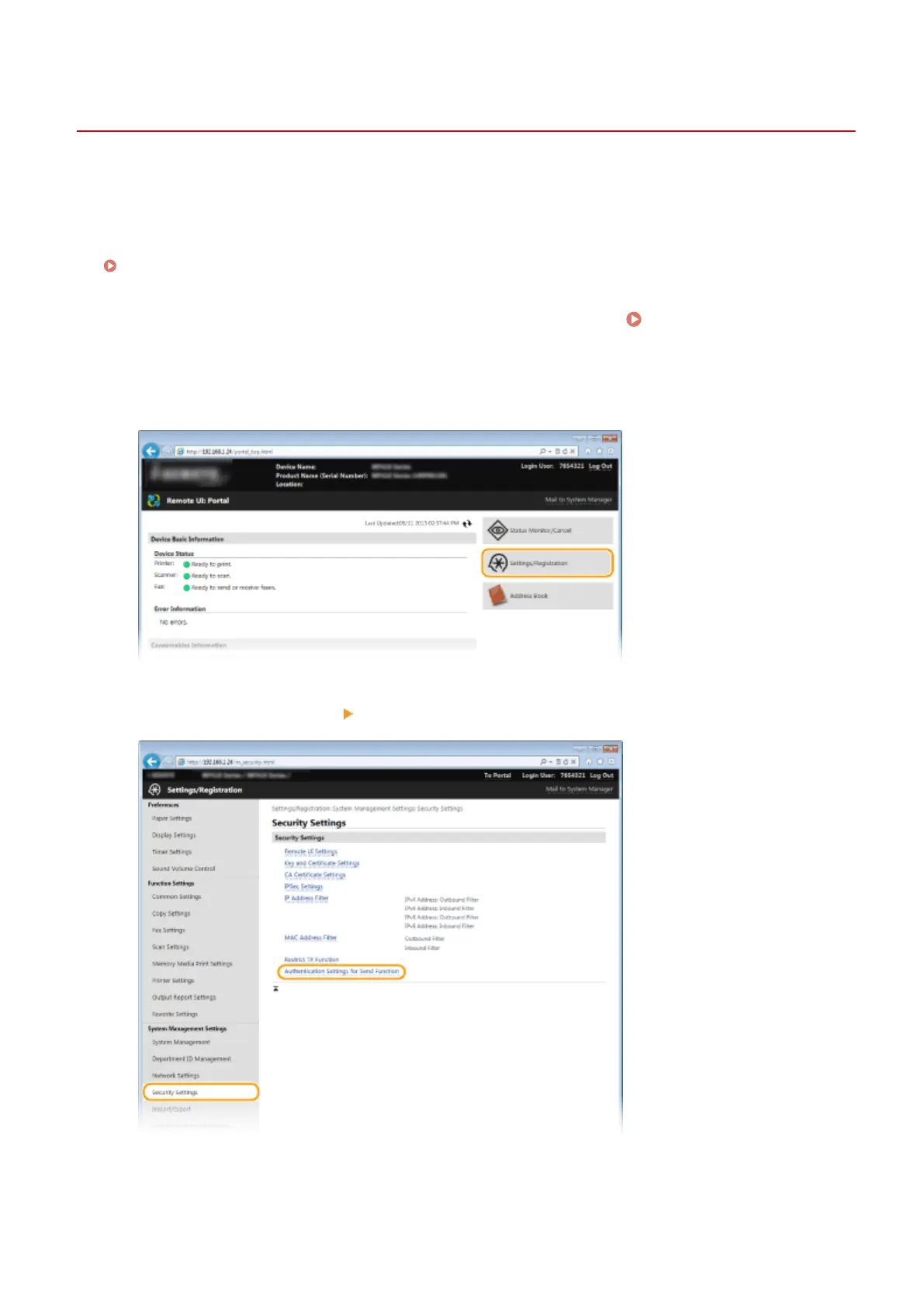
Click [Settings/Registration].
3
Click [Security Settings] [Authentication Settings for Send Function].
4
Click [Edit].
Security
536











 To Next Page